

Screenshots



Description
Photo and video applicationsSize
77 MBVersion
110.0Requirements
7.0Get it on
Report this app
Images
Mod Info
- Ads removed
Description
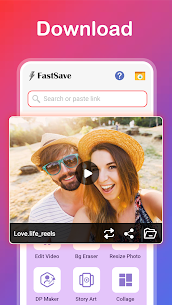
FastSave for Instagram MOD APK helps you to save Instagram photos and videos to your device for free and forever. Now you can quickly view Instagram photos and videos offline by downloading them using FastSave for Instagram app.
After saving you can even repost them. It is different from other photo video download apps for Instagram, It is very easy and fast to use for download Videos & Save HD Photos.
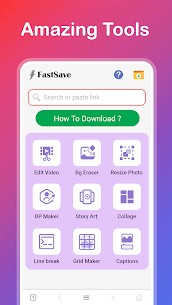
Main Features :
✔ Save Multiple photos and videos.
✔ View quick saved stories in a bar at top of main screen.
✔ Get details of users by long press on saved photo and video.
✔ Fast download speed.
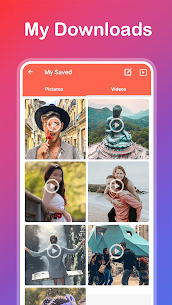
✔ Beautiful Dashboard to manage quick saved photos and videos.
✔ Amazing photo views with Slideshows and more.
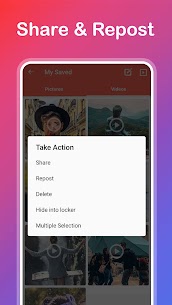
✔ Repost, Share, Delete photos and videos from FastSave App.
✔ Hide your saved photos and videos Instant save to secret locker.
✔ Batch Save photos and videos in your phone offline.
Steps to use:
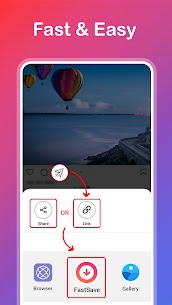
1. Turn ON FastSave app and Open Instagram.
2. Do “Copy Share Url” of Photos and videos.
3. Photos or videos will start downloading automatically, progress shown in notification.
Enjoy FastSave for Instagram app and please mail your suggestion to us before giving bad ratings.
Note:
Please do not use this program to save photos and repost without the permission of the respective owners. Respect the rights of the Instagram users. If you notice that any content in our app violates copyrights than Please inform us so that we remove that content. We respect the rights of Instagram. We only use the contents which Instagram allows to developers.
Related apps
Turrit 1.9.0.4.3 SEASTAR FUTURE 78.22 MB Premium Unlocked Tapatalk 8.9.36.F Everforo Inc. 34.81 MB VIP+ Unlocked Pinterest 14.41.0 Pinterest 62.74 MB Ad-Free/Optimized X (Twitter) 12.35.0-prod.01 X Corp. 208.75 MB Premium Features Instagram 451.0.0.53.80 Instagram 135.97 MB Many FeaturesHow to install
- Download the APK file above to your phone.
- Allow “Install unknown apps” when prompted.
- Open the downloaded APK and tap Install.
- If the package includes OBB/XAPK data, follow the bundled instructions.
MOD APKs are modified builds, so Play Protect may show a warning. Install only if you trust the file; use at your own risk.