
Screenshots
Description
- Home /
- Apps /
- Tools
TheNotch – Dynamic Island 0.1.20
- Tools
Transform your front camera cutout into an active, functional hub with TheNotch. Track your media playback, phone calls, active timers, file downloads, and system notifications right inside a sleek pill-shaped display around your notch. Developer Datta ChinmoySize 8.91 MBVersion 0.1.20Requirements Varies with deviceGet it on Mod Info Premium Unlocked
- Telegram
Report This App
Screenshots
Overview
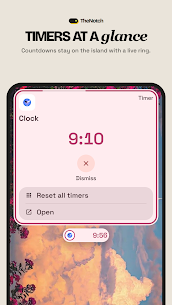
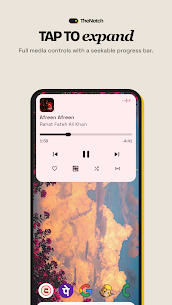
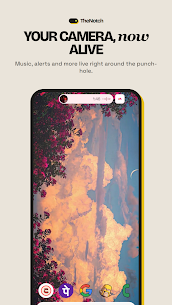
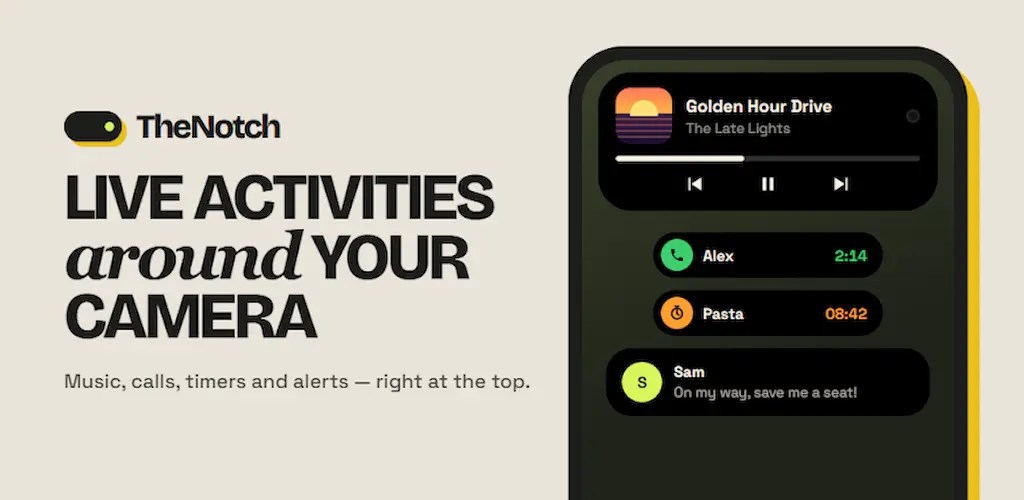
Transform your front camera cutout into an active, functional hub with TheNotch. Control your music, incoming calls, active timers, ongoing downloads, and incoming alerts directly from a sleek pill surrounding the punch hole. Simply tap to view more details, swipe across to juggle ongoing tasks, and jump right back into your app seamlessly.
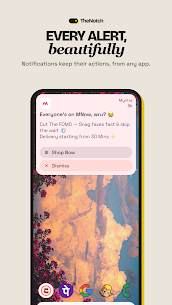
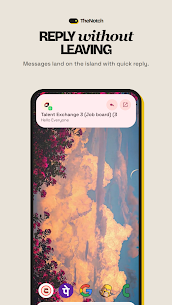
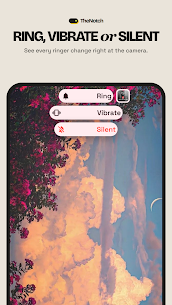
What Shows Up on the Island • Music and podcasts: album art, playback controls, track skipping, and an interactive seeker bar • Phone calls: active call duration and status, completely keeping your contacts private • Timers, stopwatch tools, and alarms • Live download indicators and progress alerts • Incoming messages and notifications, featuring quick inline reply support • Turn-by-turn navigation alerts • Battery charging status, audio accessories connection, ringer profiles, and Do Not Disturb changes • Active microphone and camera privacy indicators • Screen recording status
Any notification or event not natively recognized is presented as a sleek, streamlined generic activity so you never overlook an important update.
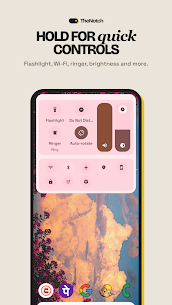
Quick Controls Swipe or tap open the quick control panel directly from the island to toggle the flashlight, Wi-Fi, Bluetooth, GPS location, screen brightness, rotation lock, sound profiles, and Do Not Disturb without pulling down your main notification shade.
Make It Yours • Pre-configured theme styles alongside an in-depth designer for colors, geometry, dimensions, typography, screen placement, and fluid animations • Save, export, and import your personalized setup presets • Hand-pick precisely which applications and notification categories appear on the island • Suppress default Android heads-up banner notifications for apps already handled by the island • Blacklist specific apps where you want the island hidden completely
Fits Your Phone TheNotch dynamically aligns with the physical camera cutout reported by your device, adapting seamlessly to any punch-hole location. On devices without a cutout, it transitions to a balanced centered pill shape. It also natively adapts to system reduced motion, scaled font sizes, RTL languages, TalkBack accessibility, foldable displays, and battery saver mode.
Private by Design All data and operations remain strictly on your local device. TheNotch operates with no user accounts, no advertisements, and zero tracking analytics, ensuring your personal notification stream is never uploaded. Active elements exist solely in volatile memory and are cleared instantly once finished.
Permissions and Usage Details • Display over other apps: required to render the floating island interface • Notification access: needed to display alerts and enable media controls • Phone state (optional): displays real-time incoming and ongoing call statuses • Usage access (optional): automatically conceals the island inside excluded applications • Modify system settings (optional): requested only when adjusting brightness or auto-rotate from quick toggles • Accessibility service (optional): enables the island to overlay the status bar and detect full-screen gaming or video modes without inspecting any on-screen text or private data.
Every permission is prompted on-demand solely when you activate the specific feature requiring it.
Compatible with Android 12 and higher. Overlay behavior may differ slightly depending on your device manufacturer. Required Permissions 🪟 'Display over other apps' is needed to render the island around your camera lens. 🔔 'Notification Access' is needed to display incoming alerts on the island and control background media playback. ⚙️ 'Foreground Service' keeps the island active continuously while navigating other apps. 📌 'Post Notifications' maintains the lightweight background service required for steady operation. ♿ 'Accessibility Service' (optional) overlays the island across the status bar and recognizes full-screen applications, without accessing screen contents. 📞 'Read Phone State' (optional) displays live call progress without accessing your call logs or contact book. 📊 'Usage Access' (optional) suppresses the island when running blacklisted apps. 🔆 'Modify System Settings' (optional) allows direct brightness and rotation adjustments via the control panel. 🌙 'Do Not Disturb Access' (optional) lets you toggle silent modes straight from the island.
🔒 All processing is executed strictly on your smartphone. TheNotch requests individual permissions only at the moment you choose to enable the corresponding feature.
We appreciate your support. 💛
Related Apps
AppMint – Web2Apk 1.11.46 Smartrix Labs 138.97 MB Premium Unlocked Bangladesh VPN 63.26 BanglaTach 29.71 MB Premium Unlocked APK Decompiler 4.8.0 DecompileApk 62.84 MB Premium Unlocked VPN.lat 3.9.61 Privacy Apps Latam Ltd. 35.78 MB Premium Unlocked Benimaru Tool 3.8 Benimaru 73.14 MB Premium Unlocked
How to install
- Download the APK file above to your phone.
- Allow “Install unknown apps” when prompted.
- Open the downloaded APK and tap Install.
- If the package includes OBB/XAPK data, follow the bundled instructions.
MOD APKs are modified builds, so Play Protect may show a warning. Install only if you trust the file; use at your own risk.