
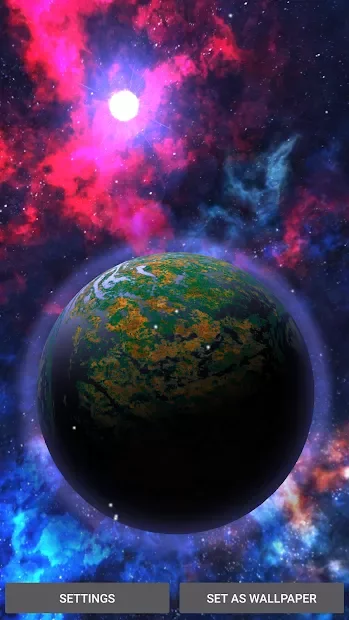
Screenshots
Description
Space Live Wallpaper 3D- Updated 10-07-2017, 13:00
- Version 1.4
- Build number 200004
- Requirements Android 4.1+
- Genre Live Wallpapers
- Price Free


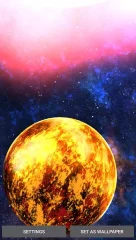
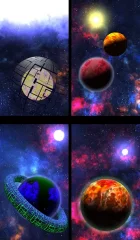
First and foremost, the beautiful visual effects are worth noting. Space, planets, the star — everything looks realistic and exciting. Interestingly, when you turn the phone in your hand, the image on the screen moves as well, as if you're looking not at a smartphone screen, but through a real porthole. This "feature" only works if the gyroscope is enabled on the device.
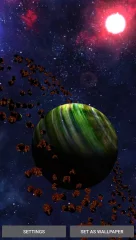
After launching Space Live Wallpaper 3D , planet Earth appears on the screen, behind which the powerful luminary — the Sun — is visible. Now, to move between planets, you can swipe from right to left or vice versa (on some gadgets, Google Now interferes with this). Jupiter, by the way, looks simply stunning here.
The app also has settings. First, you should visit the Transition Speed section, where the movement speed between planets is adjusted. Below is an option where you can change the color of the star. At the very bottom, the graphics quality setting is located. Maximum effects are recommended only for powerful smartphones and tablets, and don't forget about battery consumption.
Space Live Wallpaper 3D - cool live wallpaper that anyone can enjoy thanks to the quality of both the visual effects and full customization. Space landscape enthusiasts will definitely be pleased. Can't download? Installing games and apps Installing games with OBB / cache How to take a screenshot How to install APKS
How to install
- Download the APK file above to your phone.
- Allow “Install unknown apps” when prompted.
- Open the downloaded APK and tap Install.
- If the package includes OBB/XAPK data, follow the bundled instructions.
MOD APKs are modified builds, so Play Protect may show a warning. Install only if you trust the file; use at your own risk.