

Screenshots



Description
Sider: AI Deep Chat Assistant
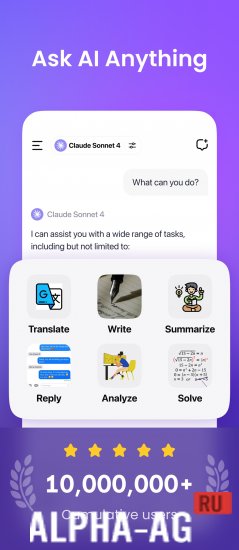
This app handles everything from creating visual content to drafting business emails, delivering quick, relevant, and well-considered results that fit the context of your work.
Features
One of the standout elements is the smart panel, which stays accessible no matter which app you have open. It gives you instant access to AI, helps you find the information you need, summarizes what you've read, and lets you pull useful snippets straight from the screen. Even when you're working with images, you can extract text from them and turn it into a meaningful conversation.
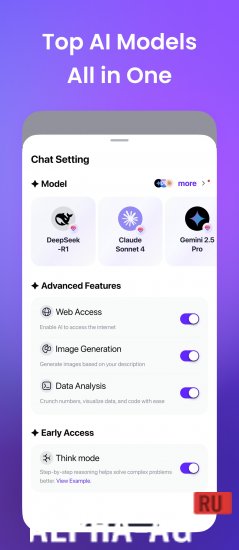
A major strength of the app is its compatibility with leading AI platforms. The built-in Sider Fusion system automatically picks the most suitable engine for each task, so your answers stay accurate and on point.
The app adjusts its behavior and responses to the context, ensuring deeper analysis and more precise wording.
Key features
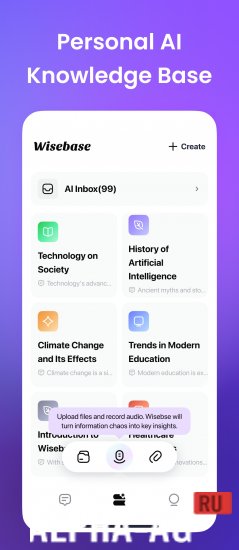
When working with documents and images, you can upload files in over 30 formats and interact with them right away. This turns familiar PDFs and text documents into true conversation partners: just ask a question, and the system will highlight what matters or explain anything that's unclear.
The same goes for images. Any visual element can be processed, recognized, and transformed into a text response.
Built-in prompt libraries, image generation tools, text editing and formatting assistance, and a convenient dark mode make the app comfortable and productive to use. Together, these features create a versatile platform that combines powerful functionality with simplicity and efficiency, without compromise.
0 01 Aug Additional information:
- Required Android version: 8.0 or later
- Age rating: 3+
- Russian localization: available
- Cache installation: not required
3.2.0 App version Our rating: 9 out of 10 Similar apps: AI Chat : Chatbot & Assistant Search By Image Today Weather: Radar and Widget Todoist Our YouTube channel
Subscribe to our YouTube channel!
Leave a comment
How to install
- Download the APK file above to your phone.
- Allow “Install unknown apps” when prompted.
- Open the downloaded APK and tap Install.
- If the package includes OBB/XAPK data, follow the bundled instructions.
MOD APKs are modified builds, so Play Protect may show a warning. Install only if you trust the file; use at your own risk.