

Screenshots
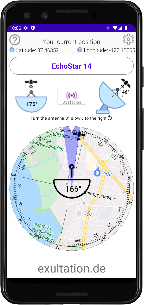
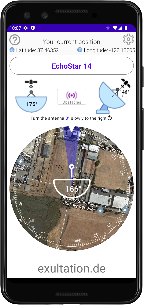
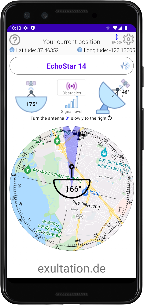
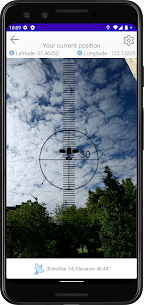


Description
- Home /
- Apps
Satellite Finder (DishAligner) MOD APK (Ad-Free Unlocked)5.7
- Apps
- Tools
This app helps you line up your satellite dish. Using your current location and the satellite you select, it shows the horizontal and vertical direction you need to point your dish. TELEGRAM Report Developer exultation.deSize 11 MBVersion 5.7Requirements 7.0Get it on
- Telegram
Report this app
Images
Mod Info
- Ad Free Unlocked
Description
Satellite Finder (DishAligner) is a handy Android tool that helps users align satellite dishes precisely, using real-time location data, azimuth, and elevation guidance. Built for technicians and home users alike, it makes dish installation easier without the need for specialized equipment.
Satellite Finder (DishAligner) – Smart Satellite Dish Alignment Tool for Accurate Signal Setup
Lining up a satellite dish has long required experience, patience, and often extra measuring tools. Even a slight error in angle can lead to weak signal strength or no reception at all. Satellite Finder (DishAligner) removes much of that difficulty by turning your Android smartphone into a dependable alignment assistant. Combining GPS-based location detection with satellite position data, the app delivers clear horizontal and vertical direction guidance so you can point your dish with greater precision.
This application is popular with satellite TV installers, technicians, and home users who want a faster, more accurate way to aim their dish at the correct satellite. Rather than relying on trial and error, DishAligner provides calculated angles and visual orientation that noticeably cut down setup time.
How Satellite Finder (DishAligner) Works
Satellite Finder (DishAligner) detects your geographic location through the device's GPS sensor. After your position is identified, you choose the satellite you want from an extensive database covering hundreds of satellites across different regions of the world. Using your location together with the satellite's orbital position, the app calculates the correct azimuth and elevation values.
The azimuth is the horizontal direction in which the dish should face, while the elevation sets the vertical tilt needed. DishAligner presents this information in an intuitive interface, making it simpler to rotate and adjust the dish accurately. This removes the guesswork and helps ensure the dish is aimed to receive the strongest possible signal.
Extensive Satellite Database for Global Coverage
One of the biggest strengths of Satellite Finder (DishAligner) is its exceptionally broad satellite list. The app supports satellites serving North America, South America, Europe, Africa, Asia, and the Middle East. From well-known satellites such as Astra, Hot Bird, Intelsat, and Eutelsat to regional and specialized ones, users have access to a wide catalog.
This broad coverage makes the app suitable for international use and for professionals working with different satellite providers. Whether you are aligning a dish for television broadcasting, radio transmission, or data communication, you can quickly select the relevant satellite without manually entering orbital parameters.
Practical Benefits for Installers and Home Users
For professional installers, time efficiency and accuracy matter most. Satellite Finder (DishAligner) shortens installation time by giving clear directional guidance from the outset. This reduces repeated adjustments and signal checks, letting technicians complete more installations in less time.
Home users benefit just as much from the app's simplicity. Installing a satellite dish at home can feel intimidating, especially for first-timers. DishAligner makes the process easier by breaking it into understandable steps, so you can reach a stable signal without advanced technical knowledge. As a result, you can save on installation costs while still enjoying reliable reception.
Accuracy Through Sensor Integration
Satellite Finder (DishAligner) relies largely on the sensors already built into your smartphone. GPS supplies accurate location data, while the compass and accelerometer determine orientation and tilt. Working together, these sensors give you real-time feedback as you move the device and adjust the dish.
Because the feedback is immediate, you can see directional changes right away, which makes fine-tuning much easier. Rather than repeatedly checking signal strength on your TV or receiver, you can follow the app's visual guidance to reach the best position more quickly.
User Interface and Ease of Use
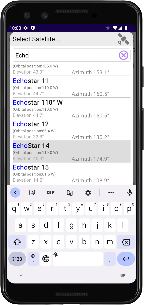
Satellite Finder (DishAligner) features a clean, practical interface. You can pick your satellite, check alignment readings, and start adjusting your dish without digging through complicated menus. The layout focuses on clarity, so even users with little technical experience can easily understand what's on screen.
This ease of use makes the app well suited to both occasional and everyday professional work. Clear readings, responsive feedback, and logical navigation help make alignment smoother and reduce frustration and setup errors.
Ideal Use Cases for Satellite Finder (DishAligner)
Satellite Finder (DishAligner) is especially handy when traditional alignment tools aren't available or practical. It suits remote installations, temporary setups, and quick adjustments after moving a dish. Professionals can also use it as a helpful backup reference during installations.
In areas where several satellites sit close together in orbit, precise alignment matters even more. DishAligner helps you tell similar satellite directions apart by providing accurate angle calculations, reducing the chance of locking onto the wrong satellite.
Limitations and Considerations
Although Satellite Finder (DishAligner) is a powerful tool, its accuracy depends on the quality of your device's sensors and on proper calibration. Make sure your smartphone compass is calibrated and kept away from magnetic interference. Environmental factors, such as nearby metal structures, can also affect readings, so try to use the app in an open area whenever possible.
Keep in mind that the app provides directional guidance rather than measuring signal strength directly from the receiver. For the best results, you may still need to fine-tune the alignment using the signal indicators on your satellite receiver after the initial positioning with the app.
Conclusion
Satellite Finder (DishAligner) offers a practical and efficient way to align satellite dishes by taking advantage of smartphone technology. With its extensive satellite database, accurate angle calculations, and user-friendly interface, it simplifies a task that is often seen as complex and time-consuming. Whether you're a professional installer or a home user, the app provides dependable guidance that can improve installation accuracy and cut down setup time.
For anyone involved in satellite dish installation or maintenance, Satellite Finder (DishAligner) is a valuable tool that combines convenience with precision, making satellite alignment more accessible and efficient than ever.
Frequently Asked Questions (FAQ)
What is Satellite Finder (DishAligner) used for?
Satellite Finder (DishAligner) helps you align satellite dishes accurately by providing azimuth and elevation guidance based on your location and the selected satellite.
Does Satellite Finder (DishAligner) work worldwide?
Yes, the app includes a large satellite database covering multiple regions around the world, making it suitable for international use.
Do I need additional equipment to use DishAligner?
No additional equipment is required. The app relies on your smartphone's built-in GPS, compass, and motion sensors to provide alignment guidance.
Is Satellite Finder (DishAligner) suitable for beginners?
Yes, the app has a simple interface that makes it accessible to beginners while remaining useful for professionals.
How accurate is Satellite Finder (DishAligner)?
Accuracy depends on the quality of your device's sensors and on proper calibration. When used correctly, it provides reliable guidance for initial dish alignment.
Related apps
Insget 3.14.4 Spaple 88.09 MB Premium Unlocked Poke Genie 8.19.1 Poke Genie 107.92 MB NekoBox+ 1.4.2-101 NekoBox+ 159.46 MB No Ads Inure App Manager build107.3.0 Hamza Rizwan 25.96 MB Premium Unlocked SmartCookieWeb 17.0-beta3 SmartCookieWeb 5.40 MB No Ads
How to install
- Download the APK file above to your phone.
- Allow “Install unknown apps” when prompted.
- Open the downloaded APK and tap Install.
- If the package includes OBB/XAPK data, follow the bundled instructions.
MOD APKs are modified builds, so Play Protect may show a warning. Install only if you trust the file; use at your own risk.