

Screenshots



Description
- Home /
- Apps
Samsung Music MOD APK (All Android Devices) 16.2.42.0
- Apps
- Music & Audio
Samsung Music Built specifically for Samsung Android phones, Samsung Music delivers strong playback features and a polished, easy-to-use interface. TELEGRAM Report Developer Samsung Electronics Co. Ltd. Size 25 MB Version 16.2.42.0 Requirements 9 Get it on
- Telegram
Report this app
Images
MOD INFO
- Should work on any Android device.
Description
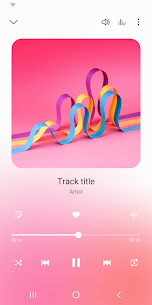
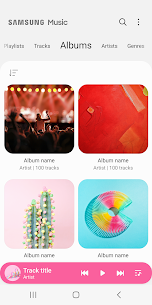
Samsung Music is tailored for Samsung Android devices, offering robust playback capabilities and a top-tier user interface.
Key Features
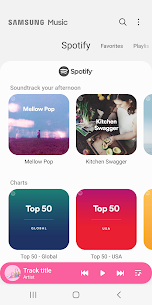
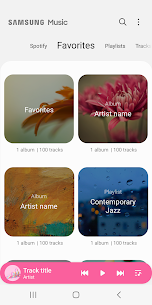
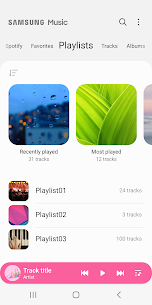
1. Plays a wide range of audio formats, including MP3, WMA, AAC, and FLAC. 2. Makes it easy to organize your songs by category (Track, Album, Artist, Genre, Folder, and Composer). 3. Offers a seamless experience across Samsung smart devices such as tablets, TVs (via DLNA and screen mirroring), and wearables. 4. Features a clean, intuitive layout that is simple to navigate. 5. Suggests Spotify playlists you may enjoy. Browse recommendations in the Spotify tab and search for tracks you'll love. (The Spotify tab is only available in countries where Spotify is supported.)
What is FLAC? FLAC is an audio coding format comparable to MP3 and AAC, but it is lossless, which means audio is compressed without any loss of quality.
Developer's apps
Samsung Internet Browser 30.0.2.61 Samsung Electronics Co. Ltd. 300 MB Original Samsung Notes 4.4.29.23 Samsung Electronics Co. Ltd. 180 MB Samsung Voice Recorder 21.5.86.90 Samsung Electronics Co. Ltd. 45 MB Original Samsung Health 6.32.0.001 Samsung Electronics Co. Ltd. 300 MB Samsung Email 6.2.13.1 Samsung Electronics Co. Ltd. 60 MB
Related apps
Poke Genie 8.19.1 Poke Genie 107.92 MB Poweramp Music Player build-1031-uni Poweramp Software Design (Max MP) 25.21 MB Premium Unlocked SpotiDuck 1.2.4 SpotiDuck 2.89 MB Ad-Free Murglar 6.9.325-stable Murglar 22.39 MB Premium Unlocked Play Music Files Offline App 1.5.6 Tresor Tech 43.34 MB Premium Unlocked
How to install
- Download the APK file above to your phone.
- Allow “Install unknown apps” when prompted.
- Open the downloaded APK and tap Install.
- If the package includes OBB/XAPK data, follow the bundled instructions.
MOD APKs are modified builds, so Play Protect may show a warning. Install only if you trust the file; use at your own risk.