
Screenshots
Description
Quick Volume Controls – Quick Volume Notification 1.12 APK Full Paid is the latest Tools application for Android devices.
Download the latest version of Quick Volume Controls – Quick Volume Notification APK Full Paid for Android via direct download link at GameMod.dev.
Quick Volume Controls – Quick Volume Notification is a handy Tools app developed by Neelam Bhanushali for Android smartphones and tablets. It lets you tweak your audio levels in seconds without exiting active games or apps, and works directly from your lock screen as well.
Easily adjust sound levels straight from your notification shade with handy quick toggles. The utility also comes equipped with a desktop volume widget and a floating panel for seamless audio management.
If your physical volume buttons are broken, hard to press inside a bulky case, or you simply want to minimize hardware wear and tear, Quick Volume Control delivers a smooth, entirely touch-driven audio management solution.
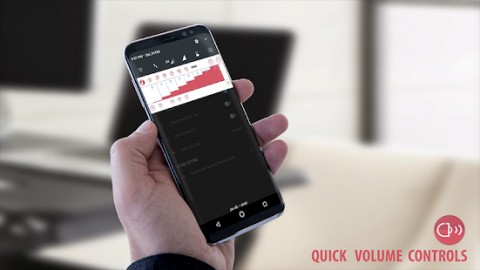
Designed to streamline audio adjustments, Quick Volume Control allows you to increase or decrease levels with a quick swipe down of your notification panel. Sound sliders stay conveniently within reach in the shade, complemented by instant switches for Silent, Normal, and Vibrate ringer profiles.
Quick Volume Controls features a dedicated home screen widget, giving you immediate control over audio streams such as alarms, media playback, calls, ringtones, and system notifications without digging through settings.
The desktop audio widget lets you fine-tune any sound stream with a single tap, while providing instant toggling between Vibrate, Normal, and Silent profiles.
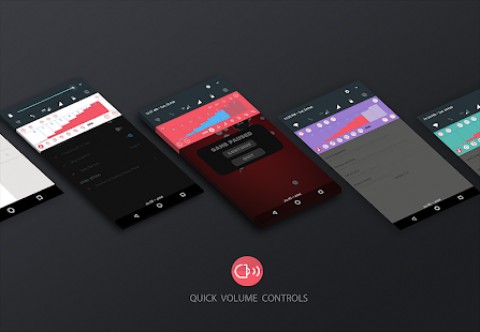
Under the Settings menu, you can toggle between dark and light themes, as well as customize the accent colors of the notification shade sliders and home screen widget.
Additional Special Features: ✔ Floating audio panel featuring customizable display duration. ✔ Dark and light themes available for the app interface, notification slider, and desktop widget. ✔ Instant shortcut to native system sound settings. ✔ Notification panel sliders paired with quick sound profiles for effortless volume tuning.
Interactive Widgets: The Quick Volume Controls desktop widget mirrors the notification panel sliders, delivering identical audio controls directly on your home screen.
After installation, place the widget on your home screen using the standard setup: ✔ Long-press an empty space on your desktop or tap the menu key; ✔ Select “Add”; ✔ Tap on “Widgets”; ✔ Choose the Quick Volume Control Widget from the list.
If you cannot find the Quick Volume Control Widget in your launcher's menu: ✔ Verify that the application is installed on internal storage, as widgets cannot run from an SD card; ✔ Reboot your device.
Permissions: The app requires the following Android permissions to operate properly (details and purposes listed below):
✔ Do Not Disturb Access (mandatory on Android 7.0+ to mute audio completely or unmute from silence). ✔ Display Over Other Apps / System Overlay (needed so the floating volume bar can appear above other applications). ✔ Run at Startup (restores your custom audio toggles automatically after a reboot).
Please note: Beginning with Android 4.1.x Jelly Bean, stock firmware inherently links System, Notification, and Ringtone volumes together, preventing individual adjustment. However, certain manufacturer interfaces (such as Samsung's) keep these audio streams independent, allowing the app to adjust them separately whenever supported.
If you find this utility useful, consider rating it five stars ★★★★★ and leaving feedback. For technical support, bug reports, or feature ideas, please reach out to the developer.
Quick Volume Controls – Quick Volume Notification APK Full
Quick Volume Controls – Quick Volume Notification APK Full
What’s New: Minor improvements and optimizations
How to install
- Download the APK file above to your phone.
- Allow “Install unknown apps” when prompted.
- Open the downloaded APK and tap Install.
- If the package includes OBB/XAPK data, follow the bundled instructions.
MOD APKs are modified builds, so Play Protect may show a warning. Install only if you trust the file; use at your own risk.