
Screenshots



Description
Download the latest update for the private server Standoff 2 0.17.0. Private server Standoff 2 version 0.17.0 offers players free skins, unlimited purchases, as well as the ability to use cheats with impunity.Plot and gameplay
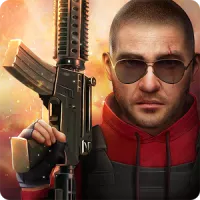
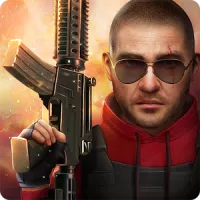
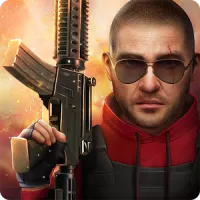
Standoff 2 is a popular military tactical shooter for smartphones and tablets running Android OS, offering players the chance to plunge into dynamic 5v5 battles completely free of charge.In the game two opposing teams clash: special forces and terrorists. The former bravely defend the location from opponents, while the latter try to plant a bomb or secure hostages.
Players are offered a large selection of guns (pistols, sniper rifles, knives, shotguns, grenades), as well as over ten official maps. The objective is simple: choose a team, buy guns, and head into battle in 5v5 mode. There is also an option to play solo against bots. The project mirrors Counter-Strike: Global Offensive.
What the private server offers
Private server 0.17.0 allows you to use cheats without the risk of being banned, as well as to try your hand on a separate, unofficial server where users' possibilities are limitless. The developers have provided:- Ability to inspect the character just like in the original;
- Interesting new maps - Arena, Training Outside, SandYards;
- Unique weapons - Famas, AWM, M40;
- A system for creating custom skins individually;
- Exciting modes - Team Deathmatch, Sniper Duel, Free For All;
- Access to using cheats.
Pros
- Standard gameplay - characters are easy to control, just like fighting on the battlefield. No need to relearn;
- Quick start - just install the game on your device, and after a couple of minutes, you can jump into your first match;
- Skin collecting - the private server lets you fully manage your entire inventory;
- Full version - offers immersion into battles without the need to download additional content;
- Graphics - pleasant and memorable.
Cons
- Too many cheaters - encountered at every step, using the same software as a regular player;
- Crashes and bugs - occurring predominantly on low-end mobile devices.
How to install
- Download the APK file above to your phone.
- Allow “Install unknown apps” when prompted.
- Open the downloaded APK and tap Install.
- If the package includes OBB/XAPK data, follow the bundled instructions.
MOD APKs are modified builds, so Play Protect may show a warning. Install only if you trust the file; use at your own risk.