
Screenshots

Description
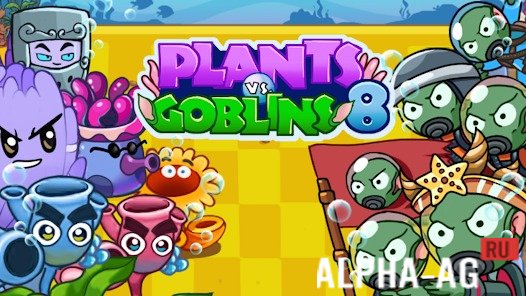
Plants vs Goblins 8Goblin divers, their queen, and crafty fighters on flying fish are all elements the player will face while thinking through every step and defending the underwater world from invasion.
Gameplay
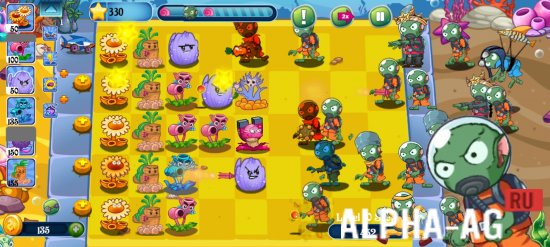
In the underwater battle, every character must prove themselves under conditions requiring tactical skill and the ability to find the best combinations of abilities. Additional modes, including puzzles and survival challenges, allow every gamer to choose the style that suits them best, whether it's focusing on puzzles or intense fights requiring quick reactions and competent use of upgrades.
The clarity potion and the shovel used to replace plants add new layers of tactical possibilities to the process. For example, using the shovel, you can remove weak plants and place new, more powerful ones when needed to strengthen defenses. By combining different items, the player gains new capabilities and builds their own unique combat arsenal, making it possible to overcome even the harshest challenges.
Game Features
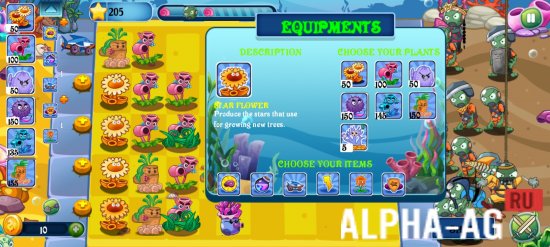
The booster shop gives players access to unique equipment, without which many levels will be difficult to beat. Skillful use of items such as the swordfish, which destroys goblins along an entire attack line, or the Holy Leaf, which activates special plant powers, makes it easy to repel waves of enemies.
During battles, you will earn stars, and for completing levels, you will receive coins with which you can purchase valuable items and bonuses that will help you complete the most difficult levels. Star flowers, which produce more stars, are especially useful in long battles, as they provide an opportunity to regularly replenish stocks and obtain necessary resources.
0 Nov 22 Additional Information:- Android version required: 5.0 or later
- Age rating: 3+
- Russian localization: None
- OBB/Cache installation: Not required
Subscribe to our YouTube channel!
Add CommentHow to install
- Download the APK file above to your phone.
- Allow “Install unknown apps” when prompted.
- Open the downloaded APK and tap Install.
- If the package includes OBB/XAPK data, follow the bundled instructions.
MOD APKs are modified builds, so Play Protect may show a warning. Install only if you trust the file; use at your own risk.