

Screenshots




Description
Pixel Battle: WarA fairly interesting strategy RPG in which you'll have to prove your prowess in battle against monsters. To do so, mine gold and recruit heroes into your army to set off to fight monsters across endless levels.
Gameplay
The action takes place in a fantastic world overrun by terrible monsters. You must stand up to defend your castle and protect all its inhabitants.
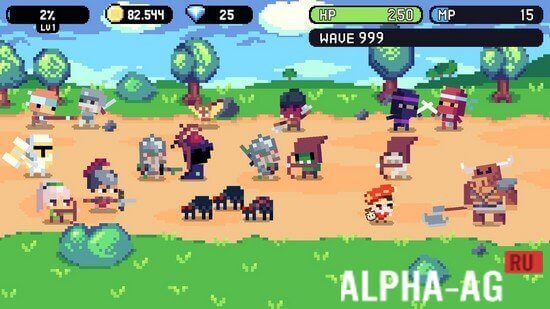
At the start, you'll only have brave soldiers at your disposal, but as you progress you'll be able to unlock other heroes with unique skills that will help you fend off waves of monsters.Two game modes will be available: Assault and Battle mode, in which you fend off waves of monsters attacking you. In Battle mode you only need to repel one wave of monsters, while in Assault you must survive 5 waves to clear the level. To do this, you'll need to summon your units onto the battlefield.
They will automatically advance along one of three paths and fight the monsters coming toward them. To summon heroes, you'll need mana, which is generated automatically. For completing each level you'll receive gold and crystals, which you can use to upgrade your warriors and learn various skills.
Game Features
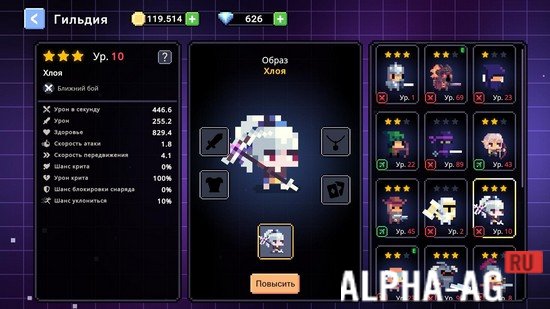
The game offers 19 heroes with unique skills, from which you can assemble your army to set off and fight monsters across endless levels. You'll face dozens of different enemies who will attack you in waves.
Throughout the game, upgrade your heroes to the maximum.
Do everything you can to make them much stronger. As you progress through this engaging game, you'll unlock new features, and the developers promise to add new content soon to make the game even more interesting. Log in to the game every day and claim your daily reward.
1 02 Jan Additional information:- Requires Android version: 5.1 or later
- Age rating: 7+
- Russian localization: not available
- Cache installation: not required
Subscribe to our YouTube channel!
Leave a commentHow to install
- Download the APK file above to your phone.
- Allow “Install unknown apps” when prompted.
- Open the downloaded APK and tap Install.
- If the package includes OBB/XAPK data, follow the bundled instructions.
MOD APKs are modified builds, so Play Protect may show a warning. Install only if you trust the file; use at your own risk.