
Screenshots
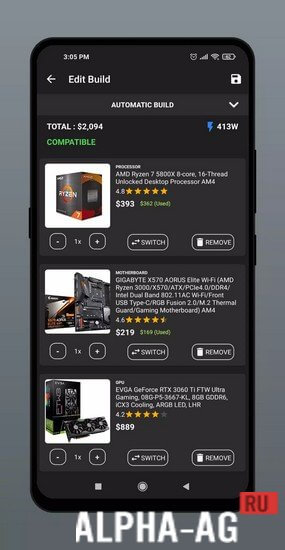
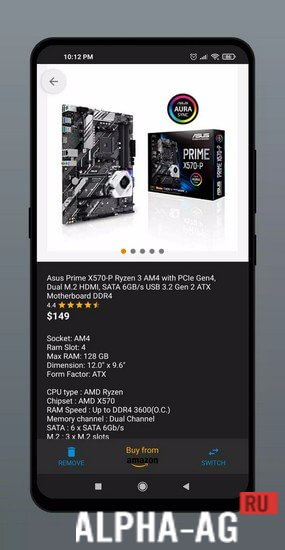

Description
PC Builder: Part PickerAn excellent app that will help you build the best personal computer or workstation for yourself, using a parts compatibility filter and your available budget.
About the app
Before you start building your PC, you can select your region. Unfortunately, there are no CIS regions here, but that's okay, as this only affects the price of the components. Therefore, you can easily build your PC from the parts you want.
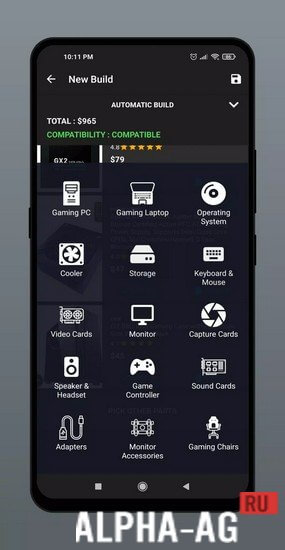
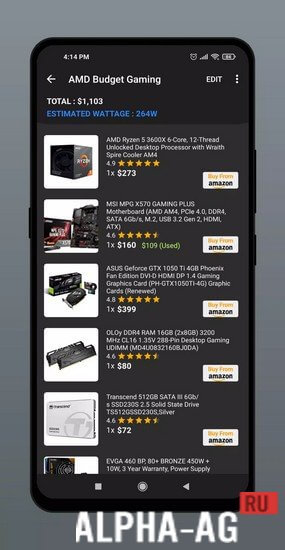
At the same time, you can do this yourself using compatibility filters or simply select your desired specifications and your budget, and the app will automatically generate a build list with all the components for you.If you want to build the PC of your dreams yourself, just choose any processor from Intel or AMD from the many available. Then choose a cooler, motherboard, graphics card, power supply, hard drive, RAM, and other components.
You can also choose a monitor, mouse, keyboard, speakers, and other PC peripherals. Check component compatibility and save your build.Features
The only function of this convenient app is to help every user find their ideal build for almost any computer. For this, dozens of modern components will be available to you, from which you can build your own PC. You can also choose a suitable budget and which processor you want to build your computer on.
And you can do it in such a way that the app itself generates a list of builds with all the necessary components for you. In addition to the PC build itself, you can view component prices, which are updated almost daily. A wide variety of regions will be available to you for purchasing components, such as: USA, Germany, UK, France, Canada, Spain, and many others.
0 Sep 11 Additional information:- Requires Android version: 7.0 or later
- Age restrictions: 3+
- Russian localization: absent
- Cache installation: not required
Subscribe to our YouTube channel!
Add a commentHow to install
- Download the APK file above to your phone.
- Allow “Install unknown apps” when prompted.
- Open the downloaded APK and tap Install.
- If the package includes OBB/XAPK data, follow the bundled instructions.
MOD APKs are modified builds, so Play Protect may show a warning. Install only if you trust the file; use at your own risk.