

Screenshots



Description
Mobo MarketHere is a competitor to Google Play with automatic updates, a user-friendly catalog, and detailed user settings. It contains a large number of mobile applications, games, wallpapers, and other media.
Characteristics
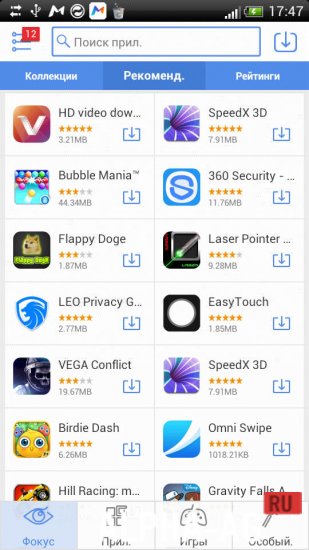
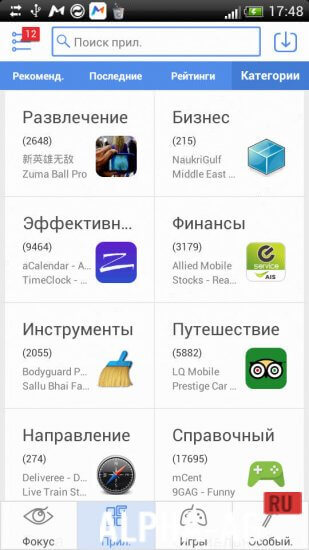
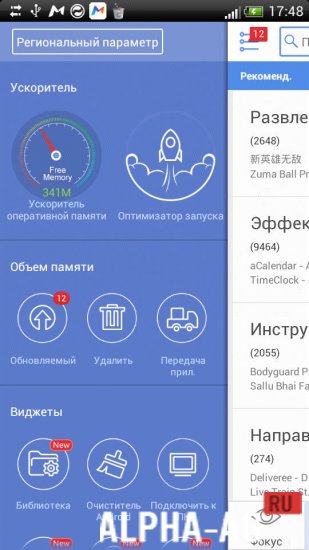
This is an alternative digital content store to "Google Play". It contains a large number of various applications, games, and programs – totaling more than half a million. A feature of the market is its minimalist interface and more convenient search with several sorting options.
Like Google Play, this store offers a large number of applications to download completely free of charge.
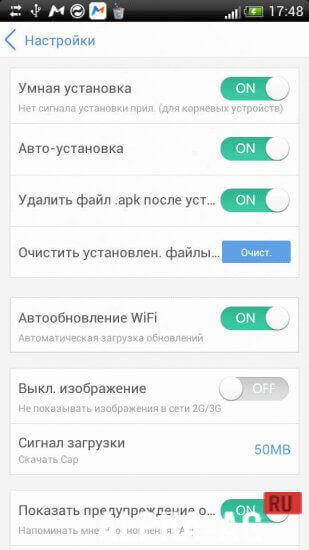
However, there is a special feature: in-system promotions and special offers, as well as reduced prices for paid apps (apparently, Mobo Market offers more favorable rates for developers and, accordingly, the price of apps for end users is also lower).Another feature of this market is automatic updates.
In the appropriate settings, it is enough to slide the switch to the "ON" position to forget about notifications, the need to manually select programs for updates, and so on – the alternative store will do everything itself at the most convenient time.Features
- User-friendly interface.
- Fast search.
- Convenient sorting methods.
- Convenient automatic updates.
- Simple user settings.
- A large number of free applications, programs, wallpapers, and so on.
On our website You can download the Mobo Market app for Android for free.
5 Nov 01 Additional information:- Android version required: 2.3 or higher
- Age restrictions: none
- Russian localization: present
- Cache installation: not required
Subscribe to our YouTube channel!
Add a commentHow to install
- Download the APK file above to your phone.
- Allow “Install unknown apps” when prompted.
- Open the downloaded APK and tap Install.
- If the package includes OBB/XAPK data, follow the bundled instructions.
MOD APKs are modified builds, so Play Protect may show a warning. Install only if you trust the file; use at your own risk.