
Screenshots


Description
- Home /
- Apps
Magic Canon ViewFinder 4.0.4
- Apps
- Photography
Preview precise framing for your next shot with any Canon camera or lens combination using Magic Canon ViewFinder. TELEGRAM Report Developer Roman Medvid Size 23 MB Version 4.0.4 Requirements 4.4 Get it on
- Telegram
Report this app
Images
Mod Info
- Premium Unlocked
Description
Magic Canon ViewFinder gives you an accurate framing preview for the exact camera and lens combination you plan to shoot with, right from wherever you are holding your phone or tablet.
* More than 42,000 people worldwide use Magic ViewFinder apps to plan their NEXT SHOT *
• For cinematographers: searching for the right angle and view for your next shoot? • For directors: sketching out your next storyboard? • For photographers: scouting a location for a shoot? • For camera operators: want to check your next shot's framing without holding the camera?
Magic ViewFinder shows a precise framing preview for the real camera and lens combination you will be shooting with, wherever you stand, using your phone or tablet. It simulates the framing of any Canon camera or lens, helping thousands of filmmaking and photography professionals during pre-production.
PLEASE READ: this app does not turn your smartphone into an external monitor. It works as a stand-alone digital director's viewfinder.
If you run into any issues, email us at [email protected] for quick support.
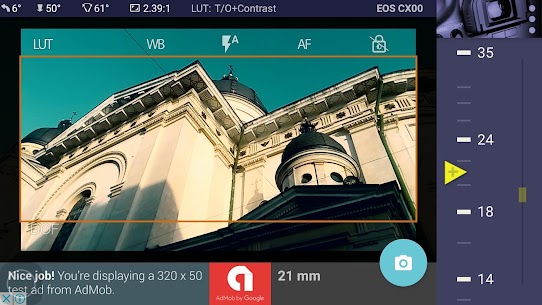
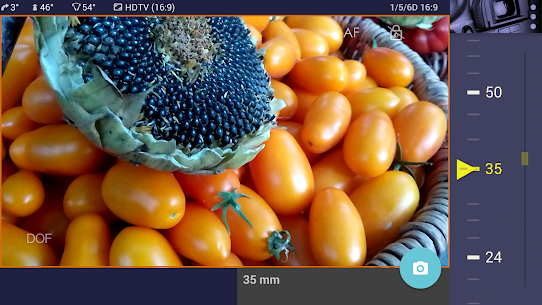
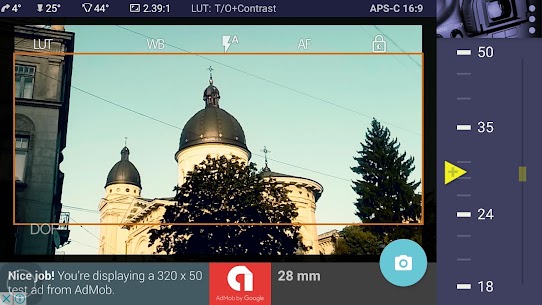
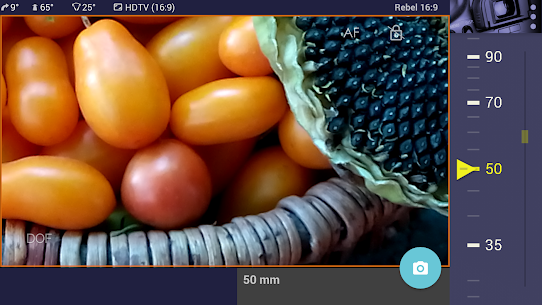
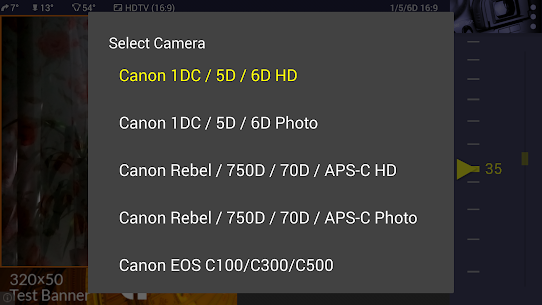
This app works as a digital director's viewfinder that lets you see the exact field of view of a future shot. Pick your camera from the menu, then turn the wheel to choose the lens focal length.
Supported cameras: Full Frame (in both photo mode 3:2 and video mode 16:9): Canon EOS-1D X Mark II, Canon EOS 5D Mark IV, III, II, I, Canon EOS 1D C, 5DS, 5DS R, 6D
APS-C cropped sensor (photo mode 3:2 / video mode 16:9): Canon EOS 7D Mark II and I, 80D, 77D (9000D), Rebel T7i (800D), and more, Canon EOS M6 / M5 / M10 / M3
Canon EOS C100, C300, C500, Canon XA10, XF100
Magic ViewFinder can simulate the use of tele adapters or anamorphic optics on your camera (see the menu). The menu also lets you choose the aspect ratio of the frame guide overlaid on your image.
Magic ViewFinder also lets you apply commonly used color presets (known as LUTs) to the live picture, bringing you even closer to the final shot.
Once you have found the right view, you can save it for future reference along with extra data such as focal length, tilt and roll, date and time, and camera and lens information. While taking a photo, you can lock the exposure and toggle autofocus on or off for finer control over the captured image.
By default, a constant medium-speed, center-based autofocus is active to keep your images sharp. You can tap the live screen to focus on a specific subject, and long-press to return to continuous AF.
When your real camera has a wider field of view than your phone's built-in camera, Magic ViewFinder fills the surrounding area with padding, because the device simply cannot capture what lies beyond its own lens. This was the first solution we created, and several other viewfinder apps have since adopted the same feature from Magic ViewFinder.
Keep in mind that the position of your Android device matches the 'nodal point' of your real lens, which sits roughly in the middle of the lens. This point is, in a way, the balanced center of the optics.
Depth-of-Field tool: To check depth of field, tap the DOF icon and work out the near and far limits of the DOF as you adjust the aperture and focus distance.
Ad policy: Ads support ongoing development of the app. You can also watch a video ad to unlock Premium Features completely free for 2 hours.
To unlock extra settings, expand the range of supported cameras to include Blackmagic, ARRI Alexa, Red, as well as Sony, Canon, Nikon and 4/3 formats, use all available optical adapters, frame guides and anamorphic indexes, and turn off advertising, subscribe to Premium Features or buy the advanced Magic Universal ViewFinder app.
Calibration is strongly recommended for accurate performance of the app. You can start the Calibration process from the menu, and the step-by-step instructions are available on the website.
Related apps
Bazaart AI Photo Editor 4.7.0 Bazaart LTD. 133.23 MB Premium Unlocked Poke Genie 8.19.1 Poke Genie 107.92 MB Photo Gallery – Album, Vault 5.7.5 Mobile_V5 21.88 MB Premium Unlocked Mark Camera 4.5.1 MarkCameraTeam 47.38 MB Premium Unlocked Refoto 1.1.9 mAst App 2026 67.96 MB Premium Unlocked
How to install
- Download the APK file above to your phone.
- Allow “Install unknown apps” when prompted.
- Open the downloaded APK and tap Install.
- If the package includes OBB/XAPK data, follow the bundled instructions.
MOD APKs are modified builds, so Play Protect may show a warning. Install only if you trust the file; use at your own risk.