

Screenshots
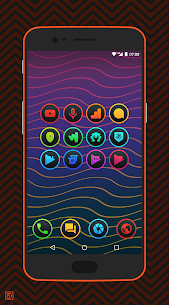
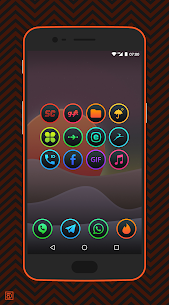
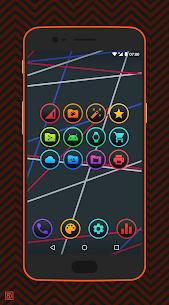
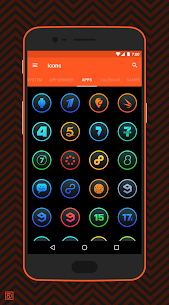

Description
- Home /
- Apps /
- Personalization
Lux Dark – Icon Pack APK (Full Version) 5.0
- Free Download
- Personalization
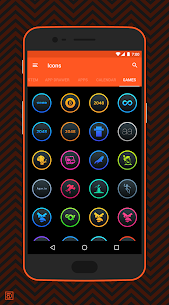
Give your device a sleek makeover with Lux Dark - Icon Pack, featuring more than 3,500 premium icons and seamless compatibility across top Android launchers. Developer: Benas Norgelas-Dzimidas | Size: 105 MB | Version: 5.0 | Requires Android: 5.0+
- Telegram
Report App
Screenshots
MOD Info
- Full Version
Overview
Lux Dark – Icon Pack offers broad compatibility with numerous stock and third-party launchers. Apply icons directly from the built-in control panel across Action, Apex, Atom, ABC, ADW, Aviate, CM Theme Engine, GO, Holo, Holo HD, LG (pre-Android 7.0), Lucid, M, Mini, Next, Nougat, Nova, Smart, Solo, V, ZenUI, and Zero.
Features
• Over 3,500 crisp 192×192 icons • Built-in icon showcase • Dedicated icon request utility • Automatic icon masking for non-themed apps • 15 custom cloud wallpapers • Regular monthly updates (1–2 releases) • Sleek Material Design dashboard
Compatible Launchers
Please note: Google Now Launcher does not support third-party icon packs.
Contributions: Enjoying the pack? Tips and donations directly support ongoing development and let you prioritize your personal icon requests.
Need assistance or found a bug? Reach out directly via email.
Stay connected: Follow along on social media for the latest release news and upcoming projects!
More by This Developer
Lai – Stretched Style Icon Pack APK (Full Version) 7.0 Benas Norgelas-Dzimidas 82 MB | Toca – Material Design Icon Pack APK (Full Version) 6.0 Benas Norgelas-Dzimidas 52 MB
Similar Apps
Square Home 4.1.2 Total_Apps 6.40 MB Premium Unlocked | Tapet Wallpapers 11.000.155 Tapet 29.55 MB Premium Unlocked | Aline: bold linear icon pack 3.5.3 One4Studio 39.28 MB Full Version | AlineT: bold linear icon pack 3.5.3 One4Studio 47.07 MB Full Version | Caelus: linear icon pack 5.4.3 One4Studio 38.64 MB Full Version
How to install
- Download the APK file above to your phone.
- Allow “Install unknown apps” when prompted.
- Open the downloaded APK and tap Install.
- If the package includes OBB/XAPK data, follow the bundled instructions.
MOD APKs are modified builds, so Play Protect may show a warning. Install only if you trust the file; use at your own risk.