
Screenshots

Description
- Home /
- Apps /
- Personalization
Nate Wren DesignSize
46 MBVersion
3.9.8Requirements
6.0Get it on
Mod Info
Full Version Report this app
Images
Description
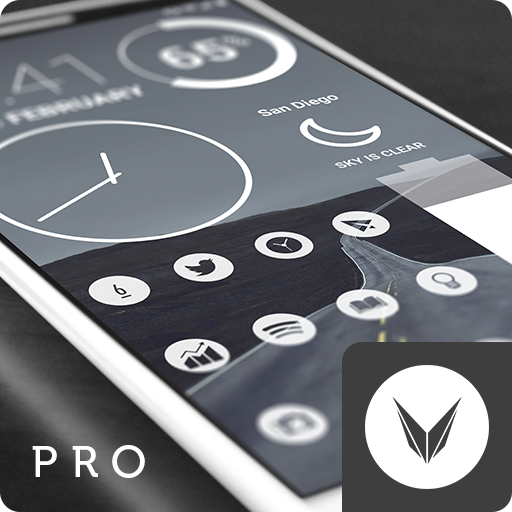
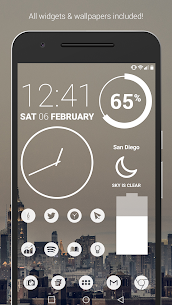
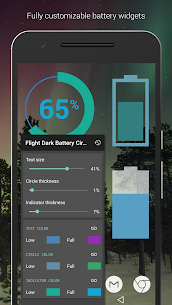
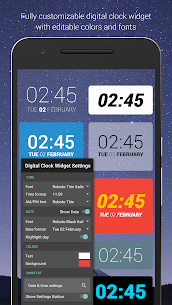
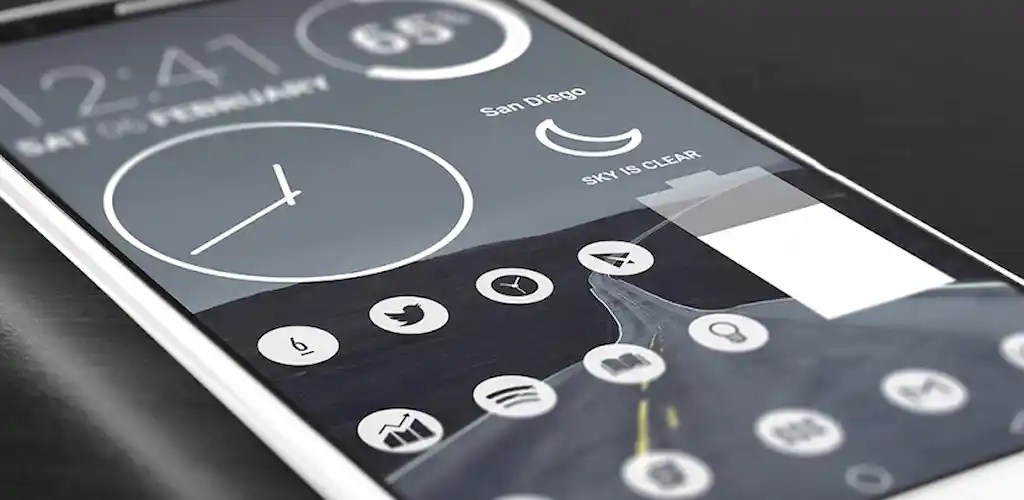
Light Void Pro – White Minimal Icons is a simple, clean, minimal, flat icons, matching wallpapers, and widgets for clocks, battery and weather. Icon centers are transparent creating a window to the background behind them. The hollow icon center changes with whatever is behind it making the entire display blend together very well. Widgets offer color, size, and font customization and hand-picked wallpapers of skies, clouds & landscapes are included.
QUICK TIPS
You can manually edit icons in most launchers by long-pressing the icon you’d like to edit.
Widgets: If your widget stops updating, check your system or battery settings to make sure the app is exempt from battery optimization.
DISCLAIMER
You may need a 3rd party launcher to apply the icon pack. If your stock launcher doesn’t support icon packs, you can use apps like Awesome Icons or Unicon to change your icons without using a 3rd party launcher.
PRO VERSION
This is the pro version of the app. Get the free version here: https://play.google.com/store/apps/details?id=com.natewren.lightvoidfree
HOW-TO GUIDE
http://natewren.com/apply
FEATURES
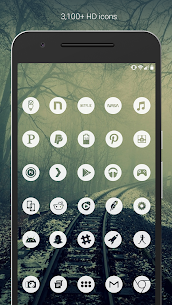
• 3,700+ hand crafted flat, clean & simple white flat HD Icons
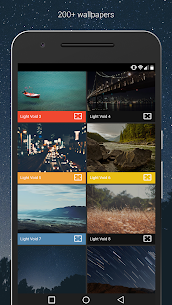
• 200+ wallpapers included. Downloadable from the cloud. Browse and save the ones you want. All wallpapers shown are included!
• XXXHDPI high definition white icons included for super large HD screens. All Icons are 192×192
• Customized cloud/sky/landscape wallpapers. Wallpapers have been edited to show off the white icons nicely
• The middle sections of the flat white icons are transparent letting each show off your wallpaper
• Contains over 3,700 different clean, flat and simple icons with many variations of default icons such as phone, contacts, camera, etc.
• Wallpaper chooser comes installed
• Request icons via “Request” tab
• Clean, white icons work best with dark wallpapers
• Muzei support for rotating wallpapers
• New icons added regularly
WIDGETS
System widgets as well as editable KWGT widgets are included.
• Battery widgets
• Digital clock widgets
• Analog clock widget
• Weather widgets
COMPATIBLE LAUNCHERS
Nova Launcher is recommended for the best experience and supports icon name search when manually applying icons. For more info on searching while manually applying icons please visit https://natewren.com/manually-edit-icons/. Other popular launchers that support icon packs include Evie Launcher, Microsoft Launcher, Smart Launcher, Poco Launcher, ADW, etc.
HOW TO APPLY ICONS VIA ICON PACK
1. Open the app after installing
2. Navigate to “Apply” tab
3. Select your Launcher
HOW TO APPLY ICONS VIA LAUNCHER
1. Open Launcher settings by tapping + holding on an empty area of home screen
2. Select personalization options
3. Select icon pack
Developer's apps
Glass Pack Pro – Clear Icons APK (Full Version) 3.6.7 Nate Wren Design 60 MB Chroma – Icon Pack MOD APK (Full Version) 3.9.1 Nate Wren Design 45 MB Lines Chroma – Icon Pack MOD APK (Full Version) 3.9.1 Nate Wren Design 60 MB 7-bit Pro – Retro Icon Pack APK (Full Version) 3.6.1 Nate Wren Design 18M Flight Dark Pro – Icon Pack 3.8.5 Nate Wren Design 40 MBRelated apps
Square Home 4.1.2 Total_Apps 6.40 MB Premium Unlocked Tapet Wallpapers 11.000.155 Tapet 29.55 MB Premium Unlocked Aline: bold linear icon pack 3.5.3 One4Studio 39.28 MB Full Version AlineT: bold linear icon pack 3.5.3 One4Studio 47.07 MB Full Version Caelus: linear icon pack 5.4.3 One4Studio 38.64 MB Full VersionHow to install
- Download the APK file above to your phone.
- Allow “Install unknown apps” when prompted.
- Open the downloaded APK and tap Install.
- If the package includes OBB/XAPK data, follow the bundled instructions.
MOD APKs are modified builds, so Play Protect may show a warning. Install only if you trust the file; use at your own risk.