

Screenshots
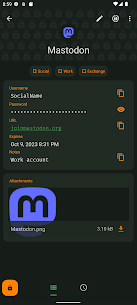



Description
KunzisoftSize
14 MBVersion
4.3.2Requirements
4.4Get it on
Report this app
Images
Mod Info
- Pro Unlocked
Description
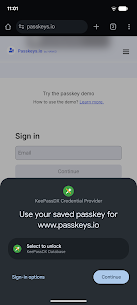
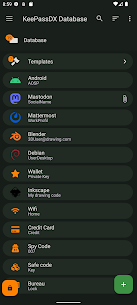
KeePassDX Pro Apk Multi-format KeePass password manager, the app allows saving and using passwords, keys and digital identities in a secure way, by integrating the Android design standards.
This pro version encourages development, better service, and you contribute to the creation of open source softwares without advertising.
Currently, the application has the same features as the free version with the themes unlocked but is intended to integrate elements related to non-free sites and services commonly used.
Features
– Create database files / entries and groups.
– Support for .kdb and .kdbx files (version 1 to 4) with AES – Twofish – ChaCha20 – Argon2 algorithm.
– Compatible with the majority of alternative programs (KeePass, KeePassX, KeePassXC, …).
– Allows opening and copying URI / URL fields quickly.
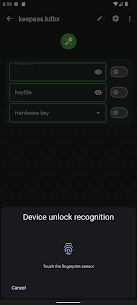
– Biometric recognition for fast unlocking (fingerprint / face unlock / …).
– One-time password management (HOTP / TOTP) for two-factor authentication (2FA).
– Material design with themes.
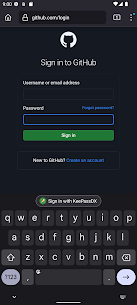
– Auto-Fill and integration.
– Field filling keyboard.
– History of each entry.
– Precise management of settings.
– Code written in native languages (Kotlin / Java / JNI / C).
Pro Features
– Access to custom themes.
– TOTP Steam creation.
– Deleting donation buttons.
KeePassDX Pro is open source and ad-free.
The project is constantly evolving. Do not hesitate to check the development status of the next updates: https://github.com/Kunzisoft/KeePassDX/projects
Send issues to: https://github.com/Kunzisoft/KeePassDX/issues
Related apps
Multi Parallel: Multi Accounts 4.1.60.1022 Winterfell Applab - Clone App & Status Downloader 9.58 MB Premium Unlocked IP Scanner 2.0.3 DigitalBox Studios 8.54 MB Premium Unlocked Computer Launcher Pro 19.27 Pro Themes and Launchers 12.29 MB Premium Unlocked Notifications archive 1.6.12 Difer 9.23 MB Premium Unlocked APN Varies with device APN Tech Ltd. Premium UnlockedHow to install
- Download the APK file above to your phone.
- Allow “Install unknown apps” when prompted.
- Open the downloaded APK and tap Install.
- If the package includes OBB/XAPK data, follow the bundled instructions.
MOD APKs are modified builds, so Play Protect may show a warning. Install only if you trust the file; use at your own risk.