
Screenshots




Description
- Home /
- Apps /
- Entertainment
IPTV Player – Smart Live TV 8.1.2
- Entertainment
IPTV Player – Smart Live TV is a powerful media player that lets you stream M3U and M3U8 playlists with ease. Developer Metaverse Labs. Size 90 MB. Version 8.1.2. Requires Android 9. Get it on GameMod.dev. Mod Info: Pro Unlocked.
- Telegram
Report this app
Images
Description
IPTV Player – Smart Live TV is a powerful media player that lets you stream M3U and M3U8 playlists effortlessly. Enjoy your favorite online TV channels anytime and anywhere with this top-rated IPTV app, all while relaxing with your favorite drink.
DISCLAIMER: * IPTV Player – Smart Live TV does not come with any preloaded playlists or channels. Users must add their own content. The app is not affiliated with any third-party providers, and we do not support or promote streaming copyrighted material without permission from the rights holders.
IPTV Player – Smart Live TV only displays and plays the content that users add. *
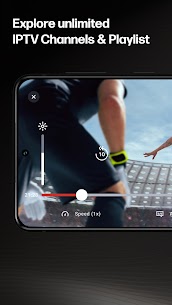
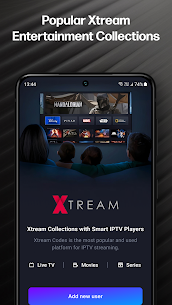
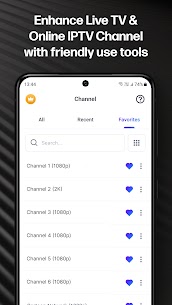
FEATURES: 🔥 Import and manage playlists quickly using a playlist URL 🔥 Play single streams from M3U and M3U Plus files 🔥 Save favorite channels and personalize your playlist 🔥 Add unlimited playlists and channels 🔥 Xtreme IPTV supported 🔥 Mirror-cast your phone screen to a big screen 🔥 Advanced tools including a sleep timer, brightness and volume control, screen lock, and more 🔥 Built-in IPTV player for fast, reliable, and stable streaming 🔥 External IPTV player support for playing media from your device, including images, videos, files, and URLs 🔥 Smart IPTV compatible with playlist formats such as M3U and M3U Plus 🔥 Quick channel search and compatibility with all Android devices and TV boxes
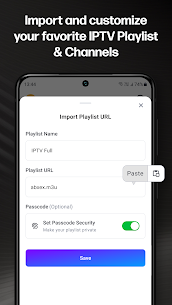
How to Add M3U/M3U8 Files: 1. On the Home page, tap the “Plus” button. 2. Select “Add your playlist” and paste your M3U link into the input box. 3. Wait for the loading process to finish, then enjoy free live TV.
How to Find Valid IPTV M3U/M3U8 Files Online:
Method 1: – Search GitHub for IPTV sources, then copy the URL to get the playlist.
Method 2: – Use a search engine to look up “public IPTV playlist,” open a link from the results, copy the M3U/M3U8 link, and import it into our IPTV player app by tapping the “Plus” button.
WHY CHOOSE IPTV Player – Smart Live TV?
▶️ IPTV Player is designed to be simple and easy to use. It includes a helpful guide for importing your playlist and tutorials for finding online sources, with support for M3U and M3U8 files. ▶️ With IPTV Player, you get unlimited access to a wide range of content and live channels from around the world. Access a premium IPTV service with over 20,000 live channels, VOD, EPG, and more. ▶️ Smart online TV lets you enjoy your favorite content wherever you are and supports a broad range of formats, so you can watch with ease. ▶️ Watch live in style with high video quality compatibility, including SD, HD, and 4K, as well as resolutions such as 720p and 1080p.
Developer's apps
Grammar Check by AI Writing 2.0.4 Metaverse Labs 77.89 MB Premium Unlocked Smart Control Remote for LG TV 8.3 Metaverse Labs 64 MB Premium Unlocked
Related apps
TikHot 2.3 tikhot.app 6.69 MB No Ads MinuteDrama 7.0.0.5 MicroSingularity 41.36 MB Premium Unlocked Soda Reels 3.7.1 LY Technology 64.76 MB VIP Unlocked YouDrama 1.3.22 Dovi Tools 45.85 MB Premium Unlocked FreeReels 2.5.01 SKYWORK AI PTE.LTD. 84.66 MB VIP Unlocked
How to install
- Download the APK file above to your phone.
- Allow “Install unknown apps” when prompted.
- Open the downloaded APK and tap Install.
- If the package includes OBB/XAPK data, follow the bundled instructions.
MOD APKs are modified builds, so Play Protect may show a warning. Install only if you trust the file; use at your own risk.