

Screenshots


Description
- Home /
- Apps
IPTV Cast – Media Player 1.1.27
- Apps
- Entertainment
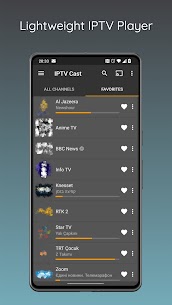
Perfect Cast serves as a versatile IPTV playlist organizer complete with integrated TV guide (EPG) compatibility. Stream your favorite IPTV streams directly on your smartphone or Android TV box, cast content to Chromecast, or operate it as a remote control for Perfect Player IPTV (v1.4.4+). Developer: Nebula U | Size: 40 MB | Version: 1.1.27 | Requires Android: 5.0+
- Telegram
Report This App
Screenshots
MOD Info
- Full Version Unlocked
Description
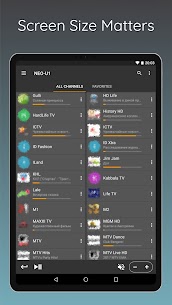
Perfect Cast is an all-in-one IPTV playlist manager offering electronic program guide (EPG) functionality. With this tool, you can effortlessly stream IPTV channels on your phone or TV box, beam media to your Chromecast device, or conveniently use your phone as a remote controller for Perfect Player IPTV (v1.4.4 or newer).
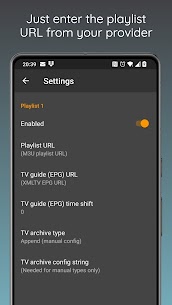
Quick setup guide to stream IPTV on your device: Enter your M3U playlist URL along with an optional EPG source link in the application settings. Head over to the TV/playlist tab and select the playlist you just configured. Once the playlist finishes loading, your live TV channels will be ready to stream. Make sure a compatible video player is installed on your device if you do not have one already.
How to pair with Perfect Player IPTV: Launch Perfect Player IPTV on your screen, navigate to Settings -> GUI, and toggle on the Perfect Cast option. Ensure both your smartphone and media box are connected to the exact same local Wi-Fi network. Please note: Only the Android version of Perfect Player is supported at this time.
* Note: Perfect Cast was formerly known under the name Perfect Remote.
Key Features:
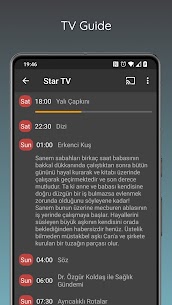
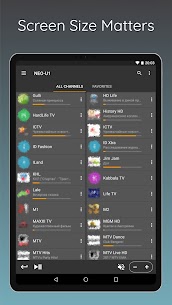
– Stream live IPTV content directly on your Android device – Control any media box running Perfect Player IPTV remotely – Manage, edit, and organize favorite channels – Instant search tool to quickly find channels inside playlists – Built-in electronic program guide (EPG) – Archive and catch-up TV support (custom setup required) – Clean organization by playlist categories and groups – Flexible channel sorting options – On-screen volume adjustments – Compatible with standard M3U and XMLTV playlist and EPG formats
Similar Apps
Poke Genie 8.19.1 Poke Genie 107.92 MB TikHot 2.3 tikhot.app 6.69 MB No Ads MinuteDrama 7.0.0.5 MicroSingularity 41.36 MB Premium Unlocked Soda Reels 3.7.1 LY Technology 64.76 MB VIP Unlocked YouDrama 1.3.22 Dovi Tools 45.85 MB Premium Unlocked
How to install
- Download the APK file above to your phone.
- Allow “Install unknown apps” when prompted.
- Open the downloaded APK and tap Install.
- If the package includes OBB/XAPK data, follow the bundled instructions.
MOD APKs are modified builds, so Play Protect may show a warning. Install only if you trust the file; use at your own risk.