

Screenshots



Description
Huawei Music
Enjoy your favorite tunes anytime, anywhere with this versatile audio app designed for streaming, radio broadcasts, and offline listening.
Key Features
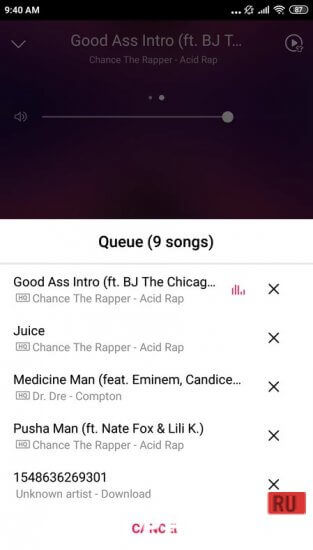
Developed officially by the smartphone giant, this audio player enables you to listen to tracks stored on your device as well as explore a vast online music catalog.
It serves as a solid Spotify alternative, delivering top-tier sound fidelity for everyday listening.
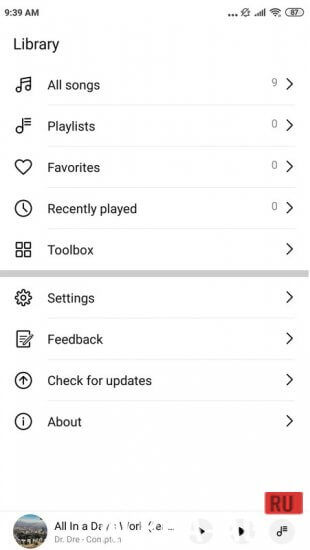
Browsing your library feels effortless thanks to a sleek, minimalist interface. The player automatically scans and organizes local audio files, with a handy search tool to quickly spot your newest downloads.
It seamlessly extracts all song metadata, neatly displaying artist details, track titles, and full album art stored on your phone.
Core Highlights
Enjoy pristine audio clarity across virtually every file type, including lossless formats. To keep mobile data in check while on the move, you can easily switch to a lighter streaming resolution.
Following its removal from mainstream app stores, countless users have sought alternative ways to download it. Its intuitive design and reliable performance have rightfully earned it a massive global following.
Additional Information
- Requires Android: 6.0 and up
- Content Rating: Everyone
- Russian Language: Supported
- OBB / Cache: Not needed
App Version: 12.11.37.306 | GameMod.dev Rating: 6/10 | Related Apps: FLIP - Focus Timer for Study, Spotify, Guitar Tuner, Gruzik for VK
Follow GameMod.dev for updates!
Leave a Comment
How to install
- Download the APK file above to your phone.
- Allow “Install unknown apps” when prompted.
- Open the downloaded APK and tap Install.
- If the package includes OBB/XAPK data, follow the bundled instructions.
MOD APKs are modified builds, so Play Protect may show a warning. Install only if you trust the file; use at your own risk.