
Screenshots
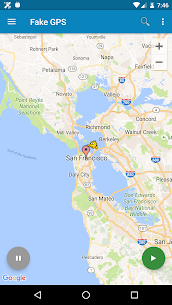
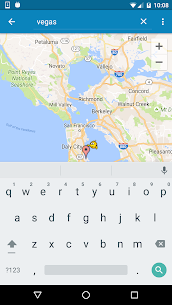
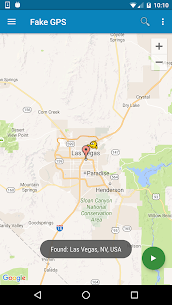
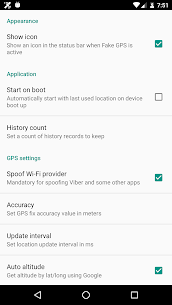
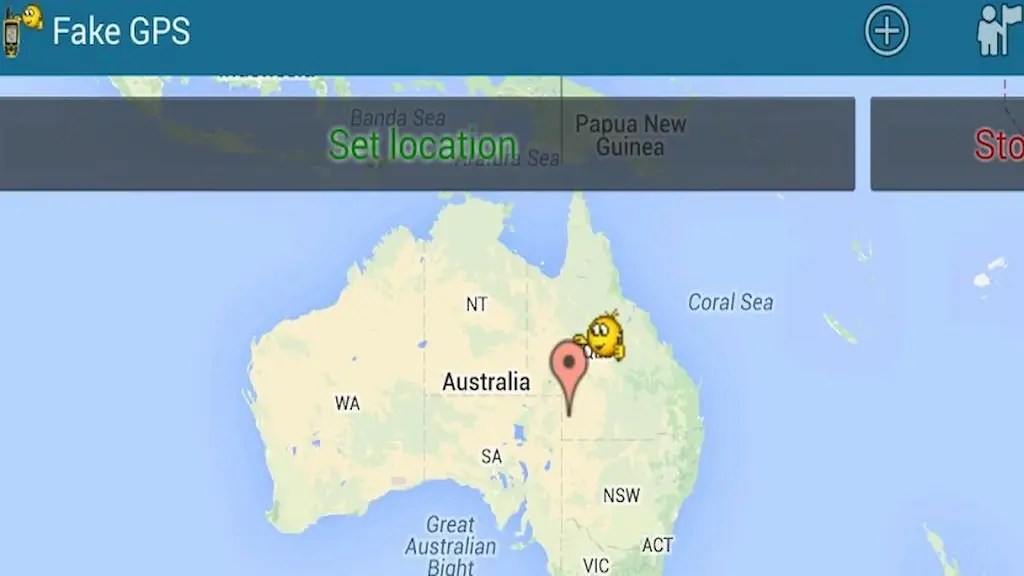



Description
- Home /
- Apps
Fake GPS Location MOD APK 2.1.2 (Donate Unlocked)
- Apps
- Tools
Virtually teleport your device anywhere across the globe in just a couple of taps! This tool overrides your real coordinates with a spoofed GPS position, convincing all installed applications that you are physically present at the selected destination. Developer: Lexa | Size: 3 MB | Version: 2.1.2 | Requirements: Varies with device
- Telegram
Report This App
Screenshots
Mod Info
- Donate Version Unlocked
Overview
Fake GPS Location Mod APK enables you to teleport your Android device across the globe in a couple of taps, tricking every installed application into recognizing your simulated coordinates — complete with Tasker integration and command-line management.
What Is Fake GPS Location and How Does It Work?
With Fake GPS Location Mod APK, shifting your virtual position anywhere on Earth takes just two quick taps. The utility generates an authentic simulated GPS feed that convinces all device apps that you are physically standing in that chosen spot. Whether your goal is unlocking geo-restricted media, masking your true coordinates for privacy, or browsing regional content, Fake GPS Location places total mastery over your device coordinates at your fingertips.
Furthermore, built-in Tasker support allows you to easily connect spoofing tasks into custom phone automation and everyday routines. Power users can likewise trigger or halt simulated coordinates directly via shell commands, providing an efficient and versatile workflow for controlling location spoofing. Head over to the FAQ section for step-by-step setup guidance.
Crucial Notice: Persistent Coordinates After Uninstallation
Before getting started, keep in mind an essential quirk that frequently surprises users. If you remove Fake GPS Location following a session, your Android system might temporarily freeze at the simulated coordinates you previously picked. This does not indicate a software glitch or physical sensor malfunction — it is merely the standard way Android caches location data following mock coordinates.
There are two dependable techniques to restore your true position. One approach is downloading GPS Status directly from the Play Store, opening the tool, and allowing it to acquire fresh real-world satellite lock. You might have to run this cycle multiple times with around 30 minutes between tries. Alternatively, launch Fake GPS Location once more, manually pinpoint your actual real-life position, and let it run continuously for several hours while the system recalibrates. Running both fixes side by side can expedite results. In all scenarios, normal tracking restores itself within 24 to 48 hours — simply remain patient while your sensor resets.
Setting Up Fake GPS on Root Devices
For users with root permissions, Fake GPS Location delivers a far smoother experience. Rooted setups allow position spoofing without toggling on the default "Allow Mock Locations" parameter within Developer Options. Consequently, spoofing stays considerably cleaner and avoids detection by sensitive services.
To configure this mode, launch Root Explorer or an equivalent elevated file manager. Browse to your app storage directory and find the APK at /data/app/ru.lexa.fakegps~1.apk. Relocate this package over to /system/priv-app (or to /system/app if your handset operates on Android 4.3 or earlier). Next, adjust file permissions to rw-r--r-- and restart your smartphone. Following the reboot, the software functions as a privileged system component, granting seamless spoofing without additional prompts.
Fixing Missing APK Files or Post-Reboot Deletions
Occasionally, users cannot discover the target package inside the typical /data/app directory. In that scenario, inspect the secondary path located at /mnt/asec/ru.lexa.fakegps/1.apk instead. When spotted, duplicate the file, rename it cleanly to ru.lexa.fakegps.apk, and transfer it straight into /system/priv-app. This achieves identical system privileges on rooted handsets.
If the relocated package vanishes from /system/priv-app upon restarting your phone, your hardware is most likely operating under S-ON protection. Devices featuring active S-ON protection revert modifications made to the /system partition upon each system boot, wiping any custom files placed there. To fix this permanently, switch your phone into S-OFF mode. A quick web lookup regarding your specific handset model alongside S-OFF instructions will guide you toward the required utilities and walkthroughs.
Download Fake GPS Location Mod APK and Master Your Coordinates Now
With Fake GPS Location Mod APK, you gain total authority over your device's geographical position. Whether safeguarding personal privacy, having fun, or configuring sophisticated automation via Tasker and command-line utilities, this tool ensures seamless, dependable GPS simulation. Grab your copy right now, complete the quick configuration for your Android model, and teleport anywhere across the globe in merely two taps.
Related Apps
NTFS Reader 2.3.2 Stephen Kingston 4.94 MB Premium Unlocked Lantern 10.0.3 Brave New Software Project Inc 46.71 MB Pro Unlocked MCPEDL for Minecraft 2.4.5 Overwolf Ltd 47.27 MB No Ads YTDLnis Downloader 1.9.1 Denis Çerri 208.12 MB No Ads Ruler 10.0-release NixGame 15.89 MB Premium Unlocked
How to install
- Download the APK file above to your phone.
- Allow “Install unknown apps” when prompted.
- Open the downloaded APK and tap Install.
- If the package includes OBB/XAPK data, follow the bundled instructions.
MOD APKs are modified builds, so Play Protect may show a warning. Install only if you trust the file; use at your own risk.