

Screenshots
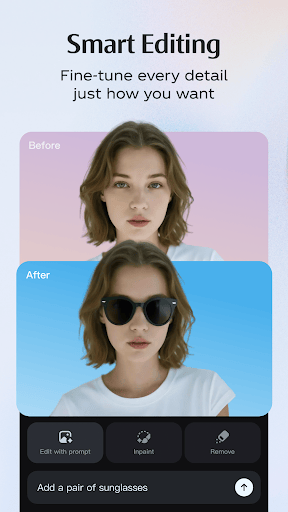
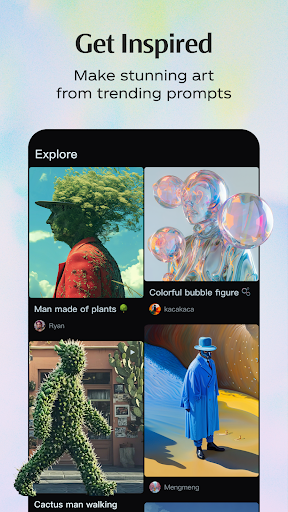
Description
Dreamina AI APK 1.0.7 (Latest Version) for Android | Bytedance Pte
| Updated On | 16/01/2026 |
|---|---|
| Category | Art & Design |
| Version | 1.0.7 |
| Size | 60 MB |
| Requires | Android 5.0 |
| Get it on | Google Play |
| MOD Features | No |
- Coming Soon
Dreamina AI has quickly become one of the most talked-about apps among creators lately. With only a few lines of description, it can turn your ideas into images or videos in just seconds. Its simple interface, impressive output quality and powerful integration with CapCut have made it a go-to "secret weapon" for content creators.
Note: You can also check out other popular AI tools on GameMod.dev, such as Imagine: AI Art Generator or Image Art: AI Image Generator.
Introduce about Dreamina AI
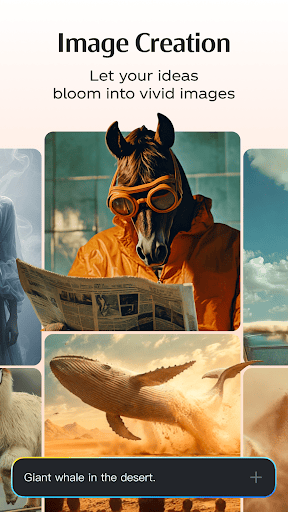
Dreamina AI is an AI-powered app for creating photos and videos that has drawn strong interest from the creative community. From the very first use, the neat layout and easy-to-follow controls make it feel convenient. Simply type a few lines of description, and the system will generate images in a wide range of styles and colors.
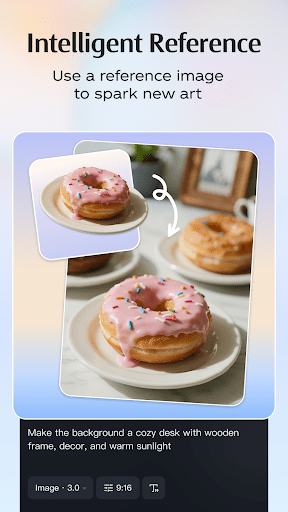
When you need more precision, you can use reference images to steer the results. This makes the app suitable for many purposes, such as brainstorming ideas, creating illustrations or making social media content.
It also saves time in post-processing, which is especially helpful when you need to work quickly. The app integrates smoothly with CapCut for a seamless creative workflow. On a phone, this integration feels responsive and far less complicated to use, which is a real plus for content creators.
Ability to create images from descriptions using AI
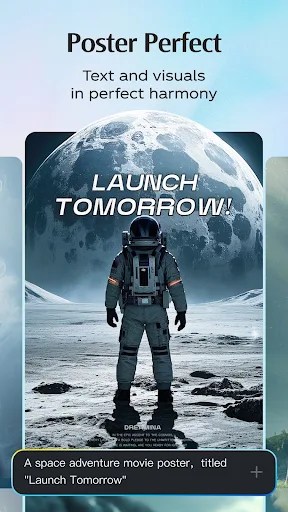
Dreamina AI lets you create images from just a few lines of description, which is why it has quickly become a useful tool for anyone who needs beautiful illustrations in a short time. When you enter a description in the text box, the system analyzes details such as style, lighting, color, composition and mood.
As a result, you can easily produce images tailored to your own goals, whether for design concepts, content illustrations or social network posts. Dreamina AI also responds fairly quickly, which makes testing many different styles much easier.
The app generates images with an artistic flair, and you can refine your prompt as many times as needed to reach the result you want. For those without drawing skills or experience with graphics software, this feature greatly reduces creation time.
Video creation feature from text or images
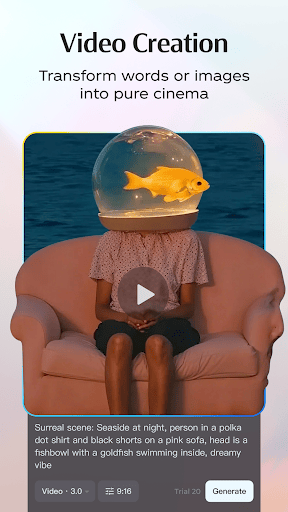
A standout feature of Dreamina AI is its ability to create short videos from text or images. When you want to turn a static idea into motion, the app handles it very well. Enter a video description, choose your preferred style, and the system automatically builds the frames and combines them into a complete clip.
If you use reference images, the resulting video will keep some of the colors or style of the original picture. This helps keep the image and video content in sync. For tasks such as creating reels, shorts or product introduction videos, this feature proves very handy.
You save a lot of editing time and still end up with a polished product that is attractive to viewers. This convenience makes the tool suitable for both professional creators and beginners alike.
Easy to use and accessible for everyone
Dreamina AI is built to make things simple, so anyone can get started without running into technical hurdles. Its features are logically organized, every option comes with clear explanations, and the interface feels natural on both phones and tablets. That makes it especially welcoming for new users, since there are no complicated manuals to work through. The app also responds quickly, letting you explore plenty of creative styles without interruptions.
Changing your style is as easy as editing your description or picking a suitable preset. Because of this, Dreamina AI keeps the creative process relaxed and enjoyable. Users who already have experience with photo or video editing can also dig into more detailed controls whenever they want.
Many people consider Dreamina AI one of the most approachable tools for getting into AI image creation. That friendliness makes it a good fit for students, content creators, marketers, and everyday users alike.
Smooth integration with CapCut
Dreamina AI works closely with CapCut, giving you a seamless content creation workflow. You can generate an image or video in Dreamina and move straight into CapCut for editing, with no need to download and re-import your files. This is particularly handy if you make quick content for TikTok, Instagram Reels, or YouTube Shorts.
On top of that, the Bytedance ecosystem offers plenty of extras, including a range of effects, templates, a large music library, and automatic alignment. Pairing Dreamina AI with CapCut lets you produce more polished content even when working only on a mobile device. Beginners can keep their creative momentum going without interruptions, while professionals can speed up production and keep their style consistent.
Download Dreamina AI APK for Android
All in all, Dreamina AI is a powerful tool for creating image and video content with AI, and it is especially convenient for mobile and fast-paced workflows. If you want to try it for creative or marketing projects, it is well worth a look.
Available VersionDreamina AI v1.0.7Original XAPK
How to install
- Download the APK file above to your phone.
- Allow “Install unknown apps” when prompted.
- Open the downloaded APK and tap Install.
- If the package includes OBB/XAPK data, follow the bundled instructions.
MOD APKs are modified builds, so Play Protect may show a warning. Install only if you trust the file; use at your own risk.