

Screenshots

Description
Clear Cache Lite – Optimize & Clear Junk MOD APK
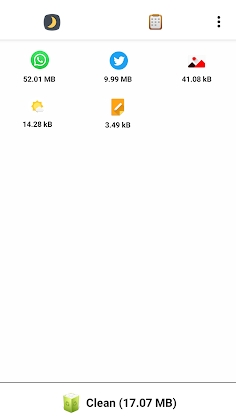
Clear Cache Lite – Optimize & Clear Junk is a dedicated Android utility designed to wipe out redundant application cache data. By clearing away this digital clutter, the tool frees up valuable storage on your smartphone while enhancing overall system responsiveness. With just a single tap, you can purge cached files and instantly give your device a performance boost.
Effortless Cache Cleaning!
What Are Application Cache Files?
Application cache files are temporary data generated by apps during regular use. For instance, whenever a web browser opens a page, it caches images and media locally. Once you exit the app, these files often become unnecessary, making a dedicated cleaner essential for wiping them out. Regularly purging your cache helps reclaim precious storage space and keeps your device operating smoothly at optimal speeds.
Key Features
Ultra-compact app size – just 2MB
Dual theme support with day and night modes.
Multiple Languages Supported
English, Japanese, Korean, French, German, Italian, Spanish, Hindi, Chinese, Portuguese, Russian, Arabic, Bulgarian, Czech, Danish, Greek, Finnish, Hungarian, Croatian, Malay, Norwegian, Dutch, Polish, Romanian, Slovak, Swedish, Turkish, Ukrainian, and Vietnamese
Permissions Overview
This utility requests specific Android permissions strictly to carry out its core features safely, without posing any risk to your device or data.
Storage read/write access (SD card) is necessary to scan and remove junk files.
This application utilizes Accessibility services.
How to install
- Download the APK file above to your phone.
- Allow “Install unknown apps” when prompted.
- Open the downloaded APK and tap Install.
- If the package includes OBB/XAPK data, follow the bundled instructions.
MOD APKs are modified builds, so Play Protect may show a warning. Install only if you trust the file; use at your own risk.