

Screenshots



Description
AudioVision Music PlayerA multifunctional music player that you can simultaneously use to visualize music tracks on your device.
Gameplay
With this audio player, you can sort your audio files by album and genre, manage your music playlist, and perform other actions. The application features a simple interface and consists of many special templates.
All of them are prepared with different settings, providing users with convenient control.
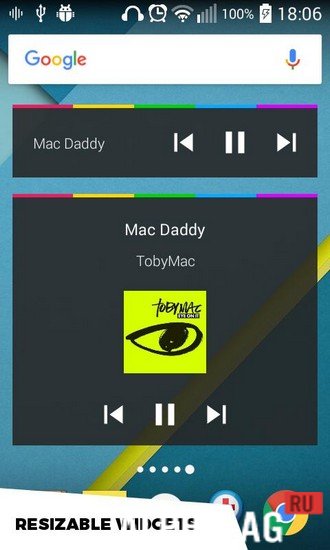
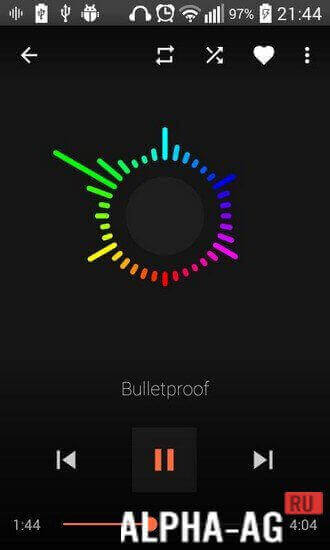
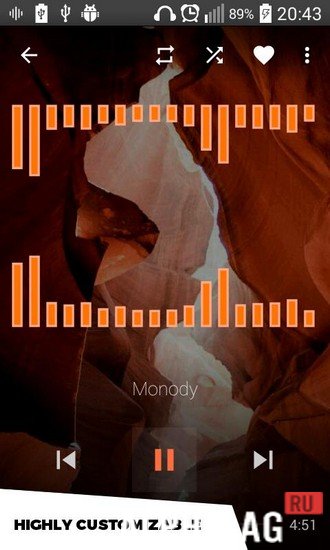
When you play any music, a circle will appear on your screen that moves to the rhythm of the song, changing its shape and color. At the same time, you can change and customize its appearance yourself.You can control music playback from the lock screen using widgets.
This player has a large number of settings and a built-in powerful equalizer, with which you can customize music playback just the way you want, allowing you to enjoy listening to your favorite tracks.Key Features
With this application, you can organize your music by genre, artist, album, and playlist. A modern built-in music visualizer also awaits you here, where you can independently customize the background and color scheme.
And with the equalizer, you can improve playback quality, add musical effects, and adjust the volume level. You can also create your own playlists, change the list of music tracks in them, and delete them.
0 Jan 21 Additional information:- Android version required: 4.0.3 or later
- Age restrictions: none
- Russian localization: none
- OBB/Cache installation: not required
Subscribe to our YouTube channel!
Add a commentHow to install
- Download the APK file above to your phone.
- Allow “Install unknown apps” when prompted.
- Open the downloaded APK and tap Install.
- If the package includes OBB/XAPK data, follow the bundled instructions.
MOD APKs are modified builds, so Play Protect may show a warning. Install only if you trust the file; use at your own risk.