

Screenshots




Description
- Home /
- Apps /
- Productivity
AdBlock for Samsung Browser 3.4.7
- Productivity
Browse the internet without annoying advertisements. AdBlock is a totally free content blocking solution for Samsung Internet with a community of over 50 million users worldwide. Developer: Adblock Inc. Size: 4 MB Version: 3.4.7 Requirements: 5.0 Get it on GameMod.dev Mod Info: Original
- Telegram
Report this app
Images
Description
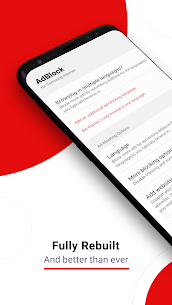
Browse the internet without annoying advertisements. AdBlock is a totally free content blocking solution for Samsung Internet with a community of over 50 million users worldwide.
AdBlock. The original and best choice.
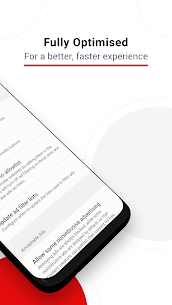
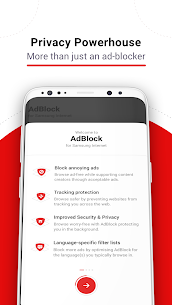
* Extend your battery life by loading only the content you actually need * Reduce monthly data consumption * Experience significantly faster page loading speeds * Integrated privacy features to prevent tracking * Regional settings to filter out local ads * Responsive and free customer support
Frequently Asked Questions:
* Does AdBlock remove ads from all my installed apps? AdBlock only filters advertisements on websites accessed via the Samsung Internet browser.
* Does AdBlock work with other Android browsers? Currently, no. However, you can use AdBlock on desktop versions of Chrome, Safari, or Opera.
Related apps
AppBlock 7.21.2 by MobileSoft s.r.o. 136.03 MB Premium Unlocked, FairEmail 1.2339 by Marcel Bokhorst FairCode BV 28.77 MB Premium Unlocked, LazyBoard 2.7.21 by Elsayed Hussein Abdallah 4.09 MB Premium Unlocked, Side Dock 4.0.0 by Quivox Engineering 99.89 MB Premium Unlocked, Apk Share 5.16.19 by Lucky Developer 85.21 MB Premium Unlocked
How to install
- Download the APK file above to your phone.
- Allow “Install unknown apps” when prompted.
- Open the downloaded APK and tap Install.
- If the package includes OBB/XAPK data, follow the bundled instructions.
MOD APKs are modified builds, so Play Protect may show a warning. Install only if you trust the file; use at your own risk.