
Screenshots
Description
WindowsHome for KLWP Mod APK
A single-screen KLWP preset that automatically adjusts to fit any smartphone display. Note that this is not an independent application; it requires KLWP Live Wallpaper Pro Key to run.
Required applications to install beforehand:
- Nova Launcher Prime
- KLWP Pro Key
Next steps:
Set up Nova Launcher with a single home screen and ensure the dock is hidden. You may also turn off the notification bar for an ultra-clean interface.
Inside KLWP, navigate to Menu > Load Preset, check the "Installed" tab, and pick WindowsHome. Alternatively, launch the WindowsHome shortcut straight from your app drawer.
Ensure your KLWP setup is configured to 1 page.
Tap Apply to bring up the configuration screen.
Hit the Save icon and exit to your home screen. Have fun!
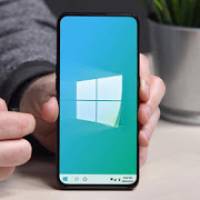
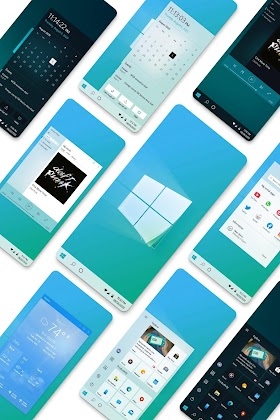
Bringing a classic Windows desktop experience to your mobile, tapping the Start button reveals your installed apps. From there, access current weather information, media playback, or tap your profile avatar to view user details. Headlines can be read by tapping news titles, while article thumbnails launch the full story. Tapping the bottom date opens your calendar and lets you switch between dark and light themes. For devices with software navigation keys, wallpaper dimensions and height can be fine-tuned directly within the KLWP editor.
Head to Nova Settings > Gestures & Inputs to set up convenient app drawer access. Assign the "Swipe up" motion to open the App Drawer, letting you bring up your apps with a simple upward flick.
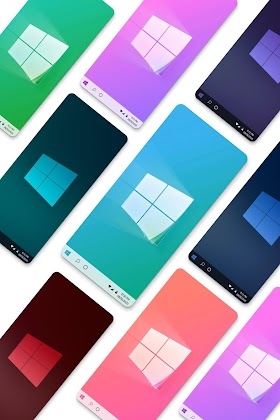
Customize your setup with ease: tweak background shades, system fonts, and profile images by heading to the "Globals" tab in KLWP. You can also reassign touch shortcuts to your favorite apps under the "Shortcuts" menu.
Feel free to send an email if you run into any issues or have questions. Fast support is guaranteed. Thank you!
How to install
- Download the APK file above to your phone.
- Allow “Install unknown apps” when prompted.
- Open the downloaded APK and tap Install.
- If the package includes OBB/XAPK data, follow the bundled instructions.
MOD APKs are modified builds, so Play Protect may show a warning. Install only if you trust the file; use at your own risk.