
Screenshots


Description
- Home /
- Apps
WiFi Pro FTP Server MOD APK (Full Version) 2.3.9
- Payment
- Apps
- Tools
Transform your Android smartphone or tablet into a standalone FTP server! This handy utility allows you to host a personal FTP server directly from your mobile device. Easily move photos, videos, music, and documents to and from your Android system using any popular FTP client like FileZilla. Developer: Medha Apps | Size: 6 MB | Version: 2.3.9 | Requirements: Android 5.0+
- Telegram
Report This App
Images
MOD Info
- Full Version
Description
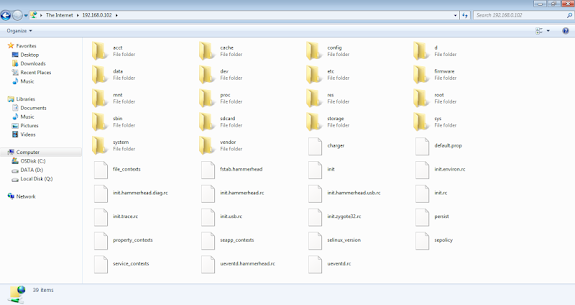
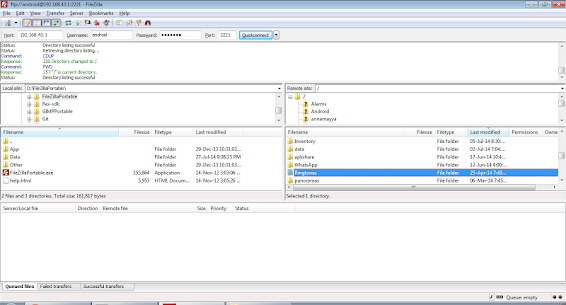
Turn your Android phone or tablet into a full-featured FTP server! With WiFi Pro FTP Server, hosting your own local FTP server on mobile hardware is effortless. Seamlessly exchange files, pictures, movies, music tracks, and more between your Android device and computer using any trusted FTP client such as FileZilla.
Introduction
If you want complete control over your Android storage, turning it into a dedicated File Transfer Protocol server is a fantastic solution. Thanks to modern mobile technology, running a pocket-sized FTP server has never been easier. Paired with a client like FileZilla, transferring media back and forth with your Android device becomes completely seamless. This approach lets you quickly share diverse file formats, from high-resolution movies to full music playlists.
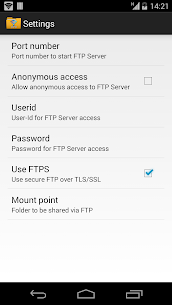
Users can customize the FTP server port number to tailor network operations to their specific setup. The application fully supports secure encrypted transfers via FTP over TLS/SSL (FTPS). Set up hidden accounts for privacy, specify custom home mount points, and configure dedicated login credentials for protected access. Ditch tangled USB cords completely—wireless backups and local file transfers over Wi-Fi or mobile hotspots work smoothly without physical connections.
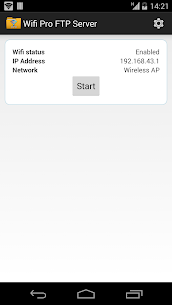
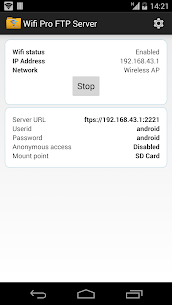
Keep in mind that FTPS and SFTP are distinct protocols serving different purposes. While SFTP support is planned for future updates, secure FTPS is ready right now. Standard port 21 typically requires root privileges on Android, so unrooted devices must use ports above 1024; the default port is set to 2221 and can be easily adjusted in the settings. Anonymous access is turned off by default for privacy, and all server controls are managed effortlessly through the main dashboard.
Key Features
- Full-fledged FTP server featuring customizable port numbers
- Reliable support for encrypted transfers via FTP over TLS/SSL (FTPS)
- Customizable anonymous login options
- Configurable root directory and mount point settings
- Personalized username and password authentication
- Eliminate USB cables with rapid Wi-Fi file transfers and backups
- Fully functional over standard Wi-Fi networks and mobile hotspot tethering
Suggested apps
1.1.1.1 + WARP 6.38.11 by Cloudflare Inc., 142.79 MB, includes Unlimited WARP+. Sav PDF Viewer Pro 2.5.2 by Saverio Morelli, 10.64 MB, Full Version. PDF Tools: Merge & Split PDF 1.16 by Algorithm Artisan, 22.60 MB, Premium Unlocked. Block-Spam 19.8.5 by Block-Spam, 10.10 MB, Premium Unlocked. Material Capsule 17.3 by Pryshedko Apps s.r.o., 22.53 MB, Premium Unlocked.
How to install
- Download the APK file above to your phone.
- Allow “Install unknown apps” when prompted.
- Open the downloaded APK and tap Install.
- If the package includes OBB/XAPK data, follow the bundled instructions.
MOD APKs are modified builds, so Play Protect may show a warning. Install only if you trust the file; use at your own risk.