

Screenshots
Description
- Home /
- Apps /
- Tools
WG Tunnel 5.8.1
- Tools
WG Tunnel is a versatile WireGuard VPN client combining effortless usability with powerful performance, tailored for both beginners and advanced users. Developer: Zane Schepke | File Size: 17.87 MB | Version: 5.8.1 | OS Requirements: Android 8.0+ | Package Type: Original APK
- Telegram
Report Broken Link
Screenshots
App Overview
Designed to offer both intuitive control and deep customization, WG Tunnel is a robust WireGuard client suited for everyday browsing as well as demanding privacy setups.
Whether your goal is hands-free VPN automation based on network triggers or complex data protection routines, WG Tunnel adapts effortlessly to your workflow.
Key Features:
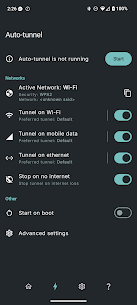
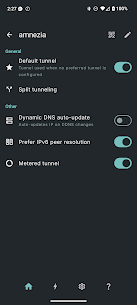
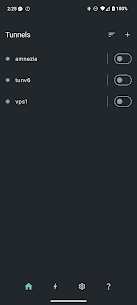
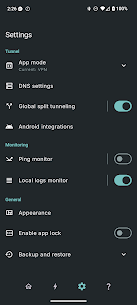
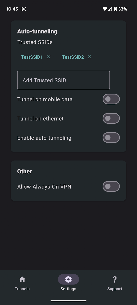
– Auto-Tunneling: Automatically turns on secure tunnels according to the current network connection on your device. – Deferred Endpoint Bootstrapping: Safely updates peers and resolves endpoints once the tunnel establishes, minimizing startup leaks and boosting connection stability. – Handshake Monitoring: Continuously tracks handshake activity in real time to deliver immediate feedback on tunnel health. – AmneziaWG Support: Complete compatibility with AmneziaWG versions 2.0 through 3.1 for dependable censorship circumvention. – Split Tunneling: Conveniently select which specific applications or web traffic pass through the VPN interface. – Split & Encrypted DNS: Route queries securely via standard DNS, DoT, or DoH, with optional domain suffix rules for system or tunnel resolution. – Local Proxy Mode: Runs WireGuard tunnels as local SOCKS5 or HTTP proxies, integrating smoothly with browsers and tools like AdGuard. – Lockdown Mode: Built-in advanced kill switch that immediately prevents any unencrypted data leaks whenever the VPN disconnects. – Quick Controls: Fast-access Quick Settings tile and convenient home screen shortcuts for one-tap toggling. – Remote Control Support: Supports Android Intents so you can automate tunnel states through third-party tools such as Tasker. – Dynamic DNS Handling: Instantly detects remote IP updates and shifts endpoints without needing manual reconnection. – IPv6 Endpoints: Seamlessly transitions between IPv6 and IPv4 configurations based on real-time network conditions. – Android TV Support: Fully optimized user experience with support for virtually every core feature on Android TV displays.
Similar Applications
AdGuard 4.16.0 ADGUARD SOFTWARE LIMITED 56.82 MB Premium Unlocked Full Battery Charge Alarm 1.0.368 Syrupy 5.84 MB Premium Unlocked 1DM+ 20.0 Vicky Bonick 176.91 MB Full Version Video Converter, Compressor 20.16.0 Inverse.AI 60.07 MB Premium Unlocked txtpad — Notepad & TXT Editor 3.5.1-premium My Cat's Lab 17.20 MB Premium Unlocked
How to install
- Download the APK file above to your phone.
- Allow “Install unknown apps” when prompted.
- Open the downloaded APK and tap Install.
- If the package includes OBB/XAPK data, follow the bundled instructions.
MOD APKs are modified builds, so Play Protect may show a warning. Install only if you trust the file; use at your own risk.