
Screenshots
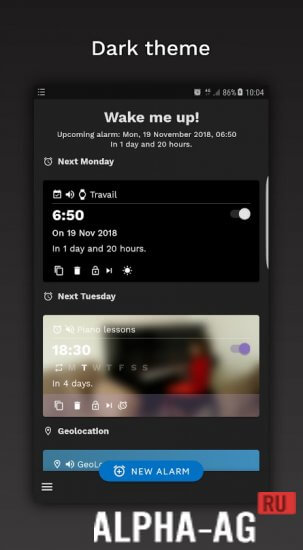

Description
Wake me up! Smart Alarm Clock
Step into the innovative realm of smart alarm clocks! Enjoy a top-tier user experience enhanced by sophisticated functionality and a sleek Material Design aesthetic, available here at GameMod.dev.
App overview
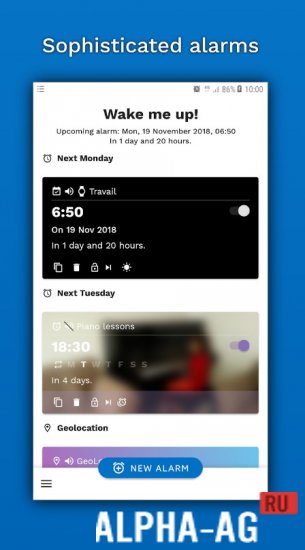
Create your personalized wake-up routine with ease. With support for multi-day alarms, flexible interval repetitions, and adjustable snooze settings, you can tailor your morning experience to suit your lifestyle perfectly.
This professional-grade tool integrates directly with your calendar. Sync your alarms with scheduled events, ensuring you stay on track even on your busiest days.
Stay informed with real-time weather updates, including detailed forecasts and temperature ranges. Use the text-to-speech function to have the app greet you with the current date, time, and weather report once you turn off the alarm. Personalize your wake-up call with customizable sounds, gradual volume scaling, vibration patterns, or your own music files. You can even dim the screen or silence the alarm during incoming calls.
Never oversleep again. Configure advanced snooze options, shortening intervals, and automatic repeat functions. Dismiss or snooze your alarm with simple gestures like flipping, shaking, or waving your hand over your device, or disable snooze features entirely if you prefer.
Main features
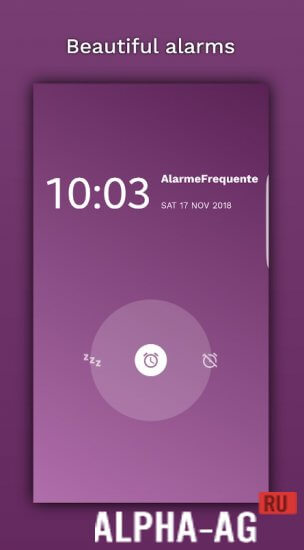
Personalize the visual style of your alarm. Select from pre-set color themes or upload your own custom background image.
Enjoy a dynamic experience with backgrounds that automatically update to reflect the current weather conditions.
Check live weather data and temperature at a glance. Choose from various night mode options, ranging from standard dimming to a completely darkened screen.
0 21 Nov Additional details:
- Requires Android 8.1 or higher
- Rated for ages 3 and up
- Russian language support included
- No additional cache files required
2023.04 version. GameMod.dev rating: 7/10. Similar apps: Caller ID Announcer, Don't Touch My Phone, Vizmato, Endoscope Camera.
Follow us for more updates!
Share your thoughts below
How to install
- Download the APK file above to your phone.
- Allow “Install unknown apps” when prompted.
- Open the downloaded APK and tap Install.
- If the package includes OBB/XAPK data, follow the bundled instructions.
MOD APKs are modified builds, so Play Protect may show a warning. Install only if you trust the file; use at your own risk.