
Screenshots
Description
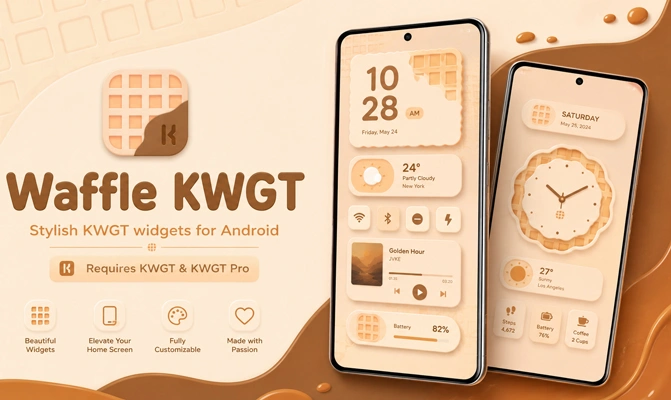
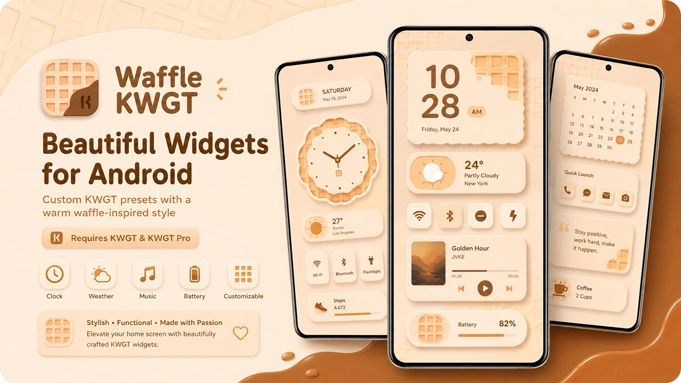
Waffle KWGT is the kind of widget pack that looks simple at first, but its real appeal shows up once you place it on your home screen. Built around square tiles, generous spacing, easy-to-read text, and compact dashboard-style blocks, it helps Android customization feel organized without turning your screen into a cluttered mess.
This APK is designed for KWGT Pro, so it shouldn't be treated like a standalone launcher or a regular widget app. Waffle only works after KWGT and KWGT Pro are already installed. Once those are ready, add an empty KWGT widget to your home screen, open it, and choose Waffle from the installed presets. That small detail matters, since many users install the pack and assume something is broken when nothing appears on its own.
The style is especially well suited to people who love tile-based home screens. The widgets can display the time, date, battery status, weather, calendar details, and other quick information in a layout that feels neat without looking dull. It delivers the compact feel of an Android dashboard while still leaving plenty of room for wallpapers and icon packs to shine.
Waffle KWGT Setup
Setting it up isn't difficult, but the order matters. Install KWGT, unlock it with KWGT Pro, then install Waffle. Next, long press the home screen, add a KWGT widget in your preferred size, tap the blank widget area, and load one of the Waffle presets. From there, you can resize the design or fine-tune it inside the KWGT editor.
Small Widget Size Fix
Sometimes a widget lands on the screen looking tighter than expected, almost as if the tile was built for a smaller grid. Stretching it from the launcher doesn't always fix this properly. The cleaner solution is inside KWGT. Open the loaded preset, check the Layer area, and raise the Scale value slightly until the tile sits naturally in its space. It's a minor tweak, but it can turn a cramped widget into one that looks like it was made for your screen.
Tiles With Missing Icons or Text
Every so often, a Waffle preset may load with an empty icon spot, frozen information, or text that won't appear. This usually happens when KWGT gets stuck while refreshing widget data. Clear the KWGT cache, force stop the app, and reopen the widget. In most cases, that refresh is enough. In a few situations, reloading the same preset fixes the tile without disturbing the rest of your setup.
Waffle KWGT works best when paired with a simple wallpaper, matching icons, and a launcher that supports custom grid sizes. The pack gives you a ready-made structure, but the final look depends on how you arrange everything around it. That's where it shines: you aren't starting from scratch, yet you still have plenty of control to make the setup feel truly your own.
For Android users who enjoy KWGT customization, the Waffle KWGT APK offers a tidy square-widget style that is easy to edit, light on the screen, and practical for everyday use. It isn't built to impress with heavy effects. Instead, it gives your home screen a sharper layout with information you can read at a glance.
How to install
- Download the APK file above to your phone.
- Allow “Install unknown apps” when prompted.
- Open the downloaded APK and tap Install.
- If the package includes OBB/XAPK data, follow the bundled instructions.
MOD APKs are modified builds, so Play Protect may show a warning. Install only if you trust the file; use at your own risk.