

Screenshots




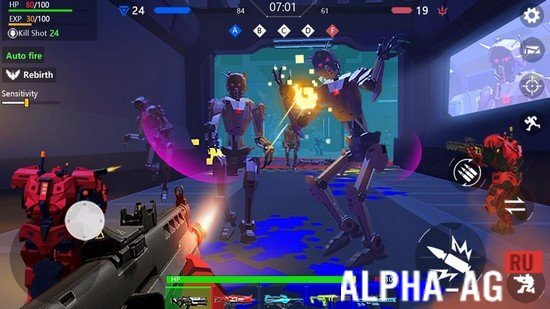

Description
Robot War: Modern Combat FPS MOD APK
Dive into an action-packed first-person shooter where you engage in grand squad warfare against advanced AI, proving your supremacy as the deadliest warrior on the battlefield.
Gameplay Overview
Jump right into combat by selecting one of four distinct game modes: Mech Warfare, Ancient Ruins, Alien Zombies, or Terrifying Undead. Once selected, gear up with destructive firearms and head out to obliterate hostiles. At the start, your weapon inventory will be quite limited,
however, viewing in-game ads lets you instantly unlock high-tier weaponry of varying firepower. Every encounter demands keen reflexes and strategic awareness to overcome deceptive enemy tactics and secure the win.
Navigate across varied terrains, coordinate movements with allied units, and wipe out every opposing combatant using your arsenal.
Enhance your offensive power with lethal grenades and assorted equipment gathered along the way or carried into combat. On top of that, you can take control of stationary machine guns to mow down waves of foes or pilot a colossal mech to dominate the frontline.
Key Features
Engage in massive 20v20 tactical shootouts against smart bot squads. Access a rich selection of firearms, including handguns, shotguns, assault rifles, sniper rifles, and heavy guns.
Every firearm features unique stats such as effective firing range, firepower, and reload speed, requiring thoughtful tactical choices. Show your combat prowess and establish yourself as the top mech pilot in this adrenaline-fueled shooter.
At GameMod.dev, you can easily download both the original APK of "Robot War: Modern Combat FPS" and the MOD APK with No Ads to claim all rewards effortlessly.
Additional Details (Updated: 19 Sep)
- Requires Android: 4.4 and up
- Content Rating: 3+
- Russian Language: Not supported
- OBB Data: Not required
Game Version: 1.13 | Mode: Offline | Site Rating: 8/10 | Related Games: MemesWars 2, Rio Crime City, LastCraft Survival, Zombie Shooting | Official YouTube Channel
Subscribe to Our YouTube Channel!
Leave a Comment
How to install
- Download the APK file above to your phone.
- Allow “Install unknown apps” when prompted.
- Open the downloaded APK and tap Install.
- If the package includes OBB/XAPK data, follow the bundled instructions.
MOD APKs are modified builds, so Play Protect may show a warning. Install only if you trust the file; use at your own risk.