

MOD features
- Premium version.
Screenshots
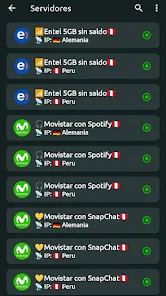
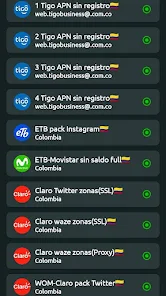
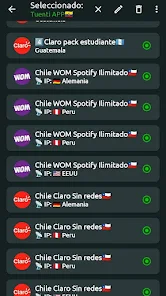
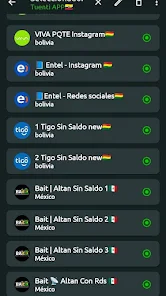
Description
VPN Peru is an Android VPN app built for users who want to connect to the Internet through a server located in Peru. It is quite easy to use, and it can help reroute your network connection while adding a layer of protection when you go online, particularly on public Wi-Fi.
Find out more about VPN Peru for Android
A VPN creates an intermediary link between your device and the Internet. With VPN Peru, your network traffic can be sent through a VPN server, so the IP address seen by many online services may change depending on the server's location. This suits users who want to check how a website or service behaves when accessed from the Peru region.
Beyond rerouting your connection, VPNs are also widely used when accessing the Internet over public networks. That said, a VPN does not make you completely anonymous. Websites, apps, and service providers can still collect data under their own policies.
Fast connections to Peru servers
What sets VPN Peru apart is its focus on VPN connections tied to Peru. Once you allow the app to set up a VPN connection on Android, you can switch the connection on or off directly within the app. While the VPN is active, the VPN icon in your phone's status bar confirms the connection.
Real-world speed depends on the quality of your current network, your distance from the server, and the server's status. If the connection feels slow or unstable, try disconnecting and reconnecting, or switch to a different Internet network.
Protecting your connection on public Wi-Fi
VPN Peru can be handy if you often use Wi-Fi in cafés, hotels, airports, or other public spaces. A VPN connection adds an extra layer of protection for traffic between your device and the VPN server, but you should still safeguard your accounts with strong passwords and two-factor authentication.
Before relying on the app long-term, review the permissions it requests along with its privacy and data policies. This matters for any VPN app, since VPN providers may handle connection data.
Tips and a guide for using VPN Peru
When you first start using VPN Peru, make sure your phone has a stable Internet connection. After turning the VPN on, test the connection with your browser or a familiar app. If the Internet keeps dropping, turn the VPN off to see whether the problem is caused by the VPN connection.
Turn the VPN off once you no longer need it to limit its impact on network speed and battery life. Also avoid running several VPN apps on Android at the same time, since they can conflict when managing connections.
Summary
VPN Peru addresses the need to connect to the Internet through a VPN with servers in Peru, while giving users an extra layer of protection when browsing online. It may suit those who need to test connections by region or regularly use public networks. However, a VPN is only one part of online security and should not be treated as the sole solution for protecting your privacy.
How to install
- Download the APK file above to your phone.
- Allow “Install unknown apps” when prompted.
- Open the downloaded APK and tap Install.
- If the package includes OBB/XAPK data, follow the bundled instructions.
MOD APKs are modified builds, so Play Protect may show a warning. Install only if you trust the file; use at your own risk.