

Screenshots


Description
Video Speed Fast & Slow Motion
Unlock endless creative potential and give your clips a standout look with this versatile tool. Grab the app for your Android device today and step straight into the exciting world of mobile video editing!
Key Features
Turn everyday footage into one-of-a-kind masterpieces ready to share with friends and family across your favorite social networks. Looking to highlight dramatic moments with a smooth slow-motion effect?
Perhaps you want to speed things up instead, injecting raw energy and fast-paced action into your clips? Whatever your creative vision, this handy editor brings it to life effortlessly!
Let your imagination run wild as you craft stunning slow-mo and timelapse clips from everyday highlights. Capture falling items in ultra-clear slow motion to appreciate every subtle detail, or condense travel highlights and study routines into fast-forward sequences that capture the true vibe of the scene.
Key Features
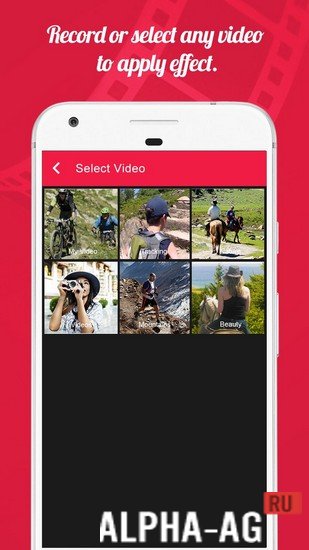
Video Speed boasts an intuitive layout, offering a smooth and rapid editing workflow right from the start. Simply import an existing clip from your gallery or shoot a brand-new video on the spot.
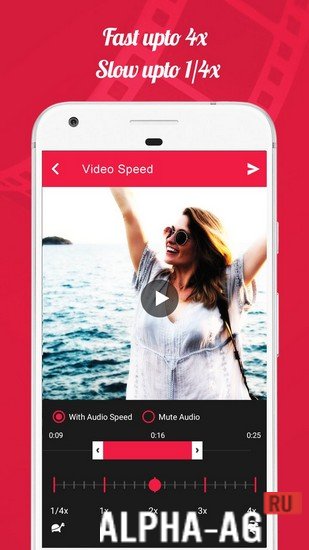
From there, seamlessly speed up playback up to 4x or slow footage down to 1/4x for that dramatic slow-motion aesthetic. Pick the ideal tempo setting from the available presets to achieve the exact look you want.
Fully compatible with popular formats including MP4, WMV, 3GP, and AVI, the tool ensures speedy rendering alongside crisp, high-definition exports. Once processed, preview and manage your work directly within your gallery, or easily post and share your clips with friends.
Additional Information
- Required Android version: 7.0 or higher
- Content rating: 3+
- Russian language support: None
- OBB / Data: Not required
Version 3.3 | GameMod.dev rating: 9/10 | Related apps: Watermarks For Text Pro, Any.do, Endoscope Camera, Gruzik for VK
Follow our official YouTube channel!
Leave a Comment
How to install
- Download the APK file above to your phone.
- Allow “Install unknown apps” when prompted.
- Open the downloaded APK and tap Install.
- If the package includes OBB/XAPK data, follow the bundled instructions.
MOD APKs are modified builds, so Play Protect may show a warning. Install only if you trust the file; use at your own risk.