

Screenshots
Description
Tunable: Music Practice Tools MOD APK
Developed by the team behind NodeBeat, Tunable is an intuitive visual practice suite built for musicians of all skill levels. Designed to sharpen your technique, it includes an innovative tuning history display so you can track your pitch stability in real time.
Master Pitch and Sustain Clean Notes
See how steady your vocals or instrument playing truly are. An interactive white graph displays pitch consistency over time—the straighter the line, the more accurate and stable your tone.
Train Your Ear With Tone and Chord Generators
Need a reliable reference pitch? Generate single tones or sustained chords effortlessly. You can also explore and compare various tuning temperaments to evaluate their distinct sound profiles.
Stay in Rhythm With a Precise Metronome
Keep perfect time with an accurate metronome that pairs auditory clicks with intuitive visual pulses. The high-visibility display and flash indicators ensure you never lose track of beats and subdivisions.
Record and Share Your Progress
Capture practice sessions and performances with the built-in recorder. Apply subtle reverb to give your tracks a polished studio feel, then export and share them directly via SoundCloud, Dropbox, or email.
Key Features
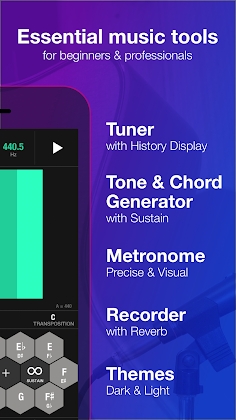
Tuner
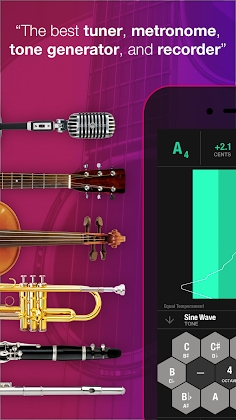
* Wide, full-screen color-changing tuner that glows green when you hit the exact pitch.
* Clear visual interface displaying pitch frequency (Hz), note octave, and exact cents deviation.
* Detailed pitch history graph to measure how consistently you hold sustained notes.
* Wide detection range (24Hz – 15kHz) optimized for both wind instruments and strings.
* Flexible screen layouts supporting both horizontal and vertical orientations.
* Fully customizable reference pitch (calibrated around standard A = 440 Hz).
* Includes 18 different tuning temperaments, including Pythagorean tuning.
Tone and Chord Generator
* Comprehensive chromatic tone generator offering diverse instrument sounds and sustain options.
* Effortlessly trigger, play, and hold multi-note chords.
* Auto Octave Rounding for quick and intuitive note selection.
Metronome
* High-contrast visual flash display tracking tempos, downbeats, and rhythmic subdivisions.
* Customizable tempo options adjusted per measure or specific subdivision.
* Standard tempo presets for seamless transitions between slow, moderate, and fast rhythms.
* Tap Tempo functionality to set beats instantly on the fly.
* Continues running reliably in the background even when your screen is locked.
Record
* Save unlimited recordings
* Send recordings to SoundCloud or Dropbox by email.
Others
* Accuracy down to 1/100th of a cent.
* Add notes to any instrument
* Choose between dark and light themes
Tunable can tune wind instruments and string instruments, including:
* Guitar and ukulele
* Piccolo and flute
* Oboe, English horn and bassoon
* Eb, Bb and A soprano clarinet, plus bass clarinet
* Soprano, alto, tenor and baritone saxophone
* Cornet and trumpet
* French horn
* Bass and tenor trombone
* Euphonium and tuba
* Viola, cello, violin and double bass
______________________
NOTICE
Practice stats are not available in the current Tunable Android version, including practice score, notes, cents display and similar features. These features will be added in the next Tunable Android version.
Permissions
To tune and listen to your instrument, Tunable needs the Record Audio permission. Tunable can also access your external storage to read and write recordings.
KNOWN ISSUES
Google Assistant may interfere with the microphone on some devices. If the tuner isn't working, turn off the "Ok Google" and "Always on" Google Assistant settings to fix the issue. This problem only affects some devices, and manufacturers are currently working on a solution.
______________________
To stay up to date and connect with the Tunable community:
* Follow @AffinityBlue on Twitter
* Become a fan of Tunable on Facebook: www.facebook.com/AffinityBlue
Running into a problem? Contact us at apps[at]affinityblue.com so we can help. We can only fix the issues we are aware of.
How to install
- Download the APK file above to your phone.
- Allow “Install unknown apps” when prompted.
- Open the downloaded APK and tap Install.
- If the package includes OBB/XAPK data, follow the bundled instructions.
MOD APKs are modified builds, so Play Protect may show a warning. Install only if you trust the file; use at your own risk.