

Screenshots
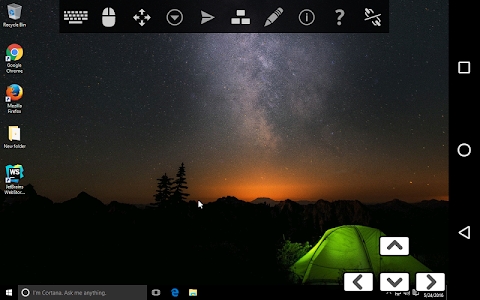
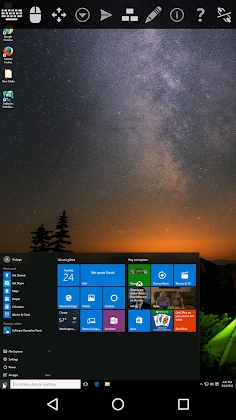
Description
TruDesktop Remote Desktop Pro MOD APK
TruDesktop PRO delivers an intuitive, secure, and feature-rich remote desktop solution for PC and Mac systems, fully compatible with Android TV.
Easily operate your computer remotely by installing TruDesktop on any Android phone or tablet sharing the same Wi-Fi connection.
Establish seamless remote links to Windows, Mac OS X, Linux, BSD, and any other operating system equipped with an RDP or VNC server.
Connect smoothly with Apple Remote Desktop (ARD) on Mac OS X using standard username credentials via VNC.
The app offers broad compatibility with popular VNC platforms such as TightVNC, UltraVNC, TigerVNC, and RealVNC.
Any operating system running Terminal Services or Remote Desktop Services is supported natively without hassle.
Key Features of TruDesktop
Compatible with Android TV
Control your PC remotely from an Android device
Link up to Windows, Mac OS X, Linux, or BSD systems featuring an active VNC Server
Instant access to any operating system that supports Remote Desktop Services and Terminal Services
Right-click shortcuts, back button actions, long-press gestures, and two-finger tapping
Smooth pinch-to-zoom navigation
Three-finger tap to show or hide the virtual keyboard
Swipe gesture to open the toolbar quickly
Responsive multi-touch remote interaction
Keep your first finger pressed down while dragging to perform middle or right clicks
Two-finger drag for effortless scrolling
Pinch-to-zoom screen adjustment
Full screen rotation supported (lock your device's orientation setting to disable)
Unobstructed view of your entire desktop screen even while typing on the virtual keyboard
Convenient on-screen hotkeys including Ctrl, Alt, Tab, Esc, Shift, and arrow directions
Interface fully optimized for both smartphones and tablets
Adjust display resolution dynamically on the fly and manage virtual machines right from BIOS to the OS level
Built-in SSH tunneling functionality
Secure authentication with SSH public and private key (pubkey) files
Multi-language interface support
Complete external mouse compatibility on Android 4.0 and higher
Clear, unrestricted full-screen desktop viewing
Lower the color depth to maintain smooth performance on slower network connections
Compatible with Samsung multi-window multitasking
Easily import both encrypted and plain RSA keys formatted in PEM
Store sessions for fast, automatic reconnection
Turn the D-pad to navigate arrow controls effortlessly
Zoom out fully to match your display dimensions perfectly
Works smoothly with FlexT9 and a wide range of external hardware keyboards
Optimized for smartphones and tablets with intuitive touch gesture controls
VNC Features
Fully compatible with OS X El Capitan
Establish secure links via AnonTLS and VeNCrypt (note: proprietary RealVNC encryption is unsupported)
Robust security outperforming standard RDP via SSH or VeNCrypt (utilizing SSL and x509 certificates) to block man-in-the-middle attacks
Automatic session discovery and generation comparable to the NX client
Enjoy rapid display refreshes powered by CopyRect and Tight encodings
Full integration with UltraVNC repeaters and proxies
Built-in support for Hextile encoding
View-only access mode
RDP Features
Full compatibility with the modern RDP protocol version 10.0
Compatible with Windows 7, 8, 8.1 Professional, Vista Business/Ultimate, as well as Windows Server 2000, 2003, 2008 R2, 2012, and 2013
Comprehensive RDP protocol integration
Seamless clipboard sharing and redirection
Redirect and access local SD cards remotely
Freely tailor your display resolution
Dedicated console mode
Full multi-touch gesture capability: smoothly pinch-to-zoom, scroll using two fingers, and drag the mouse
Mouse Pointer and Touch Pointer modes
Solid 128-bit security powered by the RC4 encryption algorithm (Version 6)
Launch remote applications directly and seamlessly on connected clients, supported starting from RDP 6
Take advantage of RemoteFX, providing host-side encoding and virtualized GPU acceleration introduced in Windows Server 2008 R2 SP1
Much like RPC over HTTPS enabling Outlook apps to reach back-end Exchange 2003 systems, this HTTPS link demands Windows Server 2008 to function.
Network Level Authentication
Features ClearType font smoothing along with full support for remotely managing the Aero Glass Theme or Composed Desktop interface.
Bandwidth optimization has been significantly upgraded for RDP clients.
Both client and server sides can negotiate Transport Layer Security (TLS 1.0) if supported, though it remains optional across default Windows setups.
How to install
- Download the APK file above to your phone.
- Allow “Install unknown apps” when prompted.
- Open the downloaded APK and tap Install.
- If the package includes OBB/XAPK data, follow the bundled instructions.
MOD APKs are modified builds, so Play Protect may show a warning. Install only if you trust the file; use at your own risk.