

Screenshots





Description
Download Sensibilidade FF Pro 3.4.8 APK for Android (Latest 2024 Update: 10/25/2024)
Application Details
| Application Name | Sensibilidade FF Pro |
| Creator | Caiozin FF |
| Build Version | v3.4.8 |
| Supported OS | Android 5.0+ |
| Genre | Tools |
| Main Features | Sensitivity adjustment |
| Pricing | Free on GameMod.dev |
Download Sensibilidade FF Pro on GameMod.dev
Success in the fast-paced battle royale world of Free Fire relies heavily on lightning-fast reflexes and split-second takedowns. With Sensibilidade FF Pro, mobile gamers can fine-tune game controls and significantly boost weapon responsiveness. Grab the latest version at no cost directly from GameMod.dev today!
Recommended for You: FF Support Data and FF Tools Pro
Overview of Sensibilidade FF Pro
Created by Caiozin FF for Android devices, FF Pro (also known as Sensibilidade FF Pro) lets users ramp up sensitivity settings to 30x, 40x, or even 50x. By drastically speeding up aiming and reaction times, this tool leaves rivals powerless to counter, giving you a decisive competitive advantage in every battle.
Once turned on within the tool, the settings work seamlessly in the background as you play. Operating much like FF Tools Pro, it enhances hero mobility and delivers an ultra-smooth, responsive gameplay experience.
Core Highlights of Sensibilidade FF Pro
The utility offers several powerful customization tools for Free Fire enthusiasts:
- General Sensitivity: A crucial configuration tied to basic character navigation, camera rotation rate, and steering controls for in-game vehicles.
- Red Dot Sensitivity: Controls crosshair responsiveness, allowing pinpoint target acquisition even when firing without optical scopes, making tactical maneuvers and taking cover much easier.
- 2x Scope Sensitivity: Calibrates medium-range zoom precision, doubling your target tracking efficiency over standard iron sights.
- Mira 4x (4x Scope): A dedicated sensitivity adjustment designed for long-range targeting through 4x optics.
- Optimal Sensitivity: Control responsiveness varies noticeably across Android devices. Sensibilidade FF Pro bridges that gap by letting you raise or lower aiming sensitivity to discover your ideal combat setup.
- Custom HUD: On-screen controls play a vital role in movement agility and defensive play. This option enables you to inspect and modify interface icon dimensions and placements, with optimal sizes typically kept under 50%.
- Beyond the features mentioned, Sensibilidade FF Pro includes extra tools like battery optimization to help your device last longer, custom DPI settings for precise sensitivity control, and performance tweaks to ensure your movements remain fluid and responsive.
Comprehensive installation instructions for Sensibilidade FF Pro APK
If you are looking to boost your character's reaction speed and enhance your overall gameplay by installing Sensibilidade FF Pro APK, simply follow this guide.
Step 1: Tap the download button to grab the latest free APK file provided by GameMod.dev.
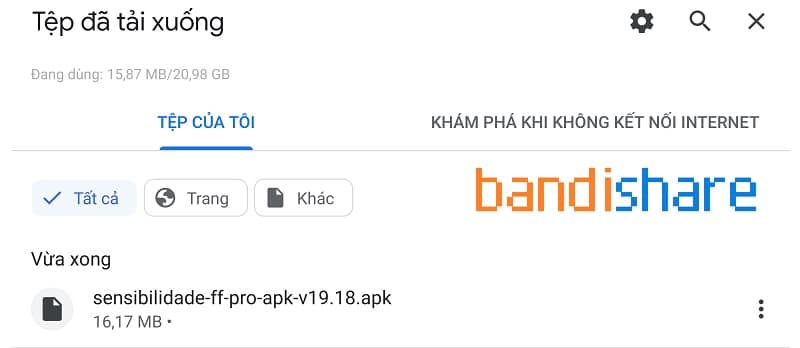
Step 2: Navigate to your device's Downloads folder and select the file labeled sensibilidade-ff-pro-apk-v19.18.apk.
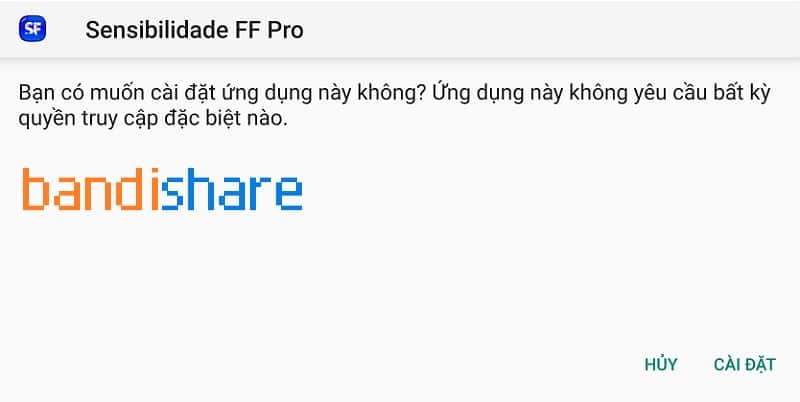
Step 3: When the system prompt appears, select Package Installer to proceed with the setup.
Step 4: Hit the Install button to start the installation procedure.
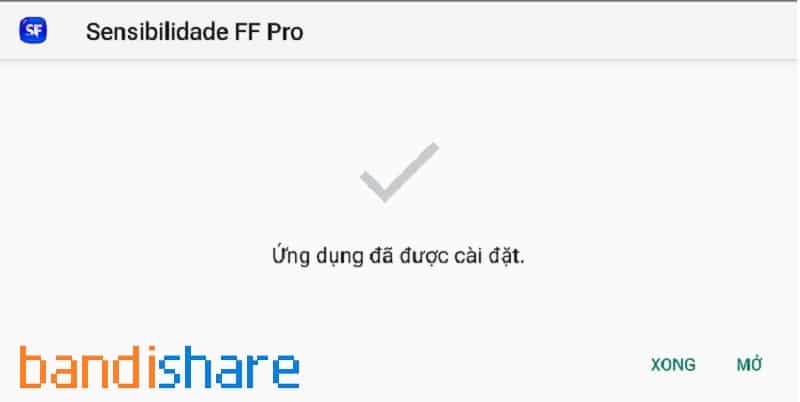
Step 5: Give the app a moment to finish installing. Once it is done, press Open to launch it.
Step 6: Select Allow when prompted to grant the necessary permissions for the app to function.
Step 7: If a notification pops up on the screen, tap Ignorar to dismiss it.
Step 8: You will now see the main menu, which contains a variety of helpful features. Activating any tool is straightforward—just toggle the switch to enable it.
Step 9: Launch Free Fire and start playing with your newly optimized sensitivity settings from the FF Pro app!
Conclusion: By choosing to download Sensibilidade FF Pro APK v3.4.8 for free from GameMod.dev, you gain the ultimate edge in fine-tuning your combat sensitivity. This app helps you execute actions with lightning speed, giving you the same competitive advantage as professional players. We hope this guide helps you successfully download, install, and maximize the performance of the app on your Android device.
Read more
Download
Safe file
Shared by: GameMod.dev
More Free Fire tools for Android
Related content
How to install
- Download the APK file above to your phone.
- Allow “Install unknown apps” when prompted.
- Open the downloaded APK and tap Install.
- If the package includes OBB/XAPK data, follow the bundled instructions.
MOD APKs are modified builds, so Play Protect may show a warning. Install only if you trust the file; use at your own risk.