
Screenshots


Description
- Home /
- Apps /
- Productivity
- Payment
Colabox.NETSize
7 MBVersion
1.4.5Requirements
Varies with deviceGet it on
Mod Info
Full Version Report this app
Images
Description
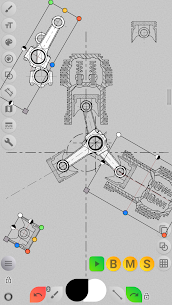
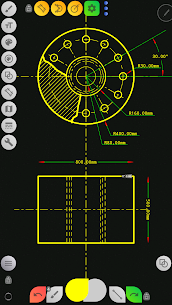
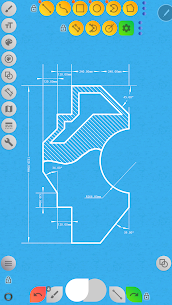
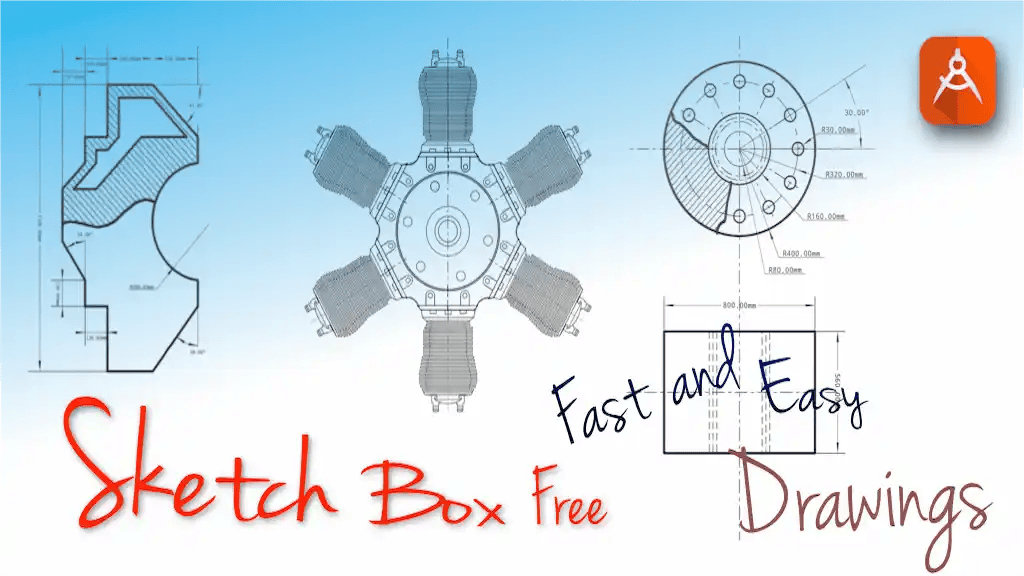
Sketch Box Pro (Easy Drawing) Easy to use lightweight sketching and drawing tool covering a wide range of requirements including technical drawings (alternative to vector CAD systems), general sketching, Google Maps support, and interactive map tools.
Most of the existing on-market tools for drawing are oriented either for traditional or general drawing or for technical drawing, last automatically means that the tool is expected to be a vector graphic tool. As an alternative to this, Sketch Box provides a smooth combination of the two mentioned approaches, powered by traditional drawing application tools and by the future of CAD systems.
Do you remember a time when engineers use real paper and pencil for work? Sketch Box is something similar, always with you in your pocket, ready to help you to fix instantaneous ideas and decisions.
NEW :
– Introducing Pencils Set: you can have a set of pencils with different features each.
– Pencil (Brush) Redactor: change pencils’ characteristics in a powerful redactor.
– Input Dimensions text.
– Optimized Multiline tool, now can build the line with any basic shape continuously, Manual points positioning (scalar and radial coordinates)
– Added free and radial selection tools.
– Drawing engine optimization.
– UI improvement.
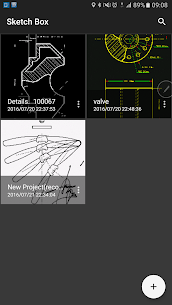
Sketch Box is a project-based application.
You can create projects from 3 sources
– New project from scratch: has predefined Themes (Black and White, Dark, BluePrint, and REM)
– Project from Google Maps snapshot
– Project from device Gallery
Keep and reuse projects anytime later, duplicate and share them.
Layers support :
– Up to 6 layers (Pro version)
– Lock Layer
– Layer Opacity control
– Duplicate Layer
– Clear Layer
– Delete Layer
– Merge to down and merge all.
What it has :
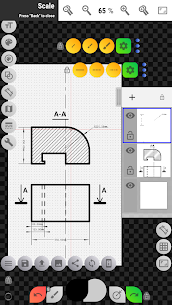
– Wide range of Basic shapes like Lines, Rectangles, Ovals, and Arcs to create sketches for any tasks.
– Set of predefined Brushes for the freehand drawing.
– Grid tool for precise technical sketching.
– Dimension tool for quick dimensioning (linear, angular, radius).
– Scale tool for setting scale ratio of drawing.
– Flood filling Tool.
– Hatching tool -hatch areas just with one touch!
– Text Tool.
– Elements Color control panels, support color history.
– Copy tool: copy parts of the drawing, and paste it multiple times anywhere (Use angular multi-paste mode for drawing radial continuously repeating details, transfer copy between layers), support squire, oval, and free selection. Now have the option to save the selection to the device disk and reuse it later.
– Drawing Rotation tool. Move rotation center around drawing.
– Insert Images from the device gallery, rotate, resize, and control the opacity of it (assemble more complex sketches from parts).
– Set up your working space according to your needs with flexible button panels. Move panels around the canvas. Pin it.
– export a current drawing to Gallery or share it.
GOOGLE MAPS SUPPORT :
– Use Google Maps as background for your work.
– Share your location with your comments and marking.
– Use the Interactive Compass tool to bind your sketch with the North direction.
– Use Vector Tool to show azimuth directly on the canvas with just one move (if Compass Tool is used, will provide azimuth considering Compass North direction).
– Use Map Tools to :
– Measure distances between objects on a map (odometer).
– Measure areas simply outlined on canvas.
Enjoy sketching with Sketch Box!!!
Related apps
Computer Science Calculations 4.5.0 Ettore Gallina 29.87 MB Pro Unlocked Speechify 6.4.0 Speechify - Voice AI Assistant 139.56 MB Premium Unlocked Stay Focused 13.0.3 INNOXAPPS LLP 21.19 MB Premium Unlocked To Do List 5.1.15 Splend Apps 21.38 MB Premium Unlocked CamScanner 7.27.5.2610140000 INTSIG PTE 237.95 MB Premium UnlockedHow to install
- Download the APK file above to your phone.
- Allow “Install unknown apps” when prompted.
- Open the downloaded APK and tap Install.
- If the package includes OBB/XAPK data, follow the bundled instructions.
MOD APKs are modified builds, so Play Protect may show a warning. Install only if you trust the file; use at your own risk.