

Screenshots

Description
Rename Photos and Videos 1.12.0 - Pro APK Paid Latest Version for Android Photography
Download the latest Rename Photos and Videos Paid APK for Android via direct download link
Rename Photos and Videos is a handy photography utility created by Maximilian Schillinger, ready to install and use on your Android device.
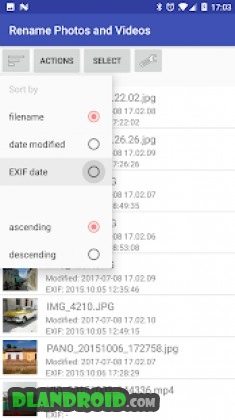
This application helps you reorganize your media library by automatically prefixing photo and video filenames with their capture date. Doing this ensures your files can always be sorted in perfect chronological sequence, no matter what device took them or whether they have been edited or copied. Context: Viewing pictures and clips sequentially in gallery apps frequently fails when sorting by filename, as cameras typically use prefixes like “IMG_”, “PANO_”, “VID_”, or “MOV_”, pushing panoramas and video clips out of place. Sorting by EXIF capture time also falls short because video files lack EXIF metadata, scattering them to the beginning or end of your album. Relying on the filesystem's “date modified” might work locally, but transferring media to another smartphone or computer updates that timestamp to the copy date, breaking your timeline entirely.
To avoid these timeline issues, processing your media collection with this tool prior to moving it to a PC, tablet, or another phone ensures every file starts with its true recording timestamp.
Key Features: ▶ Batch rename images and video files based on: • Date extracted from existing filename • Last modified timestamp • EXIF metadata (available for images; videos do not include EXIF) ▶ Insert custom prefix text or suffixes right before the extension ▶ Process entire directories simultaneously or pick individual items ▶ Three convenient workflow modes: • Directly rename source files • Generate renamed duplicate copies • Move renamed items into a separate folder ▶ Supported filename date patterns: • IMG_YYYYMMdd_HHmmss.jpg (common on OnePlus 3T, LG Nexus 5, etc.) • MMddYYHHmm.mp4 (featured on select LG models) • Numerous other standard formats ▶ Output timestamps in compact or extended layouts: • 20170113_145833 • 2017-01-13 14.58.33 • 2017-01-13 14h58m33 ▶ Flexible two-digit or four-digit year styling ▶ For generic filenames such as “CIMG1234.jpg” or “DSC-1234.jpg”, extract the EXIF capture date or fall back to file modification time ▶ Shift incorrect filename timestamps by adding or subtracting days, hours, minutes, and seconds ▶ Broad format support: JPG/JPEG, PNG, GIF, MP4, MOV, AVI, and 3GP ▶ External SD card write compatibility on Android 5.0 and above (along with most Android 4.3 or earlier setups) Rename Photos and Videos APK
What's New:
– Added compatibility for .heic, .heif, .webp, and .webm file types
How to install
- Download the APK file above to your phone.
- Allow “Install unknown apps” when prompted.
- Open the downloaded APK and tap Install.
- If the package includes OBB/XAPK data, follow the bundled instructions.
MOD APKs are modified builds, so Play Protect may show a warning. Install only if you trust the file; use at your own risk.