
Screenshots
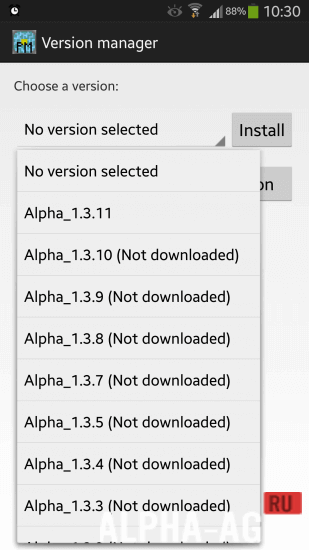

Description
PocketMine-MPWith this application you can create and manage servers in the popular game Minecraft. The application will give you the opportunity to configure a whole range of different functions right on your mobile device.
Gameplay
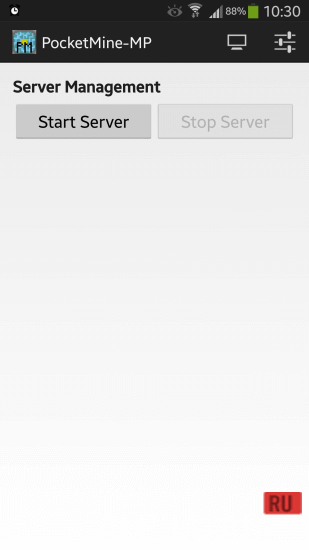
In fact, creating and managing a Minecraft server is not as simple as playing the game itself. Therefore, if you have never done this before, you might encounter some difficulties with this program and you will have to watch tutorials. By launching the application, you can immediately start creating your server.
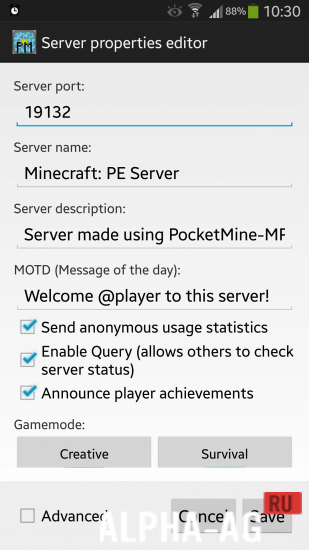
At the beginning, you will have to configure the port of your server, specify its name, then you can write a description, and after that, you can choose the game mode, difficulty, and you can also specify the number of players who can play simultaneously on your server, and much more.
After you create your server in Minecraft: Pocket Edition, you just need to launch it so that everyone who wants to can join it.Key features
With this application, every user can create their own server in the popular game Minecraft, and then manage all functions and even use plugins so that it is easier for you and your friends to play together.
To create your server, you must have the Minecraft game itself installed on your device.
You can play on your server with the users you want, and you can also protect yourself from cheats that other players might use. You can also take control of a player to teleport them from the guest list into the game.On our website you can download the PocketMine-MP application for Android for free.
3 Jul 20 Additional information:- Requires Android version: 4.4 or later
- Age restrictions: 3+
- Russian localization: absent
- Cache installation: not required
Subscribe to our YouTube channel!
Add a commentHow to install
- Download the APK file above to your phone.
- Allow “Install unknown apps” when prompted.
- Open the downloaded APK and tap Install.
- If the package includes OBB/XAPK data, follow the bundled instructions.
MOD APKs are modified builds, so Play Protect may show a warning. Install only if you trust the file; use at your own risk.