
Screenshots



Description
Photo Studio Pro
Photo Studio is a highly capable photo editing suite created by developers who specialize in imaging software. Thanks to its intuitive design, you can learn the ropes in under ten minutes and start producing stunning professional-grade edits immediately.
Getting Started
Once you launch the app, you are greeted by the main interface. You can effortlessly import images for editing from your device's internal storage, SD card, or connected cloud services.
Additionally, the app supports multi-photo selection, allowing you to easily assemble collages and apply unique filters to each individual image.
User Interface
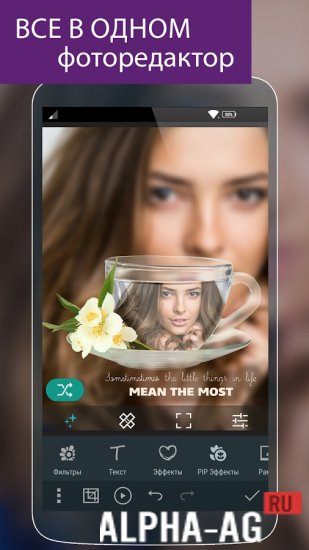
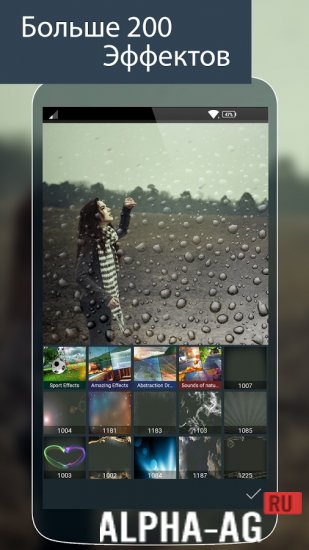
When you open a photo, you are presented with a dedicated workspace organized into four distinct tabs, each housing a specific set of editing tools. The first tab focuses on creative elements like filters, frames, and artistic effects.
You can also insert text overlays or utilize specialized features such as Color Splash, which creates striking contrasts by desaturating the image while keeping specific areas in full color.
The second tab provides essential photo correction utilities, including white balance adjustments, auto-leveling, lens corrections, and red-eye removal.
The remaining tabs offer standard manipulation options like resizing, brightness and contrast control, and cropping. Upgrading to PRO grants you full access to exclusive automated templates and a wider array of professional tools.
1 21 Aug Additional details:
- Required Android Version: 6.0 or higher
- Age Rating: 3+
- Russian Language Support: Available
- Cache Installation: Not required
Version 2.5.7.11 Our score: 9/10 Recommended apps: Selfie Camera Pro, Voice Changer, HD Wallpapers, uTorrent
Follow us on YouTube!
Leave a review
How to install
- Download the APK file above to your phone.
- Allow “Install unknown apps” when prompted.
- Open the downloaded APK and tap Install.
- If the package includes OBB/XAPK data, follow the bundled instructions.
MOD APKs are modified builds, so Play Protect may show a warning. Install only if you trust the file; use at your own risk.