
Screenshots

Description
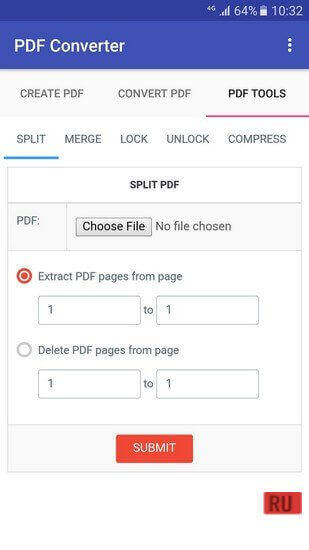
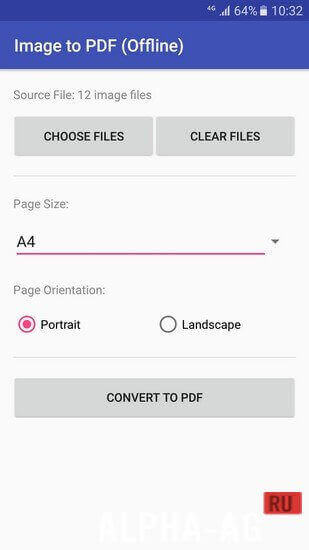
PDF ConverterA useful program that lets you create PDF files from documents of any other format, as well as convert any PDF file into a Microsoft Word document.
Gameplay
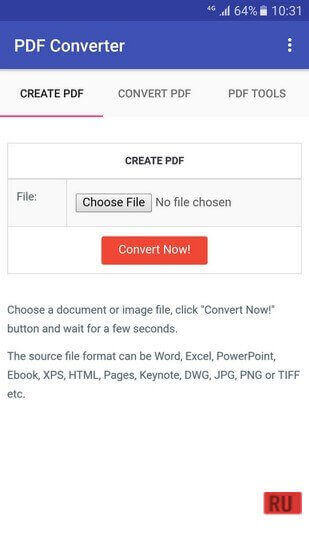
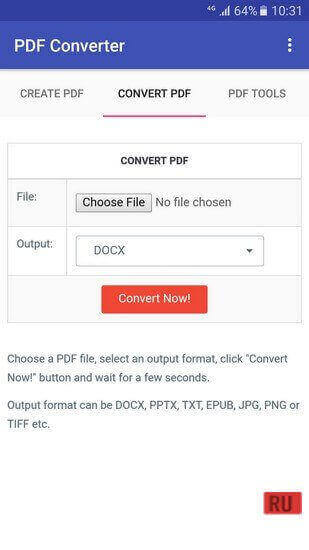
After launching the application, you will immediately be prompted to select the action you want to perform. You can create a PDF file from document formats supported by the app. You can convert any document into a multi-page TIFF and create a Microsoft Word document from a PDF file.
Once you select the desired action, all that remains is to choose the file you want to convert into the needed format.
Then wait a few seconds while the app converts your document. When the conversion process is complete, you can open it and start working in it.Key Features
An excellent app with which you can convert documents of virtually any format into a PDF file or multi-page TIFF, as well as convert a PDF file into a Microsoft Word document. To do this, you just need to launch the app.
After that, choose the desired action and specify the source file for the app.
The app supports a large number of major formats such as: .doc, .txt, .docx, .text, .csv, .dot, .xls, .dotx, .wpd, .xlsx, .xlt, .odf, .odp, .ots, otg, .otp, .potx, .ppsm, .pptx, .pps, .pot, .potm, .xps and many others. 0 22 Apr Additional information:- Android version required: 4.4 or higher
- Age rating: 3+
- Russian localization: none
- OBB / Cache installation: not required
Subscribe to our YouTube channel!
Add commentHow to install
- Download the APK file above to your phone.
- Allow “Install unknown apps” when prompted.
- Open the downloaded APK and tap Install.
- If the package includes OBB/XAPK data, follow the bundled instructions.
MOD APKs are modified builds, so Play Protect may show a warning. Install only if you trust the file; use at your own risk.