

Screenshots
Description
One UI Makeup – Substratum/Synergy Theme 15.1 Patched APK is the latest personalization tool crafted for Android devices.
Get the latest patched version of One UI Makeup – Substratum/Synergy Theme APK for Android with a fast, direct download link.
Developed by Mohamed Ibrahem, One UI Makeup – Substratum/Synergy Theme is a premium personalization app built to elevate your Android experience. Designed primarily for Samsung smartphones running One UI with 100% tweak support, it additionally offers around 40% compatibility with standard AOSP-based ROMs.
Installation Guide: This theme functions smoothly across both rooted and unrooted Samsung One UI devices. Note: Ensure you get verified releases from trusted platforms like GameMod.dev to keep your device secure.
1. Rooted Samsung or Rooted/Non-Rooted AOSP Devices: Launch the Substratum theme engine to configure your mods. Open Substratum > choose One UI Makeup > select your target applications and tweak their specific settings > hit Build > restart your handset, and enjoy the refreshed interface.
2. Non-Rooted Samsung Devices: Deploy the overlays via the Synergy theme compiler. Open Synergy > tap Add Overlays > choose Substratum Lite > pick One UI Makeup > mark your desired apps along with their styling options > install > tap Build inside Synergy > reboot your phone > apply the newly built Synergy theme through Galaxy Themes store.
Need assistance? Reach out to community support channels for troubleshooting and setup guidance.
Theme Overview: The primary purpose of this styling pack is to refine and reshape inconsistent third-party and system UI components to seamlessly align with Samsung’s One UI design philosophy. It emphasizes comfortable one-handed navigation, softer rounded corners, and a cleaner aesthetic across apps that typically lack native One UI styling. Rather than just recoloring backgrounds, this mod carefully reconstructs UI elements and structural layouts for daily ergonomic comfort.
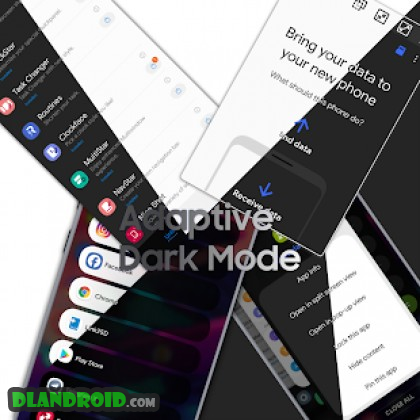
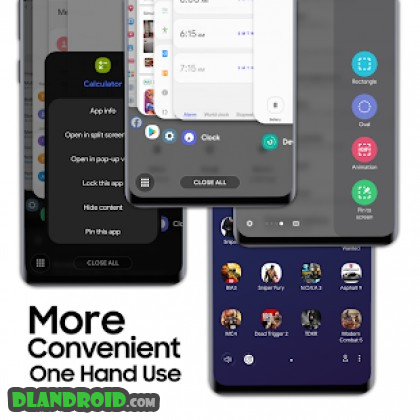
Device Compatibility & Feature Highlights: Fully compatible with Samsung smartphones running One UI (100% mod support) and roughly 50% functional on standard AOSP devices. Features include: • Overhauled package installer featuring centered rounded controls and clean flat headers. • Dynamic dark theme support across the package installer. • Rounded keyboard styling providing a balanced, modern visual aesthetic. • Reworked app menu in Good Lock's Task Changer with bottom-aligned elements and dark mode. • Dark mode optimization for Samsung Smart Switch. • Android 10 edge gesture visuals tailored for One Hand Operation+. • Native dark mode adaptation for Good Lock modules. • Ergonomic edge panels optimized for single-handed reach. • Adaptive dark palette for One Hand Operation+ menus. • Dark theme styling for the stock One UI recent apps drawer. • Slim List style improvements in Task Changer with full dark mode support. • Enhanced dark themes for Task Changer configuration panels. • Seamless dark mode integration for Google Play Store. • Eliminated bottom padding when the Quick Settings shade is fully pulled down. • Minimized spacing between the front camera punch-hole and status bar indicators on Galaxy S10 / S10+. • Preserved Quick Settings icon dimensions on denser 5×3 layouts. • Enlarged touch targets in pop-up windows, floating panes, and Smart Select tools. • One UI-styled rounded dialogs, system sheets, and action buttons for native Material layouts. • Bottom-oriented toolbar and games shelf in Game Launcher for convenient single-hand control. • Expanded control keys inside Edge Panel Smart Select views. • One UI curved search bar aesthetic integrated into YouTube, Gmail, Drive, and Play Store. • Enlarged clock and battery text scaling options suited for Galaxy S10 displays. • Sleek flat status bars across compatible third-party utilities. • Streamlined main dashboard and option lists in Root Explorer. • Rounded action controls across Samsung Device Care.
To complete the installation, use SAI (Split APKs Installer). In the SAI preferences menu, make sure to enable the “Sign apks” option before proceeding.
What’s New:
Key Features: • Compact app icons and label sizing for One UI Launcher • Removed the dedicated split-screen shortcut from the Recents screen • Fresh card-stack presentation for recent apps (distinct from Home Up) • Eliminated visual gaps between app items in List Recents • Ergonomic single-handed layout for App Folders and the App Drawer on One UI 3 • One-handed navigation enhancements across Finder in One UI 3 • Expanded lower navigation bar in Samsung Internet • Ergonomic single-handed quick access dashboard for Samsung Internet • Enlarged toolbar action buttons paired with rounded keyboard styling on One UI 3 • High-accessibility layout for the Quick Tools tray in One Hand Operation+ • Upgraded Smart Capture and Edge Panels optimized for One UI 3
How to install
- Download the APK file above to your phone.
- Allow “Install unknown apps” when prompted.
- Open the downloaded APK and tap Install.
- If the package includes OBB/XAPK data, follow the bundled instructions.
MOD APKs are modified builds, so Play Protect may show a warning. Install only if you trust the file; use at your own risk.