
Screenshots
Description
- Home /
- Apps /
- Tools
Navigation Bar – Anywhere 2.2.13
- Tools
Navigation Bar - Anywhere serves as the perfect substitute for malfunctioning or broken hardware keys. Designed for Android users facing navigation panel glitches, this tool restores seamless on-screen control. Available now at GameMod.dev. Developer: Wormhole Space | Size: 10 MB | Version: 2.2.13 | Requirements: Varies with device | Mod Info: Pro Unlocked
- Telegram
Report this app
Images
Description
The Navigation Bar – Anywhere utility is engineered to substitute for damaged, broken, or unresponsive physical buttons, making it a lifesaver for anyone dealing with a faulty navigation panel.
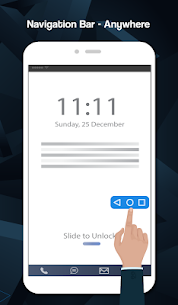
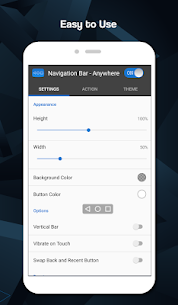
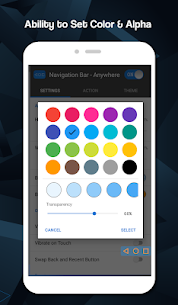
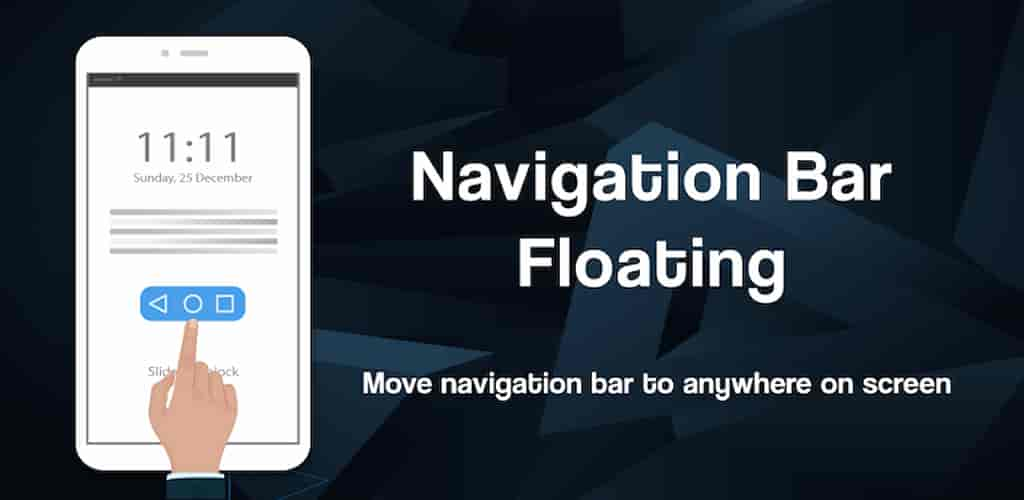
Packed with customizable color options and handy utility settings, this application lets you design a sleek virtual navigation dock. You can freely reposition it anywhere across your display and adjust its dimensions with ease.
Key Features
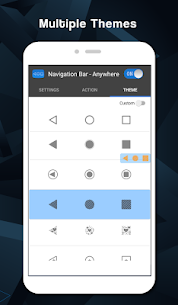
– Freely drag and place the navigation dock anywhere across your screen – Core controls: Home, Back, and Recent apps – Fully customizable background tones and button icon colors – Adjustable dock height and width to fit any screen size – Built-in haptic feedback with touch vibration toggles – 31 stylish themes ready to use – Configurable long-press shortcut actions for Back, Home, and Recent buttons
Supported Long-Press Shortcuts
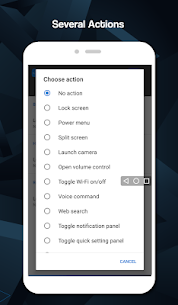
– Screen lock (requires Device Administrator permission; remember to disable this via the in-app Settings menu prior to uninstallation) – Quick Wi-Fi toggle – Power menu shortcut – Split-screen mode – Open camera instantly – Access volume sliders – Voice assistant trigger – Quick web search – Expand notification shade – Open Quick Settings – Launch phone dialer – Open default browser – Open system settings – Launch this application
Accessibility Service Usage
Navigation Bar – Anywhere relies on Android's Accessibility Service API to deliver its core on-screen controls. The app never monitors private screen contents, reads confidential user data, or shares collected details with third parties.
Activating this permission enables responsive tap and long-press commands for essential tasks, including: Back, Home, Recent Apps, Screen Lock, Notification Shade, Quick Settings, Power Menu, Split-Screen toggle, and Screenshot capture.
Disabling the Accessibility Service will prevent the primary navigation features from functioning properly.
More from Developer
Lower Brightness Pro 2.3.2_pro | Wormhole Space | 2 MB | Full Version Navigation Bar for Android MOD APK (Pro Unlocked) 3.3.0 | Wormhole Space | 8 MB
Related Apps
Insget 3.14.4 | Spaple | 88.09 MB | Premium Unlocked Poke Genie 8.19.1 | Poke Genie | 107.92 MB NekoBox+ 1.4.2-101 | NekoBox+ | 159.46 MB | No Ads Inure App Manager build107.3.0 | Hamza Rizwan | 25.96 MB | Premium Unlocked SmartCookieWeb 17.0-beta3 | SmartCookieWeb | 5.40 MB | No Ads
How to install
- Download the APK file above to your phone.
- Allow “Install unknown apps” when prompted.
- Open the downloaded APK and tap Install.
- If the package includes OBB/XAPK data, follow the bundled instructions.
MOD APKs are modified builds, so Play Protect may show a warning. Install only if you trust the file; use at your own risk.