
Screenshots
Description
- Home /
- Apps /
- Tools
Multi Cloner 1.2.5.10
- Tools
Multi Cloner – The Ultimate App Cloning Tool for Android TELEGRAM Report Developer Multi Accounts devSize 12 MB Version 1.2.5.10 Requirements 7.0 Get it on Mod Info Premium Unlocked
- Telegram
Report this app
Images
Description
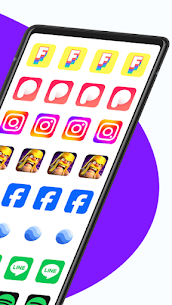
Multi Cloner is a lightweight Android app that requires no root access. It lets you clone and run several instances of your favorite apps, including WhatsApp, Facebook, Instagram, and games, all on one device, so managing multiple accounts becomes simple and secure.
One Device, Endless Possibilities: Manage All Your Accounts in One Place
Switching between accounts across different apps can be a real chore. Maybe you run a business alongside your personal life, juggle several social media profiles, or want to keep your gaming accounts apart from everyday apps. On a single phone, that used to mean logging in and out again and again. Multi Cloner removes that hassle completely.
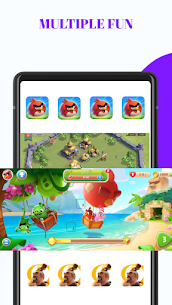
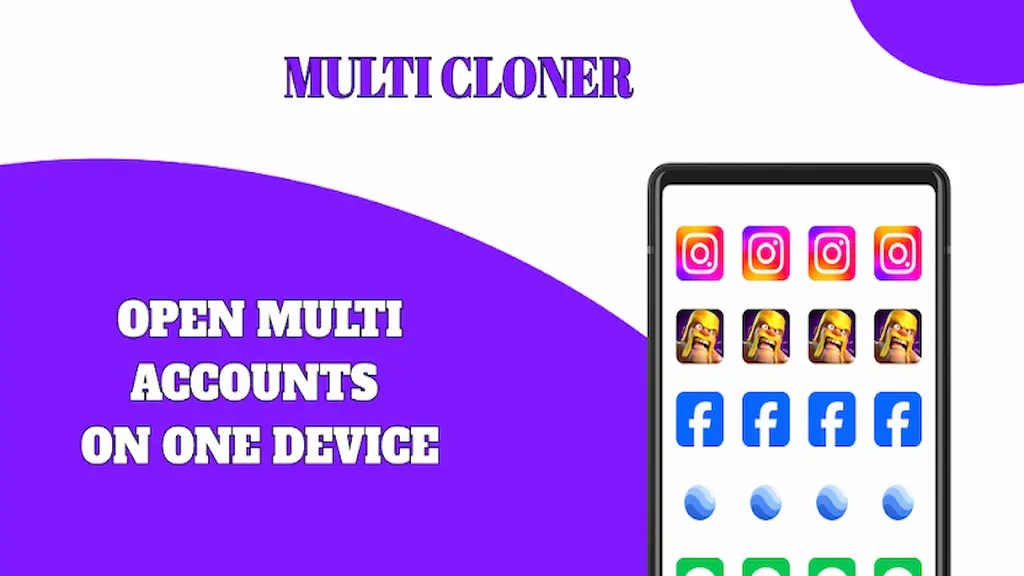
Multi Cloner is a capable Android app that clones your favorite applications so you can run two or more copies at the same time on a single device. You can use two WhatsApp accounts side by side, keep separate Facebook and Instagram profiles active at once, or even run multiple copies of a mobile game, all without logging out. It gives your phone the flexibility that modern life calls for.
No Root Required: Works on Any Android Device Right Out of the Box
A common worry about app cloning tools is whether they demand rooting your device. Rooting voids warranties, exposes your phone to security risks, and can permanently damage your system if something goes wrong. Multi Cloner avoids all of that.
The app runs on any standard Android device with no root access or complicated technical changes required. Just install Multi Cloner, pick the app you want to clone, and let the tool handle the rest. There are no hidden settings to dig through, no developer mode tricks to enable, and no danger of harming your device. Anyone can use it, regardless of technical experience.
One-Click Cloning: Set Up Multiple Accounts in Seconds
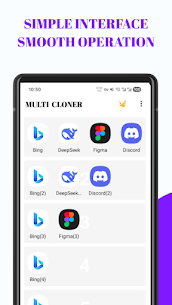
Multi Cloner is built around simplicity. Its clean, straightforward interface walks you through cloning with a single tap. Select the app you want to duplicate, confirm your choice, and Multi Cloner creates a fully working clone that runs independently of the original.
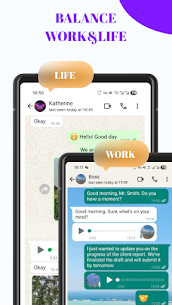
The cloned app works just like the original. It receives notifications, syncs data, and offers full functionality. You can switch between the original and the clone instantly without interrupting your workflow. Whether you're replying to a client on your work WhatsApp while your personal account stays active in the background, or playing two separate game accounts at once, Multi Cloner handles it smoothly.
Lightweight and Fast: No Impact on Your Phone's Performance
Many users worry that running several app instances at once will drain the battery, slow the device, or eat up storage. Multi Cloner tackles these concerns with a performance-first design.
The app runs efficiently in the background, using minimal battery and storage compared with other cloning solutions. Your phone stays responsive even when several cloned apps are active at the same time. Multi Cloner keeps its processes as lightweight as possible, so you get the benefits of multi-account management without sacrificing speed.
Secure and Isolated: Keep Your Accounts and Data Completely Separate
Privacy and security are at the core of Multi Cloner. When you clone an app, the tool creates a fully isolated environment for each instance. Your work account data never mixes with your personal account data, and each cloned app runs in its own secure sandbox.
This isolation protects sensitive information and ensures that activity in one account can't accidentally affect another. You stay in full control of which data belongs to which profile at all times. For professionals handling confidential client communications, or anyone who values keeping different parts of their life neatly organized, this separation provides real peace of mind.
Perfect for Work, Gaming, and Social Media
Multi Cloner suits a broad range of everyday needs. Professionals can keep work and personal messaging apps running at the same time, so there's no need to carry two phones. Social media managers can handle several brand accounts and personal profiles at once without constantly switching. Gamers can keep separate accounts to reach different servers, manage multiple characters, or take advantage of regional differences in game content.
No matter why you need multiple accounts, Multi Cloner offers a solution that is quick, secure, and genuinely simple to use.
Download Multi Cloner Today and Take Full Control of Your Apps
You no longer have to pick one account over another or waste time logging in and out all day. Multi Cloner lets you run every account you need, exactly when you need it, all from a single Android device.
Download Multi Cloner now and see how effortless managing multiple accounts can be.
Related apps
AdGuard 4.16.0 ADGUARD SOFTWARE LIMITED 56.82 MB Premium Unlocked Full Battery Charge Alarm 1.0.368 Syrupy 5.84 MB Premium Unlocked 1DM+ 20.0 Vicky Bonick 176.91 MB Full Version Video Converter, Compressor 20.16.0 Inverse.AI 60.07 MB Premium Unlocked txtpad — Notepad & TXT Editor 3.5.1-premium My Cat's Lab 17.20 MB Premium Unlocked
How to install
- Download the APK file above to your phone.
- Allow “Install unknown apps” when prompted.
- Open the downloaded APK and tap Install.
- If the package includes OBB/XAPK data, follow the bundled instructions.
MOD APKs are modified builds, so Play Protect may show a warning. Install only if you trust the file; use at your own risk.