
Screenshots

Description
LG TV PlusThe official app used to control smart TVs running the proprietary WebOS system. With its help, you can change channels, adjust the volume, as well as view photos and videos from your smartphone on the TV screen.
Gameplay
Nowadays, most people prefer to have TVs with Smart TV technology, since it allows them to watch movies, TV series, and other videos on the internet.
You would control such a TV with a remote control, and if it suddenly fails, you will have to find a replacement for it.In this situation, this application will come to your rescue, which in terms of functionality is not inferior to the native remote, but also has additional features. Before you start using this application, you should make sure that your smartphone and TV are connected to the same router.
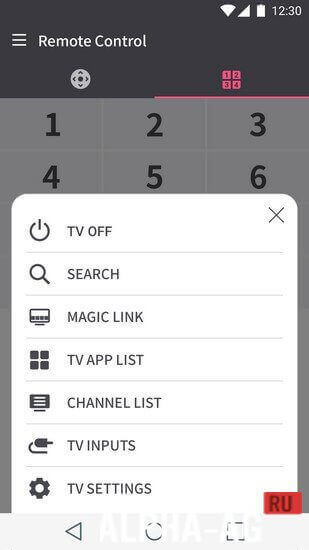
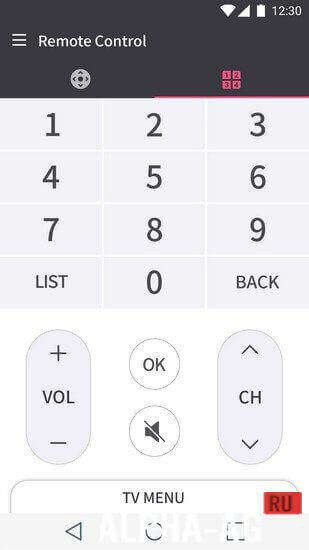
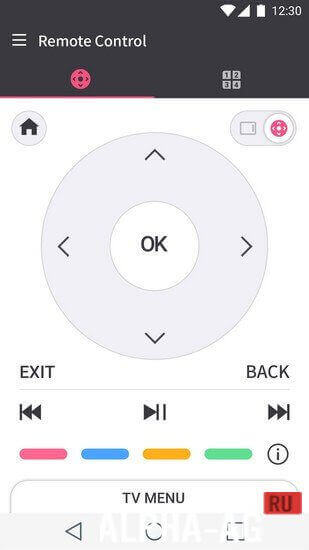
Because the connection between your smartphone and the TV is established through your home network. After your devices are synchronized, the main TV control buttons will be displayed on your device's screen.
With their help, you will be able to access the TV menu, change channels, and adjust the sound volume. You will also have the ability to launch and manage apps installed on your TV, enable and disable 3D mode, and more.
Key Features
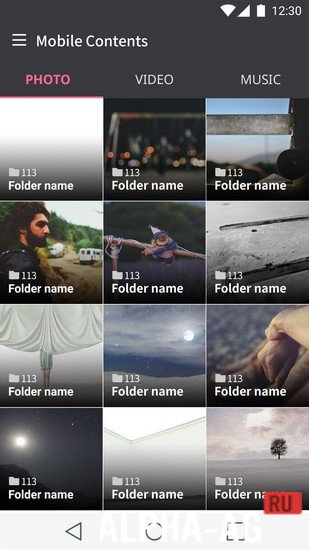
With this application, you can control your Smart TV from your device. The app features a simple and user-friendly menu divided into 3 main modes: TV control, app settings, and viewing content from your phone on the TV.
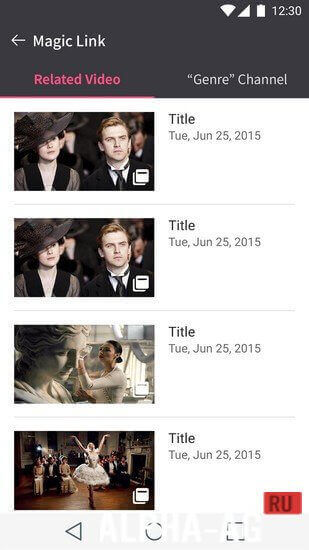
Using the latter, you can stream photos, videos, and audio files from your smartphone to your TV screen. 0 Jan 31 Additional Information:- Requires Android version: 4.2 or later
- Age restrictions: None
- Russian localization: Not available
- Cache installation: Not required
Subscribe to our YouTube channel!
Add commentHow to install
- Download the APK file above to your phone.
- Allow “Install unknown apps” when prompted.
- Open the downloaded APK and tap Install.
- If the package includes OBB/XAPK data, follow the bundled instructions.
MOD APKs are modified builds, so Play Protect may show a warning. Install only if you trust the file; use at your own risk.