
Screenshots
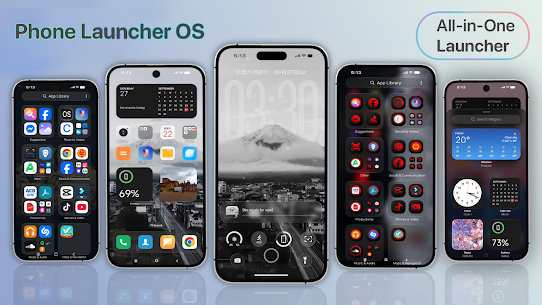
Description
- Home /
- Apps
Launcher Phone OS MOD APK 1.3.2 (Premium Unlocked)
- Apps
- Personalization
Give your Android device a complete aesthetic makeover with a sleek, speedy, and highly versatile launcher featuring fluid animations, an uncluttered interface, and rich customization tools. Developer: TH True App | Size: 40 MB | Version: 1.3.2 | Requires: Android 7.0+
- Telegram
Report This App
Screenshots
MOD Info
- Premium Unlocked
Overview
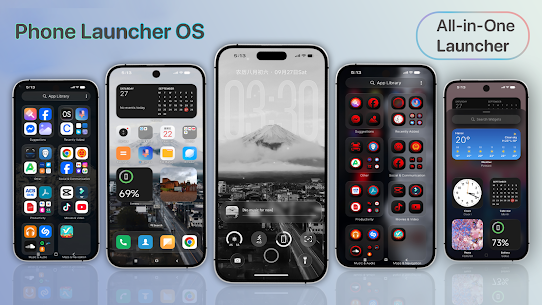
Phone Launcher OS MOD APK – Upgrade your Android experience with a modern, responsive, and adaptable launcher that delivers fluid transitions, a clutter-free interface, and extensive personalization options. Crafted specifically for fans of minimalist elegance, it gives your entire home screen a sophisticated new look.
✨ Key Features:
🔹 Intelligent Home Screen Layout
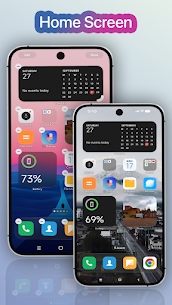
Keep everything tidy effortlessly with automated app arrangement, flexible grid setups, and buttery-smooth scrolling designed for effortless navigation.
🔹 Quick Control Center
Manage core toggles including Wi-Fi, Bluetooth, screen brightness, and more with a swift swipe from the display edge. Tailor your quick toggles and shortcuts for maximum convenience.
🔹 Organized App Library & Smart Suggestions
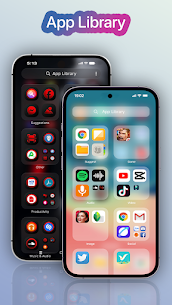
Locate your favorite applications instantly thanks to an intelligent library that sorts apps by category and offers recommendations tailored to your daily habits.
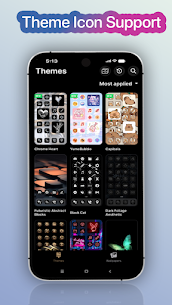
🔹 Custom Themes & Icon Packs
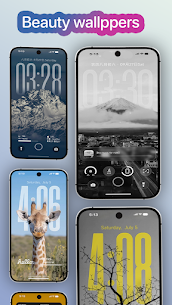
Tailor the interface to your personal style using diverse themes, wallpapers, and icon designs. Freely apply third-party icon packs or fine-tune individual icons one by one.
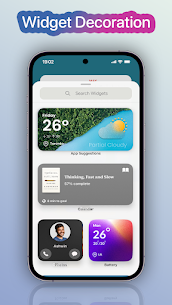
🔹 Lock Screen & Interactive Widgets
Add an elegant lock screen for enhanced protection while enjoying convenient access to useful desktop widgets right from your home display.
🔹 Intuitive Gesture Controls
Navigate smoothly across your device with responsive touch gestures to launch apps, adjust settings, or jump back to the home screen in an instant.
🔹 Fluid Animations & Screen Transitions
Experience ultra-smooth motion and refined visual effects that make navigation effortless without sacrificing device performance.
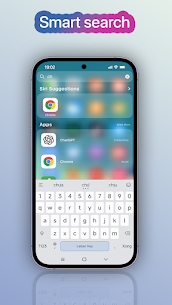
🔹 Fast Search & Smart App Recommendations
Perform a quick downward swipe to find applications, contacts, and online results immediately with intuitive smart suggestions.
🔹 Secure App Locker & Stealth Mode
Keep sensitive data secure by concealing or locking personal apps using a PIN code or pattern lock.
🔹 Interactive Widgets & Dynamic Wallpapers
Personalize your home screen with daily refreshed backgrounds alongside dynamic clock, weather forecast, and calendar widgets.
🔹 Built for Speed & Battery Efficiency
Engineered to be ultra-lightweight and responsive, ensuring flawless operation across Android devices with minimal battery drain.
💡 Whether you prefer an uncluttered minimalist layout, deeper aesthetic customization, or simply a faster UI, this launcher empowers you to showcase your personal taste while staying efficient every single day.
Why choose our launcher?
- Sleek, contemporary visual aesthetics
- Extensive personalization that remains easy to configure
- Highly responsive, light on system resources, and energy-efficient
- The perfect upgrade for anyone seeking a revitalized Android interface
🔒 Dedicated to User Privacy
Your private details are never collected or uploaded—everything remains strictly stored on your own device.
🎯 Universal Android Compatibility
Optimized to function reliably across every major smartphone maker and diverse display resolution.
Revamp your mobile device with a distinctive modern aesthetic and elevate your everyday workflow. Download today from GameMod.dev and tailor Android to your exact taste!
Similar Applications
Galaxy S26 Style Launcher 12.31 MH Apps Studio 11.76 MB Premium Unlocked Desktop Style Launcher 23.23 MH Apps Studio 11.12 MB Premium Unlocked Win 12 Launcher 13.29 MH Apps Studio 12.10 MB Premium Unlocked Button Mapper 4.15 flar2 6.20 MB Pro Unlocked Nova Launcher 89500 (8.9.5) Instabridge Sweden AB 31.05 MB Prime Unlocked
How to install
- Download the APK file above to your phone.
- Allow “Install unknown apps” when prompted.
- Open the downloaded APK and tap Install.
- If the package includes OBB/XAPK data, follow the bundled instructions.
MOD APKs are modified builds, so Play Protect may show a warning. Install only if you trust the file; use at your own risk.