
Screenshots
Description
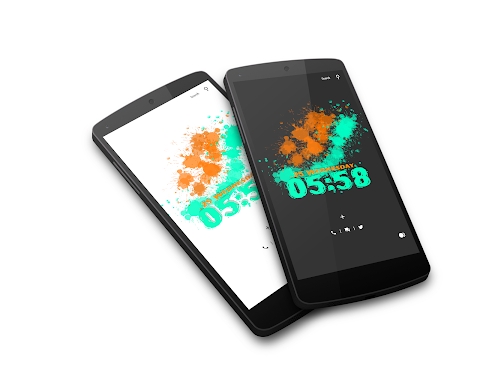
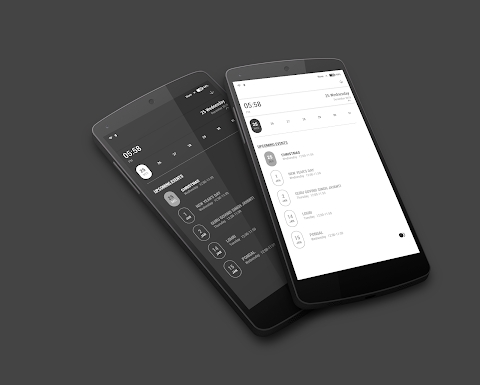
Jadal Klwp 01 MOD APK
To apply this theme, you must have Kustom Live Wallpaper along with its Pro key installed.
* Kustom Live Wallpaper
https://play.google.com/store/apps/details?id=org.kustom.wallpaper
* (KLWP Pro Key)
https://play.google.com/store/apps/details?id=org.kustom.wallpaper.pro
* Any launcher compatible with KLWP (such as Nova Launcher)
https://play.google.com/store/apps/details?id=com.teslacoilsw.launcher
Installation Guide:
* Download and install JADAL KLWP-01
* Open KLWP, tap the top-left menu icon, and choose Load Preset.
* Pick the JADAL KLWP01 theme preset.
* Tap the Save button and head back to your home screen.
Recommended Nova Launcher Settings:
* Set your home screen to 1 page.
* Disable or hide the dock.
* Hide the notification status bar.
* Turn off the page indicator.
Global Settings in KLWP Editor
Optional Customizations
* Customize your preferred fonts
* Adjust the animation transition speed
KLWP Shortcut Configuration
* Reassign the shortcut links if any are not opening properly
* Don't forget to leave a rating and review if you like JADAL KLWP 01.
Feel free to reach out if you need any assistance or have questions.
Thank you!
Have fun!
How to install
- Download the APK file above to your phone.
- Allow “Install unknown apps” when prompted.
- Open the downloaded APK and tap Install.
- If the package includes OBB/XAPK data, follow the bundled instructions.
MOD APKs are modified builds, so Play Protect may show a warning. Install only if you trust the file; use at your own risk.