

Screenshots

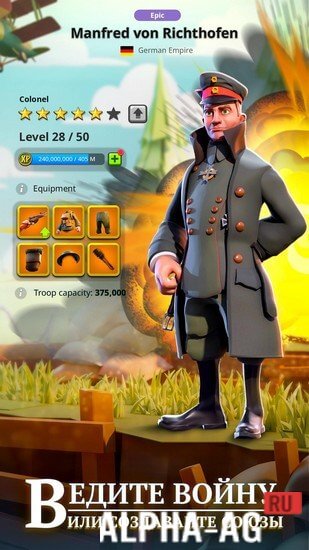





Description
Game of Trenches: World War I MMO Strategy
Build a formidable force featuring elite infantry, armored tanks, and warplanes, then march into combat against global rivals to secure ultimate triumph across brutal battlegrounds.
Gameplay
Start your journey by selecting the civilization and faction that best match your combat style. Traverse the expansive war map to collect vital resources, track enemy commanders' movements, and anticipate their offensive strategies.
Equip your forces with authentic historical war machines utilized by British, German, Russian, Austro-Hungarian, and various other world powers.
Level up your commander and upgrade your military units to their full potential to dominate the frontline.
Forge powerful pacts with fellow commanders or take on the battlefield as a lone wolf. Combat success hinges on diplomatic coordination, strategic leadership, tactical deception, and strong social ties. Establish bases to manufacture advanced combat aircraft and armored vehicles.
Game Features
Immerse yourself in World War I, formulating tactics engineered to secure both quick skirmishes and pivotal wartime engagements. Clash with real opponents worldwide and establish coalitions to conquer hostile forces together.
An extensive arsenal of authentic military hardware designed to turn the tide during massive confrontations.
Construct military bases to train combat units, boost tactical capabilities, and roll out high-tier tanks and warplanes. The game equips you with all the essential tools required to achieve glorious victories. 0 Jan 23 Additional information:
- Requires Android: 5.0 and up
- Content rating: 3+
- Russian language: Supported
- OBB / Cache: Not required
Version: 2021.11.1 Online status: Offline GameMod.dev rating: 8/10 Related games: Rats Mobile Heroes & Magic, G.I. Joe: War On Cobra, Shogun's Empire: Hex Commander GameMod.dev YouTube channel
Subscribe to GameMod.dev on YouTube!
Leave a Comment
How to install
- Download the APK file above to your phone.
- Allow “Install unknown apps” when prompted.
- Open the downloaded APK and tap Install.
- If the package includes OBB/XAPK data, follow the bundled instructions.
MOD APKs are modified builds, so Play Protect may show a warning. Install only if you trust the file; use at your own risk.