
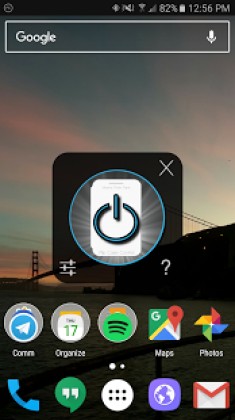
Screenshots
Description
Flip Case Control 2.13 APK is an Android utility designed to automate screen controls
Get the latest version of Flip Case Control APK for Android via direct download link
Shutting your flip cover immediately puts the display to sleep, while opening it wakes your device right up.
Smart screen management has never been this effortless and intuitive.
Verified working smoothly on the Galaxy S7 as well as the Nexus 5X
At present, custom non-Samsung firmware like AOSP or CyanogenMod is not supported
IMPORTANT: A dark or black interior lining on your case might prevent the sensor from registering closure properly. You can easily resolve this by sticking a small strip of light-colored tape directly over the area facing the proximity sensor beside the front camera
Note II users facing unusual battery drain should disable the "Reduce Sensitivity" toggle while a permanent patch is being developed.
Frequently Asked Questions
Q. Will this drain my phone's battery? A. During testing across devices, battery consumption remained minimal at roughly 0.3% to 0.5% per hour based on regular use.
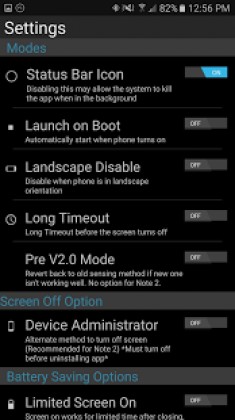
Q. Does the proximity sensor stay active continuously? A. It operates continuously by default, but you can schedule downtime via Night Disable or use Limited Screen On mode.
Q. Is it harmful to keep the sensor running all the time? A. Not at all; the hardware simply pairs an ambient light sensor with an LED indicator that is fully safe for prolonged operation.
Q. Will my device still enter Deep Sleep mode properly? A. Yes, normal Deep Sleep functionality remains intact.
Q. Why does the display occasionally take a moment to wake up after opening the cover? A. That is completely normal behavior, occurring because your device is waking up from a power-saving Deep Sleep state.
Permissions Required: Get Settings – Essential for basic operations Wake Lock – Keeps necessary background services running On Boot – Optional permission to launch automatically upon system startup Device Administrator Access – Used as a fallback lock mechanism to turn off your display; make sure to revoke this access before attempting to uninstall the app.
Flip Case Control APK
Flip Case Control APK
What's New: Included official notice regarding Google's Device Administrator policy for screen locking
How to install
- Download the APK file above to your phone.
- Allow “Install unknown apps” when prompted.
- Open the downloaded APK and tap Install.
- If the package includes OBB/XAPK data, follow the bundled instructions.
MOD APKs are modified builds, so Play Protect may show a warning. Install only if you trust the file; use at your own risk.