

Screenshots
Description
Find Lost Phone Pro 1.20 APK Full Paid is an essential Android utility app
Download the latest version of Find Lost Phone Pro APK Full Paid for Android via direct link
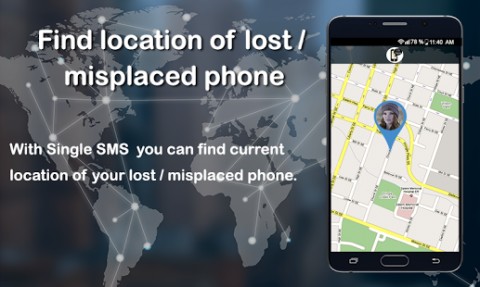
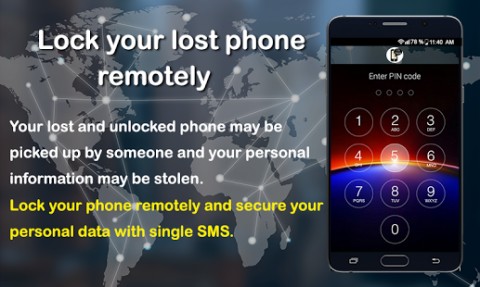
Find Lost Phone is an all-in-one anti-theft, device tracker, and navigation suite for Android. Through this single reliable tool, you can effortlessly track down a misplaced or stolen device, monitor loved ones in real time, and navigate seamlessly even without an active internet connection. Crafted with an intuitive interface, it provides top-tier security to safeguard your smartphone at all times. Key Features: • Automatically pinpoint the location of friends and family via quick SMS alerts. • Remotely locate your handset whenever needed. • Track down your misplaced device using someone else's phone with just a single text message. • Configure a personalized 4 to 6-digit security PIN. • Protect the app interface using your custom PIN. • Instantly senses unauthorized SIM swapping and locks your device down automatically. • Triggers a loud emergency siren at maximum volume, even if the device is set to silent or vibrate. • Pick the built-in alert tone or choose any custom audio file stored on your phone. • Automatically delivers your current coordinates, security code, and IMEI to pre-selected trusted contacts. • Sends an emergency text notification to emergency numbers the moment a foreign SIM card is detected. • Forwards your backup passcode directly to your email address for safekeeping. • Operates smoothly offline without requiring mobile data or Wi-Fi. • Highly optimized for minimal battery drain throughout the day. • Comes with a preset default passkey of “12345”, which can be modified at your convenience. How to Use Find Lost Phone: To begin, open the application and tap “Tap to Activate” on the home screen to enable its anti-theft services. A. For Misplaced Devices: When your phone goes missing at home or in the office, easily track, secure, or ring it by texting commands from any mobile number. I. Trigger a loud alarm and lock the handset with your PIN by sending: alarm#xxxx or Alarm#xxxx. II. Turn off the siren by sending: stopalarm#xxxx or Stopalarm#xxxx (alternatively, unlock your handset and tap STOP). III. Retrieve precise coordinates by texting: location#xxxx or Location#xxxx. IV. Remotely lock the screen by sending: lock#xxxx or Lock#xxxx. B. For Stolen Devices: I. If an unauthorized SIM swap occurs, the app automatically triggers a lock screen requiring your security PIN. II. The system immediately delivers essential recovery details to your trusted emergency contacts, including: a. The device's IMEI identifier. b. Up-to-date GPS or network-based coordinates. c. Your preset security code. III. You can also trigger the alarm remotely and request refreshed location pings by sending SMS commands directly to the newly inserted SIM. C. Automated Tracking: I. Track Me: Automatically broadcasts your real-time coordinates to chosen contacts at scheduled intervals. II. Track a Friend: When a friend activates the “Track Me” function on their smartphone, their live position updates will be plotted directly on your map. D. Uninstallation Guide: Before uninstalling the application, you must disable administrative permissions. I. Tap “Tap to Deactivate” directly on the main dashboard, or II. Navigate to Android Settings > Security > Device Administrators and uncheck “Find Lost Phone”.
Device Administrator Permissions Required: This application relies on Device Administrator privileges to ensure maximum protection. Screen Lock: Allows the app to lock your display remotely or upon discovering an unexpected SIM card. Password Reset: Secures your device during loss or theft scenarios. SMS Management: Automatically dispatches alert texts to designated contacts upon SIM swap detection. Additional Required Permissions: Send and receive SMS, access contacts, read GPS and cellular network state, retrieve Google Services data, access phone status, monitor boot completion, write to external storage, and establish network connections.
We appreciate your feedback and suggestions for future updates.
Find Lost Phone Pro APK Full
Find Lost Phone Pro APK Full
What’s New: - Resolved minor system bugs - Enhanced user interface - Added multi-device tracking support
How to install
- Download the APK file above to your phone.
- Allow “Install unknown apps” when prompted.
- Open the downloaded APK and tap Install.
- If the package includes OBB/XAPK data, follow the bundled instructions.
MOD APKs are modified builds, so Play Protect may show a warning. Install only if you trust the file; use at your own risk.