
Screenshots


Description
- Home /
- Apps
Duotone Icon Pack MOD APK (Full Version) 2.8
- Paid
- Apps
- Personalization
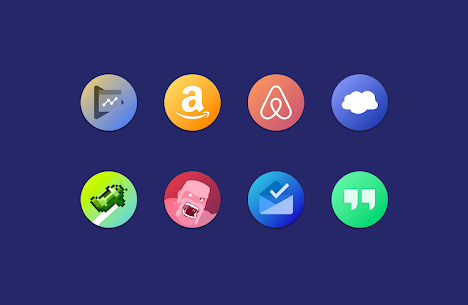
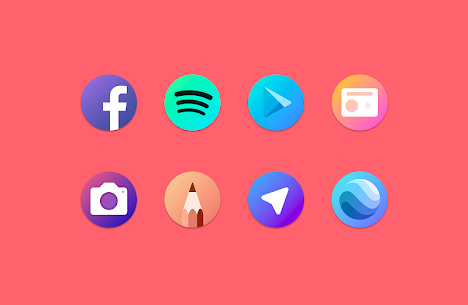
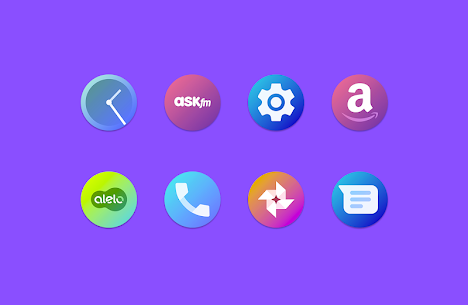
Duotone is a modern icon pack centered around contemporary dual-tone color transitions, showcasing overlapping gradient elements that deliver a distinctive aesthetic overhaul for your Android device. Developer: Fraom Design | Size: 51 MB | Version: 2.8 | Requirements: Varies with device
- Telegram
Report App
Screenshots
MOD Info
- Full Version
Overview
Duotone Icon Pack introduces an eye-catching visual upgrade driven by smooth dual-tone color transitions. Every graphic incorporates layered color blending to give your Android interface an entirely fresh vibe, adopting the refined contours and soft drop shadows seen in the modern Google Pixel design.
Duotone Icon Pack Features
• Over 4,300 high-definition icons • Native system icons tailored for leading brands including Samsung, HTC, LineageOS, Asus, Huawei, LeEco, LG, Meizu, Motorola, OnePlus, Sony, Xiaomi, and more • Eye-catching alternate color schemes • Cloud-hosted wallpapers with Muzei integration • Dynamic calendar support • Built-in icon search utility • Direct icon request feature • Regular weekly updates
Supported Launchers • Third-party launchers (Nova, Apex, Aviate, Action Launcher, Lucid Launcher, Go Launcher, Holo Launcher, Smart Launcher, Everything Launcher, ADW Launcher, TSF Shell) • Pixel Launcher (requires a patched/modded build) • Lawnchair Launcher • Evie Launcher • Cyanogen Theme Engine (CM) • Unicon • Xposed • XGELS • Beautiful Icon Styler • Stock OEM launchers for LG, Asus, Sony Xperia, and many others…
Important Notes This package is an icon theme, not a standalone application, meaning you must run a compatible custom launcher to apply it. If your installed launcher is missing from the built-in dashboard list, simply head into your launcher's theme settings and select the pack manually.
Compatibility Notice Standard Pixel Launcher lacks native icon pack support (a modded variant is required). Google Now Launcher and default MIUI Launcher do not allow third-party icon packs. Note for Go Launcher users: Because icon masking is not natively handled right now, navigate to Preferences > Icons and toggle off the "Show icon base" option.
More by Developer
Chromatin UI – Icon Pack MOD APK (Full Version) 8.5 by Fraom Design (50 MB) | Pix it – Icon Pack APK (Full Version) 7.0 by Fraom Design (42 MB) | Popsicle Icon Pack APK (Full Version) 2 by Fraom Design (14 MB) | Kiwi UI Icon Pack 20 by Fraom Design (58 MB) Full Version | Frozy / Material Design Icon Pack APK (Full Version) 4 by Fraom Design (17 MB)
Similar Applications
Poke Genie 8.19.1 by Poke Genie (107.92 MB) | Square Home 4.1.2 by Total_Apps (6.40 MB) [Premium Unlocked] | Tapet Wallpapers 11.000.155 by Tapet (29.55 MB) [Premium Unlocked] | Aline: bold linear icon pack 3.5.3 by One4Studio (39.28 MB) [Full Version] | AlineT: bold linear icon pack 3.5.3 by One4Studio (47.07 MB) [Full Version]
How to install
- Download the APK file above to your phone.
- Allow “Install unknown apps” when prompted.
- Open the downloaded APK and tap Install.
- If the package includes OBB/XAPK data, follow the bundled instructions.
MOD APKs are modified builds, so Play Protect may show a warning. Install only if you trust the file; use at your own risk.